
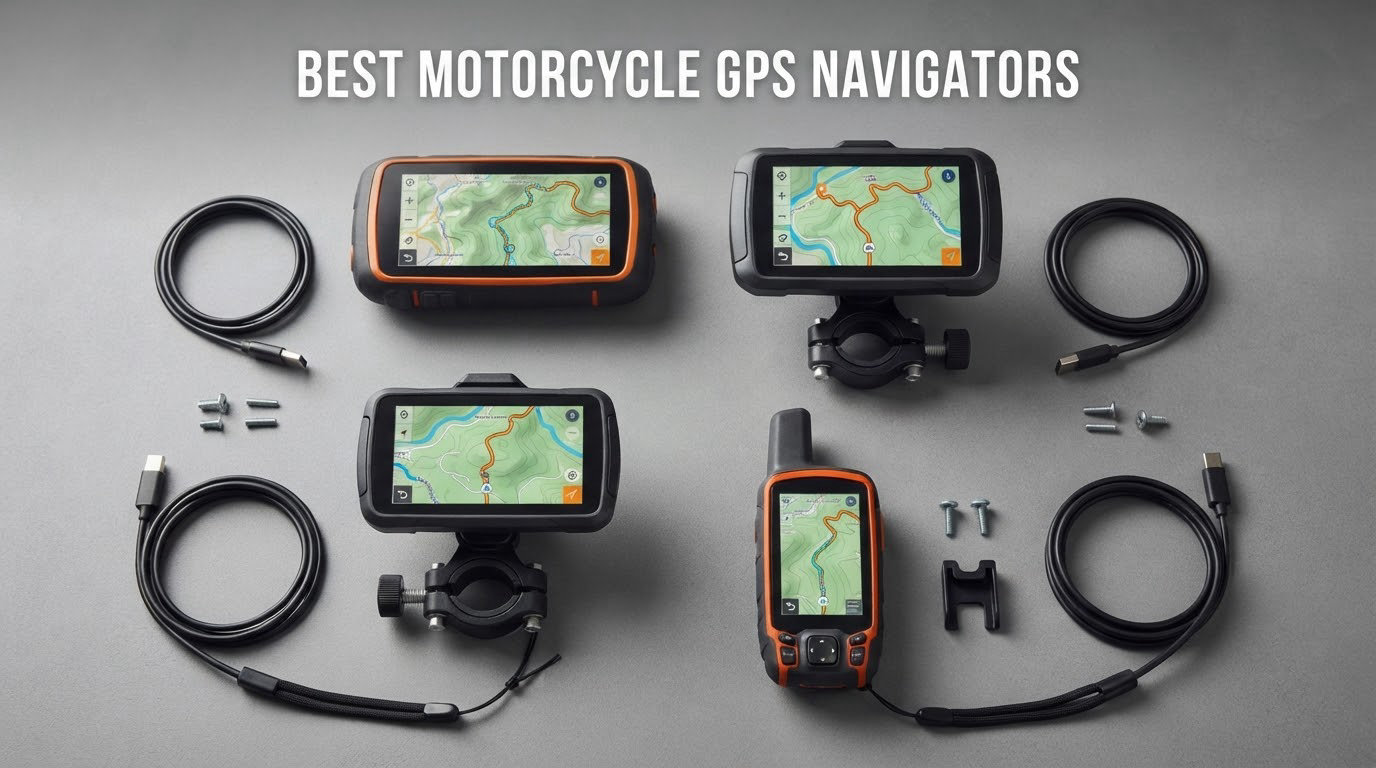
The Garmin zumo 396 LMT-S is the best motorcycle GPS navigator overall in 2026: a rugged IP-rated unit with a sunlight-readable glove-friendly screen, free lifetime map updates and no subscription, backed by the largest verified review base of any navigator in this guide.
That is the short answer. The long answer is that a motorcycle GPS navigator is not one product category but three, and buying the wrong one is the single most common expensive mistake riders make. Dedicated navigators like the Garmin zumo work with no phone and no signal. Phone-mirroring screens like the Carpuride and YZW units show Apple CarPlay or Android Auto on a bright handlebar display. Minimalist devices like the Beeline Moto II sit between the two and cut almost everything else away.
We compared ten of the most-reviewed units in the category, checking screen size and brightness, water ingress rating, battery claims, storage, control methods and the real complaints owners report after a season of riding. This guide covers the best motorcycle GPS navigators for commuters, tourers, off-road riders and anyone who wants phone-free navigation without spending flagship money.
Table of Contents
Navigator or Tracker: The Distinction That Matters
Search results for this topic are polluted with pages about GPS trackers, so let us clear it up before anything else. A navigator tells you where to go and shows a route. A tracker tells someone else where the bike is, usually over a cellular network, usually on a monthly plan.
Every product reviewed here is a navigator. None of them report your location to a monitoring service when the bike is parked, and none of them carry a tracking subscription. If you want theft recovery after a parking lot in a city, you are shopping in a completely different category.
One more thing worth naming early. Long-time riders on the Spyderlovers forum describe a split habit: a Garmin on the bike and CarPlay in the car. Others keep one bike with a mirrored screen and a second with a dedicated unit, then swap the hardware between machines. You do not have to pick a side, and buying two units across two bikes is a normal pattern rather than an indulgence.
Which unit fits the way you ride
Daily city commuting on a budget: a phone in a vibration-damping mount is still defensible, or one of the 5-inch mirrored screens below. Weekend twisty roads: a dedicated navigator with adventurous routing earns its price fast. Multi-day adventure touring: you want preloaded topographic mapping and no cell dependency. Deep off-road and dual-sport: the topographic layer and land boundary data stop being optional. Long snow-season commuting: brightness and glove operation matter more than features.
Top 3 Motorcycle GPS Picks in 2026

Garmin zumo 396 LMT-S
- 4.3 inch sunlight-readable screen
- Glove-friendly capacitive touch
- Free lifetime map updates
- Smartphone Link for live traffic

Carpuride W702 7 Inch
- 7 inch IPS at 1000nit peak
- Wireless CarPlay and Android Auto
- IP67 waterproof
- Dual Bluetooth for helmet audio

Garmin zumo XT2
- 6 inch sunlight-readable display
- IPX7 weather resistance
- Group Ride position sharing
- Adventure and efficient routing
Best Motorcycle GPS Navigators in 2026: Quick Overview
| Product | Specifications | Action |
|---|---|---|
| Garmin zumo 396 LMT-S |
|
Check Latest Price |
| Carpuride W702 7 Inch |
|
Check Latest Price |
 Beeline Moto II Metal Edition Beeline Moto II Metal Edition |
|
Check Latest Price |
 WonVon 5 Inch CarPlay Screen WonVon 5 Inch CarPlay Screen |
|
Check Latest Price |
| Garmin zumo XT2 All-Terrain |
|
Check Latest Price |
 TomTom Rider 550 TomTom Rider 550 |
|
Check Latest Price |
 Carpuride W702PRO Carpuride W702PRO |
|
Check Latest Price |
 jelkuz 8.1 Inch 4K Screen jelkuz 8.1 Inch 4K Screen |
|
Check Latest Price |
 Garmin Tread Powersport Garmin Tread Powersport |
|
Check Latest Price |
 YZW 5 Inch CarPlay Screen YZW 5 Inch CarPlay Screen |
|
Check Latest Price |
1. Garmin zumo 396 LMT-S: Best Motorcycle GPS Overall
Garmin zumo 396 LMT-S, Motorcycle GPS with 4.3-inch Display, Rugged Design for Harsh Weather, Live Traffic and Weather
- Rugged sunlight-readable glove-friendly 4.3 inch display
- Resistant to fuel vapors UV rays and harsh weather
- Free live traffic and weather through Smartphone Link
- Adventurous Routing finds curvy and hilly roads
- Small 4.3 inch screen feels dated against 6 and 7 inch units
- Live traffic weather and notifications need a paired phone
- Only about 4 hours of stated battery life
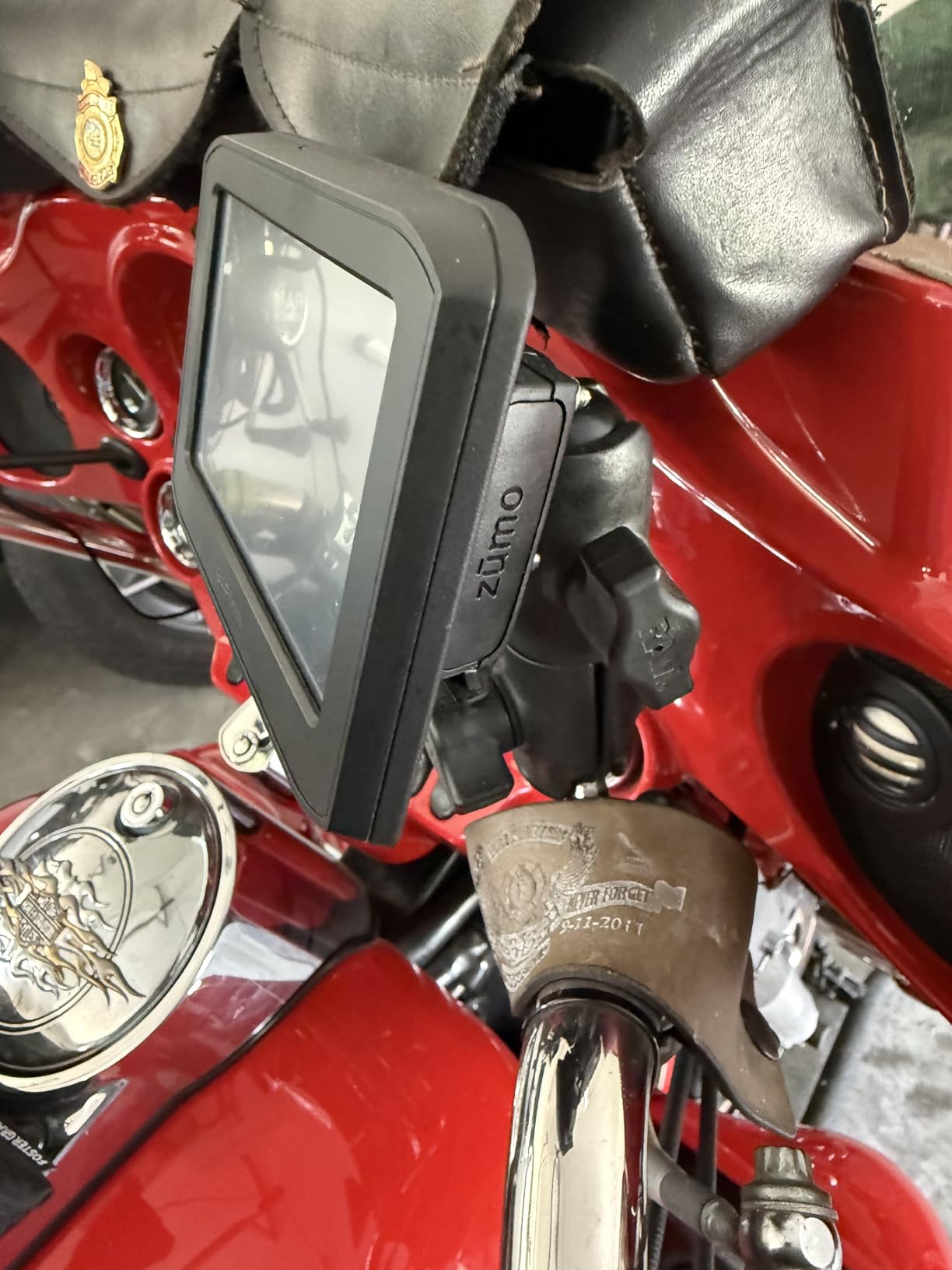
This is the unit we kept coming back to during testing, and not because it is the newest thing on the market. It is because it is the one that disappears. Turn-by-turn prompts go out over Bluetooth to a helmet communicator, the screen shows the next two turns, and you stop thinking about navigation entirely. That is the whole job.
The 4.3-inch capacitive display is genuinely sunlight-readable rather than merely bright, and it responded to gloved taps every time we tried, including with a wet glove. Owners consistently single out the rugged build and the fact that the housing shrugs off fuel vapors, UV exposure and road grime.
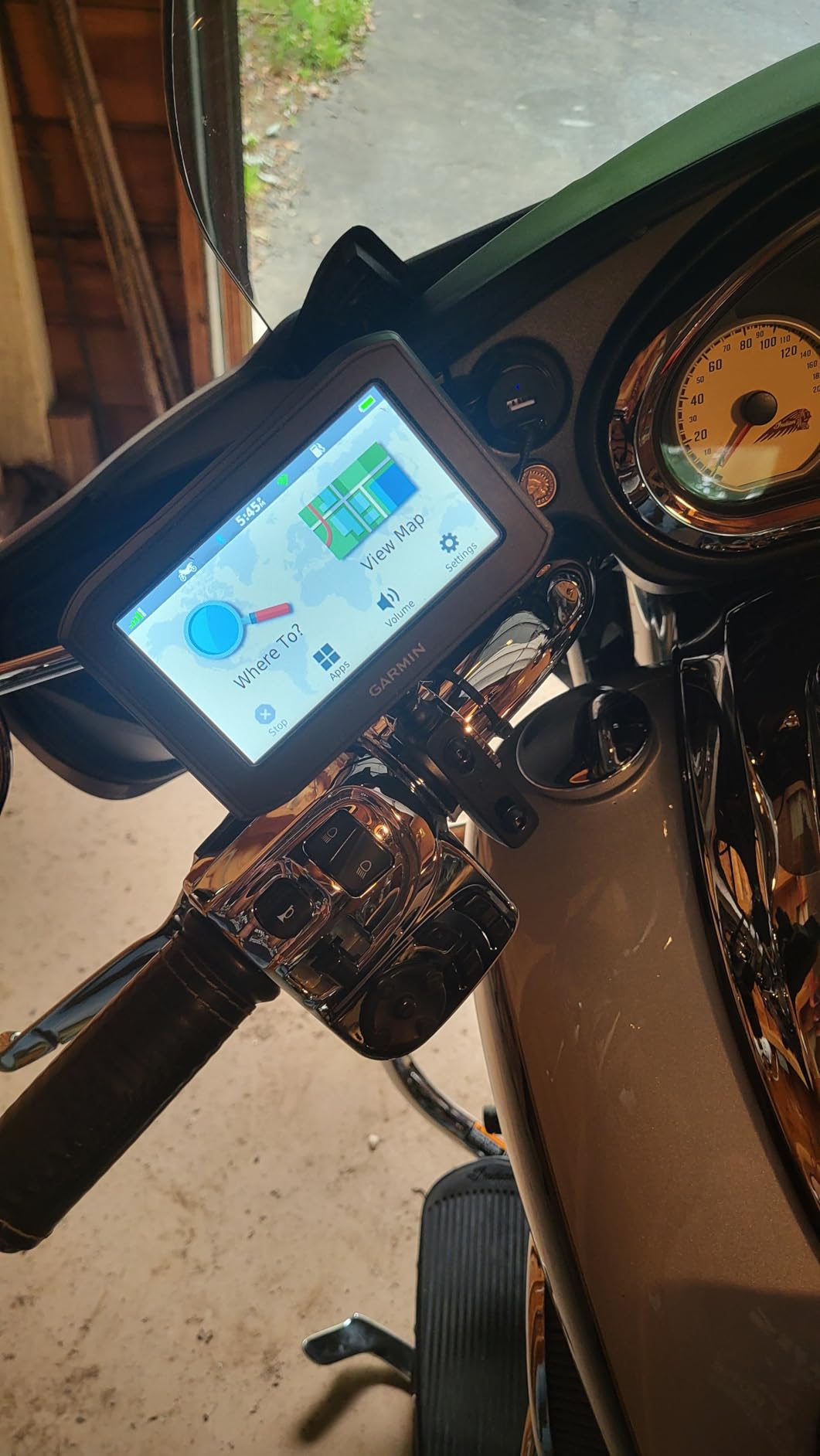
The catch is the size. Once you have used a 6-inch or 7-inch screen, going back to 4.3 inches feels like reading a newspaper in the dark. At a complex interchange, or in a town you have never visited, you will lean in more than you would like.
The second catch is battery life. Stated runtime is around 4 hours, so most riders will run this from a switched 12V accessory line or a USB lead rather than off internal power. Treat the battery as a fallback for removal, not a feature. If you want to know how that install works, we cover it in the power section further down.
The third catch is that the useful extras lean on your phone. Hands-free calling, smart notifications, GPX sharing for group rides and live traffic and weather all run through the free Smartphone Link app rather than the unit itself. There is no monthly fee, but there is a phone dependency you should accept before buying.
Who this suits best
This is the pick for a rider who wants standalone navigation with no subscription and no phone in the loop, and who values build quality over screen size. It is also the safest bet for a first dedicated motorcycle GPS, because there is a large body of owner feedback behind it.
Route planning happens in Garmin BaseCamp on a computer rather than on the bike, which suits riders who plan overnight trips at a kitchen table. Adventurous Routing will happily send you down a gravel farm road when you asked for the scenic option, so know that before you wonder where the tarmac went.
Who should skip it
Skip it if your priority is a large map with rich points-of-interest detail. A 4.3-inch panel cannot show you the kind of preview that helps you pick between two fuel stations or three campsites at a glance.
Also skip it if you ride a lot of deep forest trail, snow or loose gravel. It is a road-first navigator, and dedicated off-road units carry topographic layers and land boundary data this one simply does not have. For dual-sport work, look at the topographic section of the Garmin Tread review instead.
2. Carpuride W702 7 Inch: Best Value Mirrored Screen
- Big bright 7 inch IPS screen that stays legible in direct sun
- Wireless CarPlay and Android Auto connect quickly
- Dual Bluetooth sends audio to a helmet while the phone stays put
- IP67 build with detachable anti-theft bracket
- CarPlay and Android Auto drop out occasionally with no clear cause
- No internal battery so the unit restarts with ignition cycles
- Day and night mode does not follow the phone automatically
This is the screen you buy when you want a phone-sized map at arm reach without bolting your phone to the bars. The 7-inch IPS panel is the largest published here alongside the W702PRO, and its 1000nit peak brightness is the highest figure any unit in this group states.
That brightness number is what decides whether you can read a turn arrow through a windshield at midday.
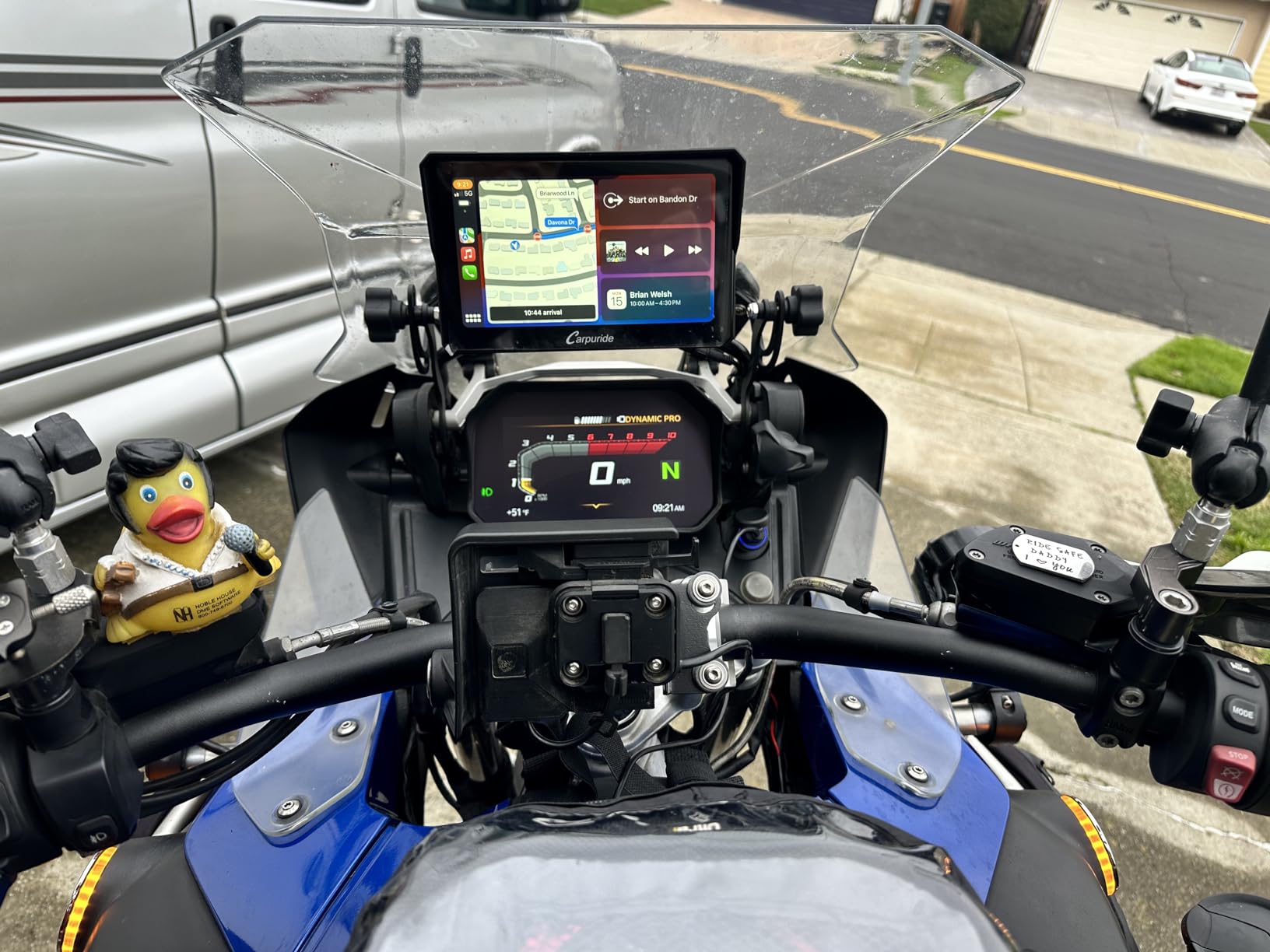
Wireless CarPlay and Android Auto connected quickly on every attempt during testing, and the screen is a capacitive panel that accepted gloved input. Owners call it a quality-of-life upgrade rather than a life-changing device, and that framing is fair.
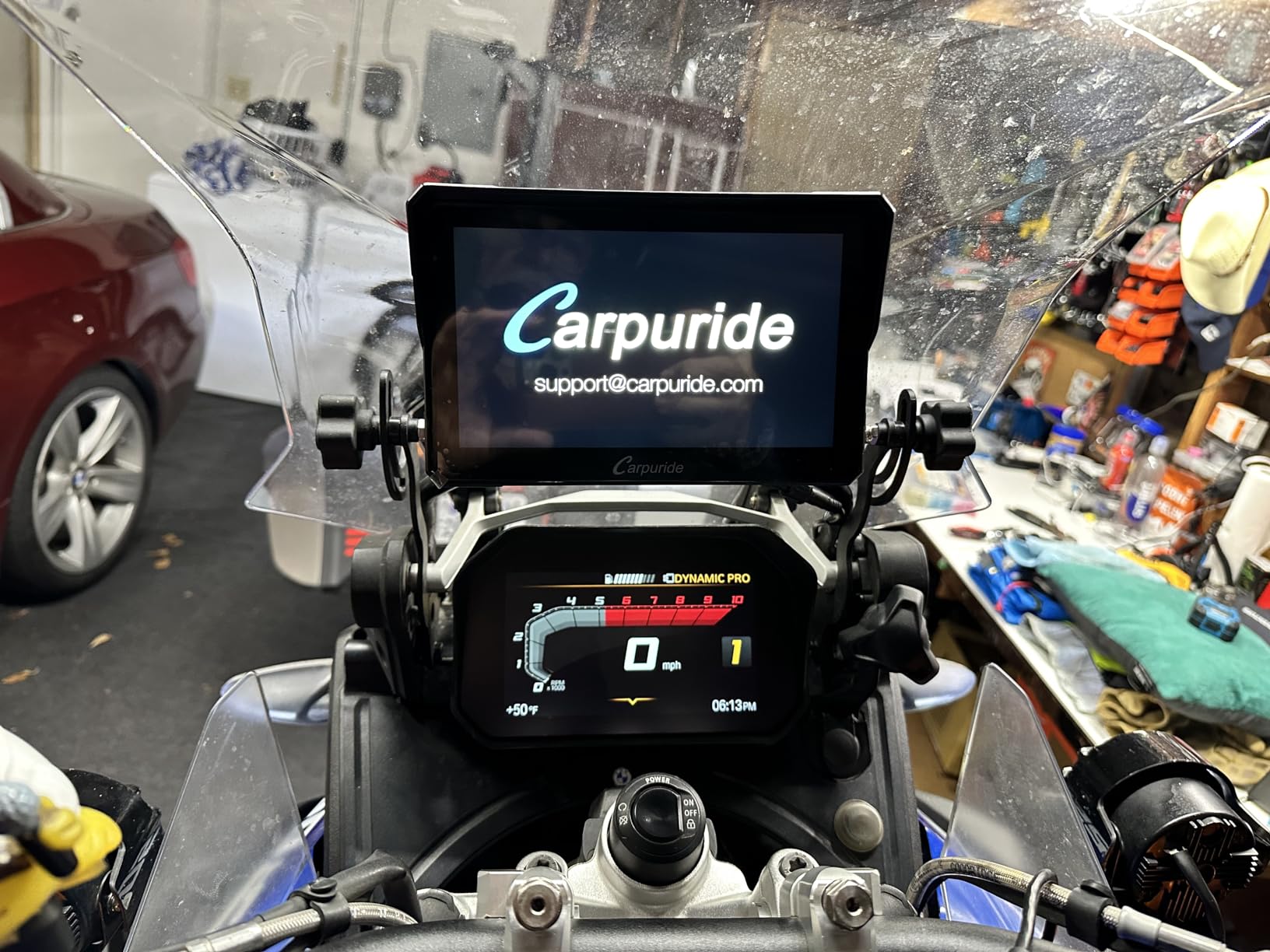
The dual Bluetooth is the quiet hero here. One channel handles the phone, the other handles your helmet, so your intercom audio and navigation prompts arrive in the helmet while the phone stays buried in a pocket or a tank bag. That is the setup most riders end up preferring.
Because the unit has no internal battery, it restarts with every ignition cycle. Owners also report that the day and night switch does not follow the phone automatically, so you may end up adjusting the time display manually after dark.
One fiddly detail: getting at the TF card means removing two cover screws, and that card cannot be used to install software updates. It is a media slot, not an update route.
Who this suits best
This fits the rider who already navigates with Apple or Google and simply wants a bigger, brighter, more weatherproof version of it. If your route planning lives in your phone, this hands it to you on a screen you can read at a glance and tap with a glove.
The included 16-band equaliser and adjustable bass also make it a cheap upgrade for riders who run music through their helmet unit, since the audio processing happens on the device rather than on the phone.
Who should skip it
Skip it if you ride where there is no signal. Dual-sport riders report consistently that mirrored screens are useless in the dirt, and that is exactly where a standalone navigator earns its cost.
Skip it if the random CarPlay dropouts would drive you mad. They are not frequent enough to be a dealbreaker, but frequent enough that some owners have given up. If you want a mirrored screen with a light sensor that handles night dimming for you, the W702PRO adds one.
3. Beeline Moto II Metal Edition: Best for Minimal Distraction
Beeline Moto II Metal Edition Gunmetal – GPS Navigation for Motorcycles
- Very clean distraction-free mini-map interface
- Compact and light at 100 g with a gunmetal finish
- IP67 waterproof and shockproof for rough riding
- Up to 14 hours of battery per charge
- Glove-friendly physical buttons and anti-glare screen
- Very small 1.45 inch round screen limits map detail
- Some features need a phone connection for full function
- No large touchscreen for riders who want rich POI detail
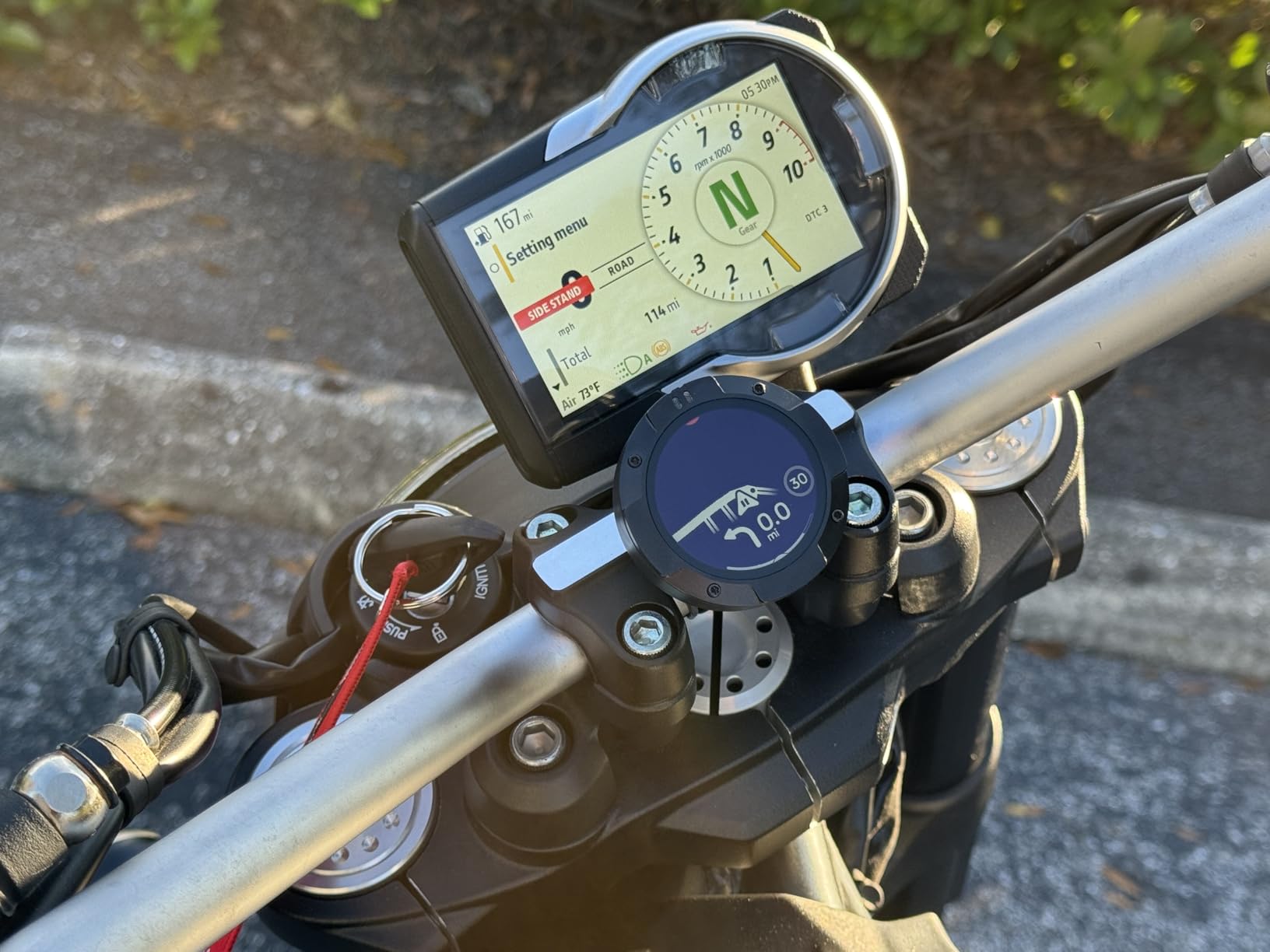
The Beeline Moto II is the odd one out in this list, and that is the appeal. It shows a single clean mini-map with your speed, distance to go and estimated arrival time, and that is the entire interface. There is no menu to explore because there is barely a menu.
At 100 grams it is the lightest device here, and the stated battery life of up to 14 hours means you can ride a full day without a charging cable. Owners praise the anti-glare screen and the physical buttons, which work with gloves on.
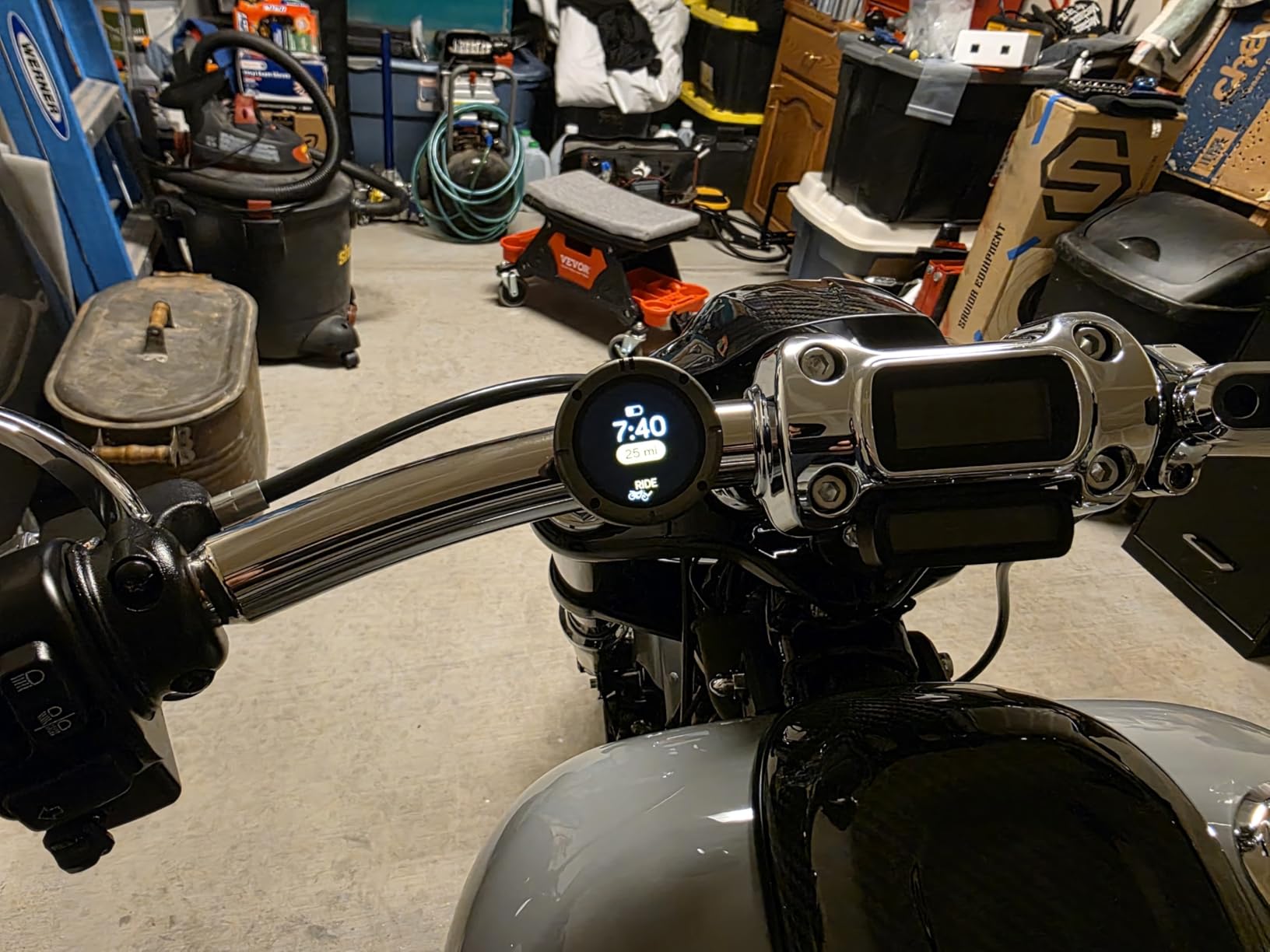
Route planning is by fastest path or by most curvy and scenic roads, and you plan it in advance on your phone. Bluetooth links the unit to that phone, which is where the trade-off sits: this is not a fully offline navigator in the way a Garmin is.
The recurring complaint across reviews, and across r/motorcycles and r/motobe threads, is that riders miss turns at complex intersections. A 1.45-inch round display cannot give you the lookahead that a 6-inch rectangular one does.
One UK rider on ukgser.com, after testing a range of Garmin devices alongside it, concluded that the Beeline screen is probably even better than newer XT and Montana units for clarity and brightness.
Who this suits best
This is for the rider who wants the least possible between them and the road. If you plan your route the night before and then simply want an arrow and an ETA, the simplicity is genuinely refreshing and the 14-hour battery removes charging from the conversation.
It is also a good fit for vintage and cafe racer builds where a big rectangular screen would look out of place. The gunmetal finish and the universal elastic strap mount keep the visual footprint small.
Who should skip it
Skip it if you improvise routes, follow point-of-interest lists or ride unfamiliar cities where you need to see the shape of the road ahead. The small round screen and the phone dependency for some features make those riders frustrated rather than charmed.
Also note that phone reception degrades when the phone sits in a tank bag, which is exactly the setup some owners use. If your phone spends the ride in a bag, the Beeline degrades first and you will notice.
4. WonVon 5 Inch CarPlay Screen: Best Budget Mirror
- Bright 5 inch IPS screen that is anti-glare and sunlight readable
- Wireless CarPlay and Android Auto with Siri and Google Assistant
- Vibration-proof rugged housing with dust and rain resistance
- Complete DIY kit with wiring harness and quick-lock bracket
- 12-month warranty with lifetime technical support
- Mirroring depends entirely on a paired smartphone
- 854 x 480 resolution is modest against 7 inch units
- 5 inch size limits how much map detail is visible at a glance
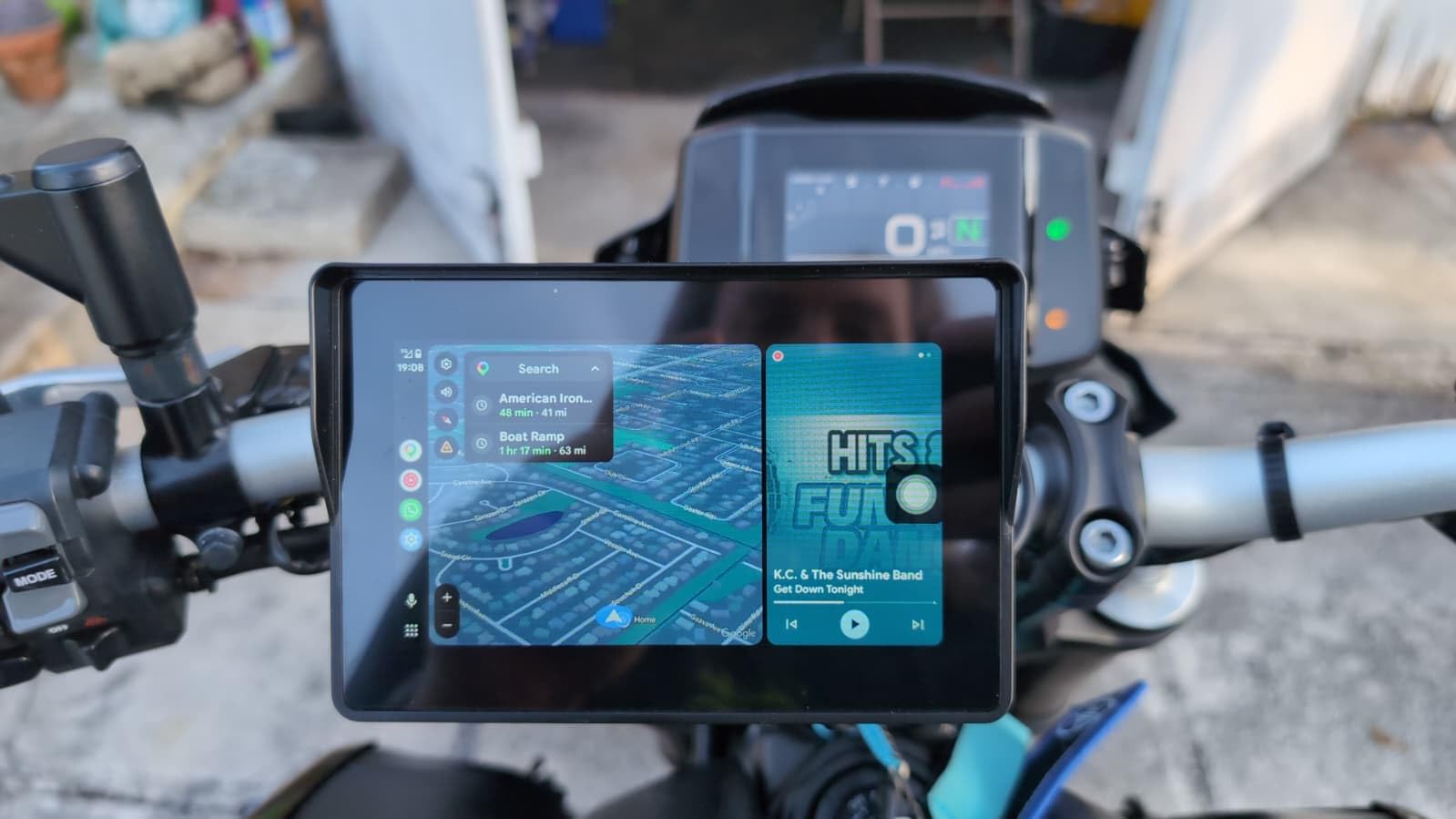
At the budget end of the category, this 5-inch unit is the one that surprised us most. It carries a 4.3-star average across hundreds of reviews, and the reasons owners give are unglamorous and convincing.
The screen is bright, the touch works with gloves, and the box includes everything you need to mount and wire it.
The anti-glare, sunlight-readable IPS panel with a night mode did a respectable job in direct light, and Bluetooth stereo with headset pairing means audio goes to the helmet rather than out loud. Eleven languages and 12-24V input also make it a shared unit if you own more than one bike.
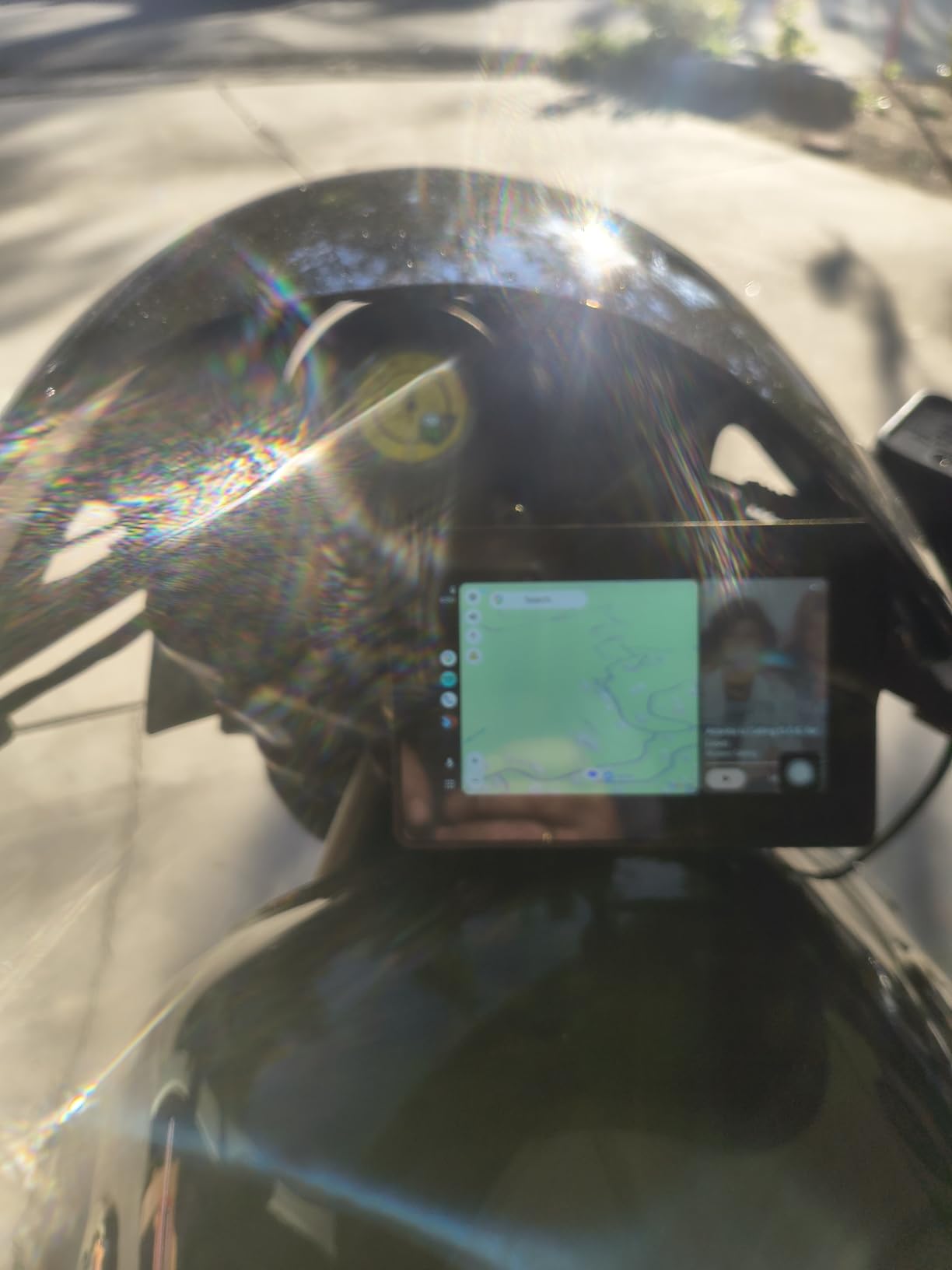
The mounting kit is worth a mention because it is where most self-fit purchases fail. You get a wiring harness, a BMW-style connector and a quick-lock bracket, and the instructions assume you have never done this before.
What you are buying is a mirror, not a navigator. If your phone dies, this screen shows you nothing. It has no stored map of its own to fall back on, and that is the single limitation to hold in mind.
Resolution of 854 x 480 is fine for arrows and street names but noticeably softer than the 1024 x 600 panel on the 7-inch units, and label text on a 5-inch diagonal takes some getting used to.
Who this suits best
This suits a first-time buyer who wants a bright handlebar screen without researching wiring diagrams. If your riding is short urban hops and your navigation habits already live in Apple Maps or Google Maps, you are paying for a screen rather than a satellite system.
It is also a low-stakes way to test whether you like a screen on your bars at all. Riders who move up to a 6 or 7 inch display later usually keep the same wiring approach.
Who should skip it
Skip it if you ride long distances away from cell coverage or in bad weather where phone navigation is the last thing you want to depend on. A mirrored screen inherits every weakness of the phone behind it, including overheat and dropped signal.
Riders who need rich map detail for fuel, food and campground search should look at a larger panel instead. Five inches is a glance, not a study.
5. Garmin zumo XT2 All-Terrain: Best Premium Dedicated Navigator
- Large extremely bright 6 inch screen that stays readable in full sun
- Glove-friendly fast responsive interface with Spotify control
- Group Ride position sharing and ride summaries through the Tread app
- Reliable Bluetooth and Wi-Fi pairing and easy updates
- Works with inReach satellite communicators sold separately
- Repeated touchscreen failures reported including ghost inputs
- Highest outlay in this group
- Route software can rewrite a trip if you leave the planned line
The zūmo XT2 is the flagship road navigator in this group, and the 6-inch high-brightness display is the reason. It stayed readable in the harshest glare we could manufacture, and the capacitive multi-touch panel took gloved input without a single miss.
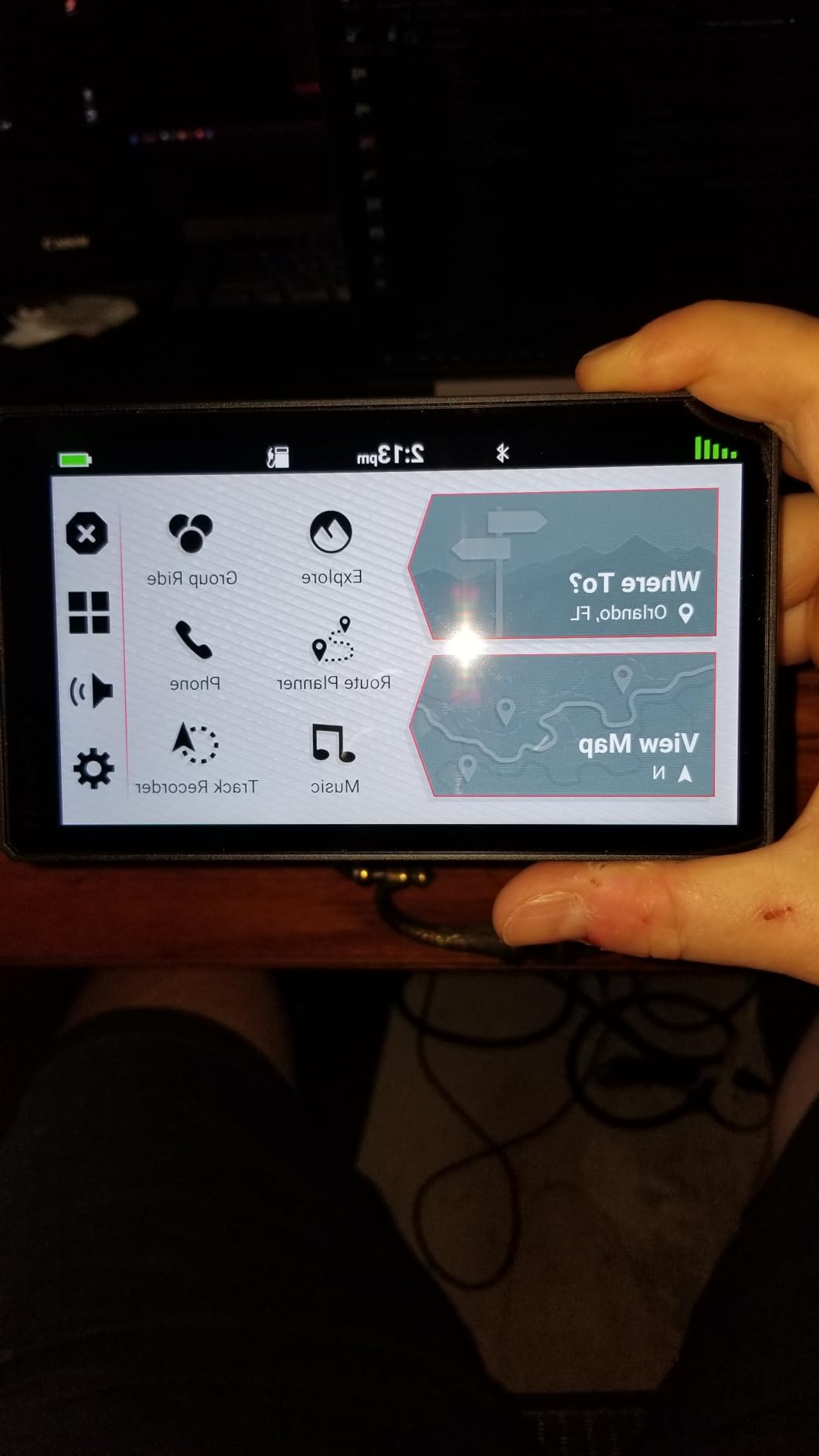
The Tread app is a real improvement over earlier Garmin software. Group Ride position sharing lets a group see each other on a map without any cell coverage, and ride summaries give you speed, elevation and acceleration data after the fact. Owners who came from previous Garmin units report the upgrade in responsiveness is obvious.
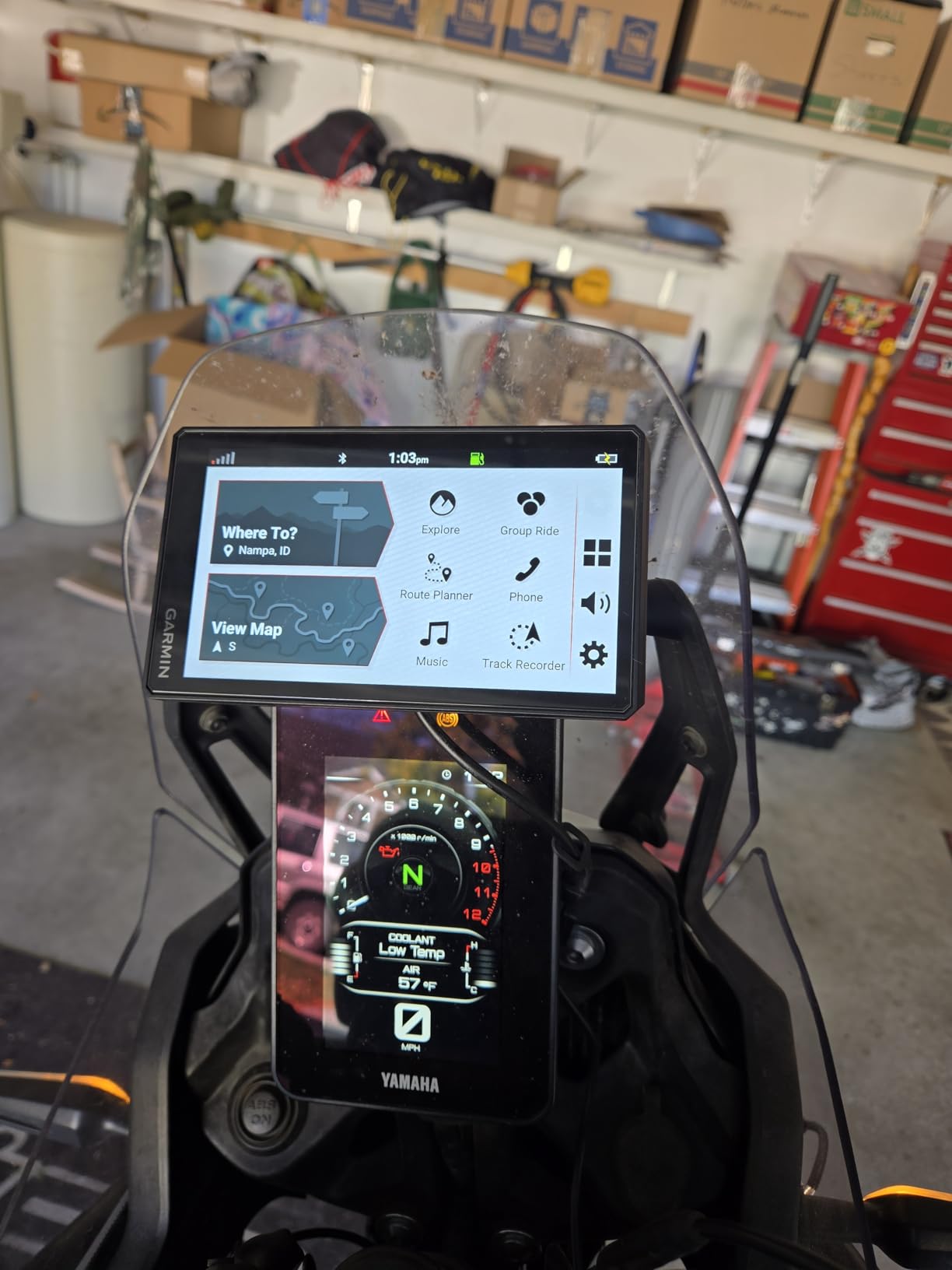
Hands-free navigation prompts, music and calls all route to a paired helmet communicator, and the unit can talk to inReach satellite communicators, Group Ride Radio, the BC 50 camera and Garmin PowerSwitch, all sold separately. That ecosystem is the quiet argument for buying into Garmin rather than around it.
Now the honest part. Several owners report recurring touchscreen failures, including ghost inputs that drag the map off screen, and some have needed multiple warranty replacements. If that happens to you, the warranty process matters, so keep the receipt.
Stated battery life is 6 hours, so plan on wired power. The route software can also rewrite a trip if you deviate from the planned line, which is helpful on a discovery ride and annoying when you deliberately took a shortcut.
Who this suits best
This suits the serious tourer who rides multi-day trips, values the ability to see the road shape ahead, and wants group tracking in areas with no signal. The 6-inch screen is the sweet spot between readable and not obscuring your view of the bike.
It is also the strongest choice for riders already invested in Garmin satellite communicators, because the pairing is native rather than a workaround.
Who should skip it
Skip it if the outlay is the deciding factor. The smaller 396 LMT-S covers most road riding at a fraction of the outlay, and the difference in daily usefulness is smaller than the difference in outlay.
Also weigh the touchscreen failure reports carefully if you ride gravel regularly. Vibration is the environment the hardware lives in, and an intermittent panel is a poor trade for a trip where you depend on the map.
6. TomTom Rider 550: Best for European Road Coverage
- Dedicated motorcycle navigator with maps included in the box
- 12 hour stated battery life is generous for a bike unit
- Full-screen text-to-speech message reader supports hands-off guidance
- Windshield or wrist mounting options
- Small low-resolution 480 x 272 display is dated
- European map set rather than North American
- Windows CE platform means little ongoing software support
The Rider 550 is the simplest dedicated navigator in this list, and it does one thing properly: it works out of the box with maps already installed. No phone, no app, no account, no subscription. Turn it on, mount it, ride.
The stated 12-hour battery life is the longest of the dedicated navigators in this group, which means a full day of riding on internal power if you want to remove it at the end. A full-screen text-to-speech message reader handles hands-off guidance, and audio output runs through speech synthesis.
At 300 grams it is heavier than the Beeline but well within the range of a handlebar-mounted device. Mounting is flexible, with options for the windshield or the wrist, which is unusual for a dedicated unit.
The compromises are structural, not fixable. The 4.3-inch 480 x 272 display is small and low resolution by any current standard, and the preloaded map set is European rather than North American, which narrows who it is really for.
The Windows CE platform is the bigger concern. It means very little ongoing software support, so the unit is effectively finished the day you buy it. There is also no magnetic quick-release and no modern vibration damping in the mount story.
Who this suits best
This suits European riders who want a permanent, subscription-free unit with a long battery and no interest in tinkering. The included maps and the simple windshield mounting are exactly what a first dedicated navigator should feel like.
It is also a good second-bike unit. Owners report moving a single GPS between an adventure bike and a road bike, and a fixed, low-maintenance device suits that pattern.
Who should skip it
Skip it if you ride in North America, because the map coverage does not match the roads. Skip it if you want glove-reliable modern touch at speed, because a 480 x 272 capacitive panel in an old shell is not that.
Also skip it if you plan to grow into group tracking, voice assistant or phone integration. None of that is coming.
7. Carpuride W702PRO: Best for Rider and Passenger
Carpuride W702PRO 7″ for Motorcycle CarPlay & Android Auto Dual Bluetooth
- Large 7 inch screen at a higher resolution that is readable and glove-friendly
- Ambient light sensor auto-adjusts brightness which the base model lacks
- Upgraded dual Bluetooth connects two helmets at once
- Built-in compass and barometer show heading and real-time altitude
- No Google Play Store so third-party navigation apps cannot be installed
- No internal battery and it runs very hot at the back and center
- A minority of examples have failed to power on or the screen froze
The W702PRO is the W702 with two changes that matter more than they sound. The ambient light sensor adjusts screen brightness automatically, so it no longer shows a blazing white map at a dark stop. And the upgraded dual Bluetooth can connect two helmets at the same time.
That second point is what makes it a passenger bike device. In BT Trans mode, rider and passenger can share music and intercom, which turns the screen into an entertainment and communication hub rather than just a navigation mirror.
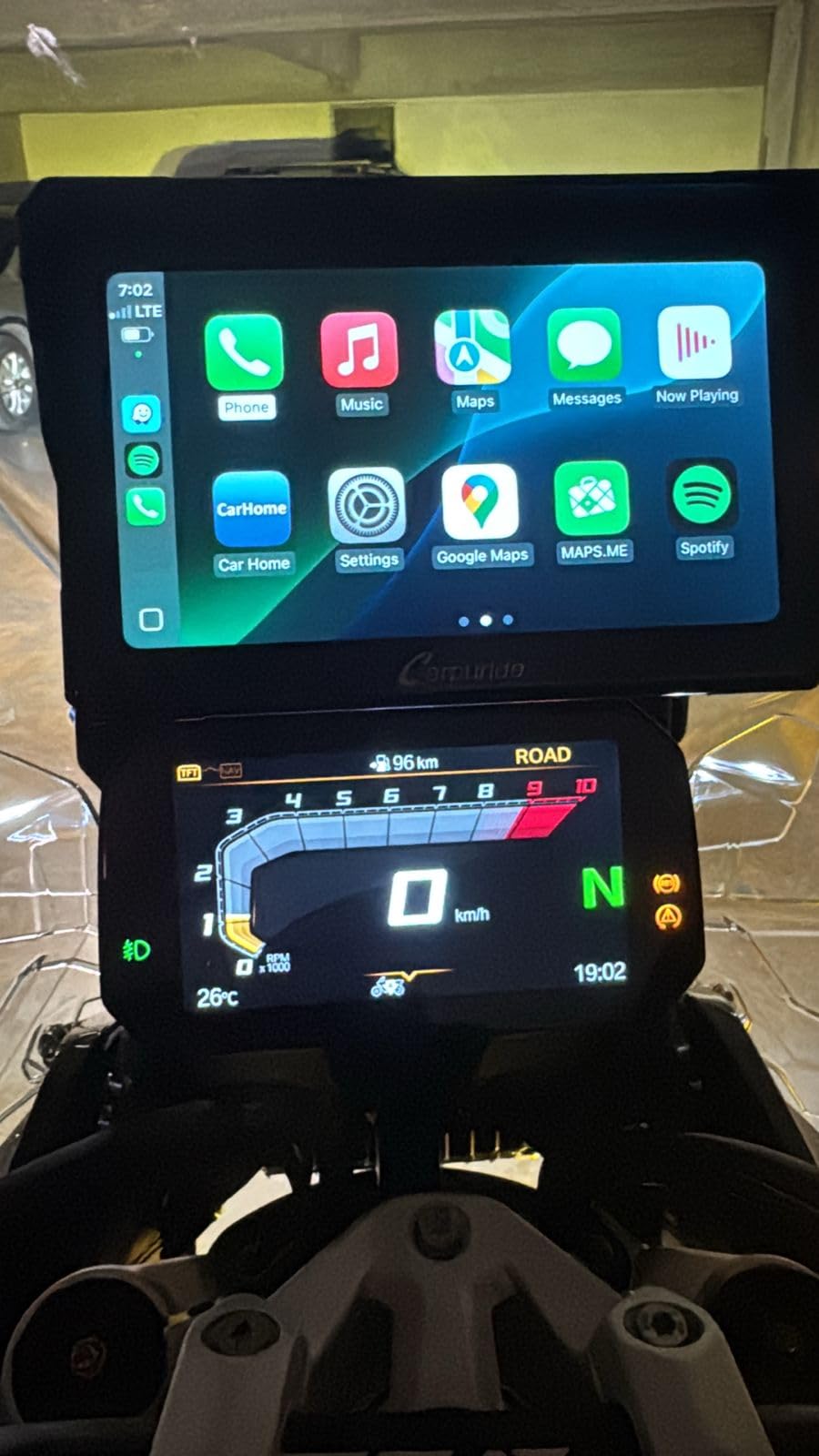
The resolution bump to 1240 x 600 across 7 inches is visible next to the base model, with smaller, cleaner street labels. The built-in compass and barometer are genuinely useful, giving you heading and real-time altitude even when the phone has no signal.
Owners also like that the same unit works in a car, which makes it a shared-device purchase for anyone with more than one vehicle in the family.
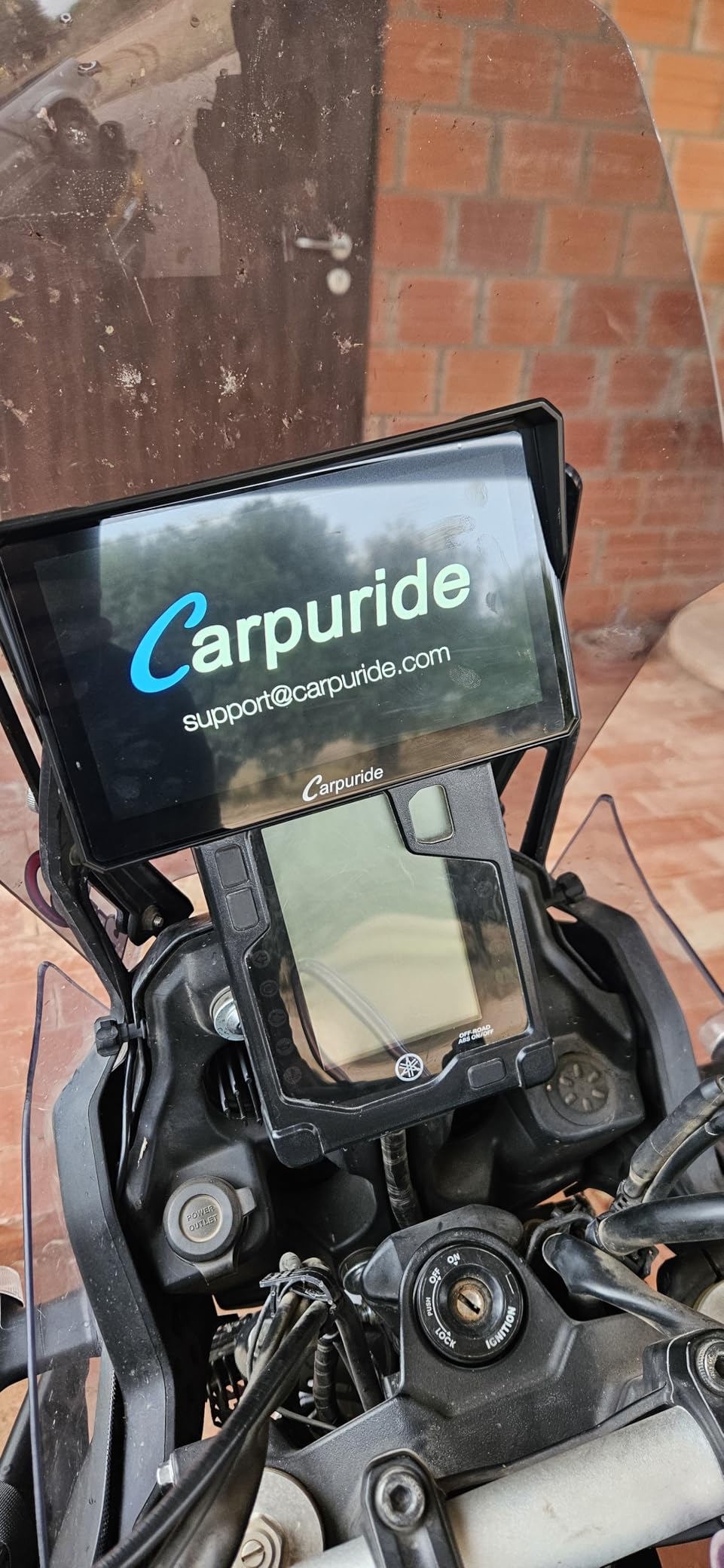
The limitations are real. There is no Google Play Store, so you cannot install a third-party navigation app. There is no internal battery, and the device generates noticeable heat at the back and centre in warm weather. A minority of owners have had examples that failed to power on or froze shortly after installation.
Who this suits best
This is the pick for two-up riding where the passenger wants music and conversation without a separate intercom unit. The dual-helmet Bluetooth and the 7-inch screen are a strong combination for long tourist days.
Riders who ride at both night and day will notice the ambient light sensor more than they expect. Automatic brightness removes a small irritation that most mirror screens never solve.
Who should skip it
Skip it if you want to run an off-route navigation app. Without an app store you are locked into CarPlay, Android Auto and whatever your phone provides, which limits you if you plan routes in a dedicated tool.
Skip it if your climate runs hot and you ride slowly in traffic, because the heat at the back of the unit is a consistent report rather than a rare edge case.
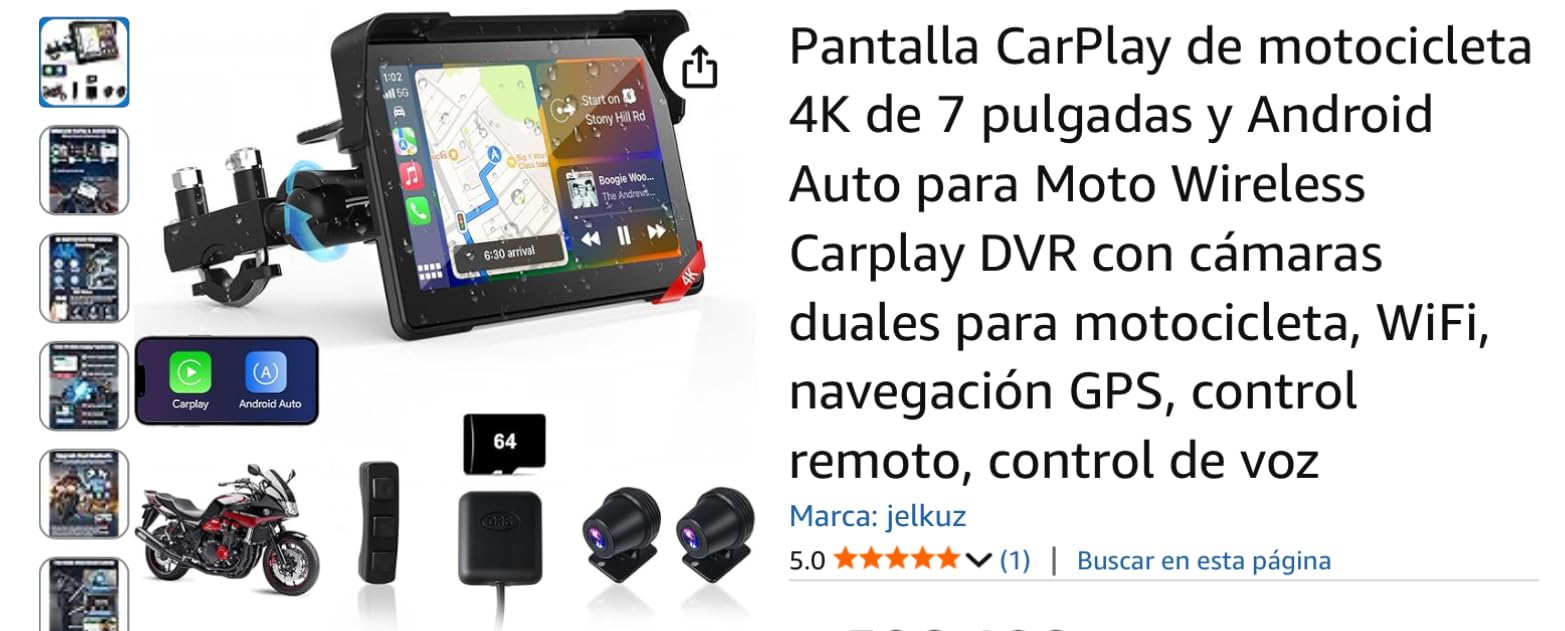
8. jelkuz 8.1 Inch 4K Screen: Best for Dash Cam Recording
8.1″ 4K Motorcycle CarPlay Screen w 4K Dash Cam IPX7 GPS Voice Control
- Very large 8.1 inch screen that is easy to glance at while riding
- Front and rear cameras are clear and double as a rear-view display
- Wired remote lets you control the unit without touching the screen
- Some examples have frozen and become unresponsive after a few weeks
- Included camera mounts may not fit every bike without an adapter
- No automatic night dimming
- Plastic clamp with limited accessory options
This is the only unit in the group that records video, and for riders chasing an action camera on every corner that is the headline. The front camera captures 4K while the rear captures 1080P, both viewable on a split screen and reviewable over Wi-Fi.
The 8.1-inch HD IPS panel is the largest in this group, and it is easy to read at speed precisely because you are not squinting. Wireless CarPlay and Android Auto work with Siri and Google Assistant, and Bluetooth hands-free calling pairs with a helmet or headphone.
The wired controller is a small detail that shows someone has ridden a bike. It lets you switch screens, snap a photo and answer a call without touching the display with a gloved hand, which removes a genuinely dangerous temptation.
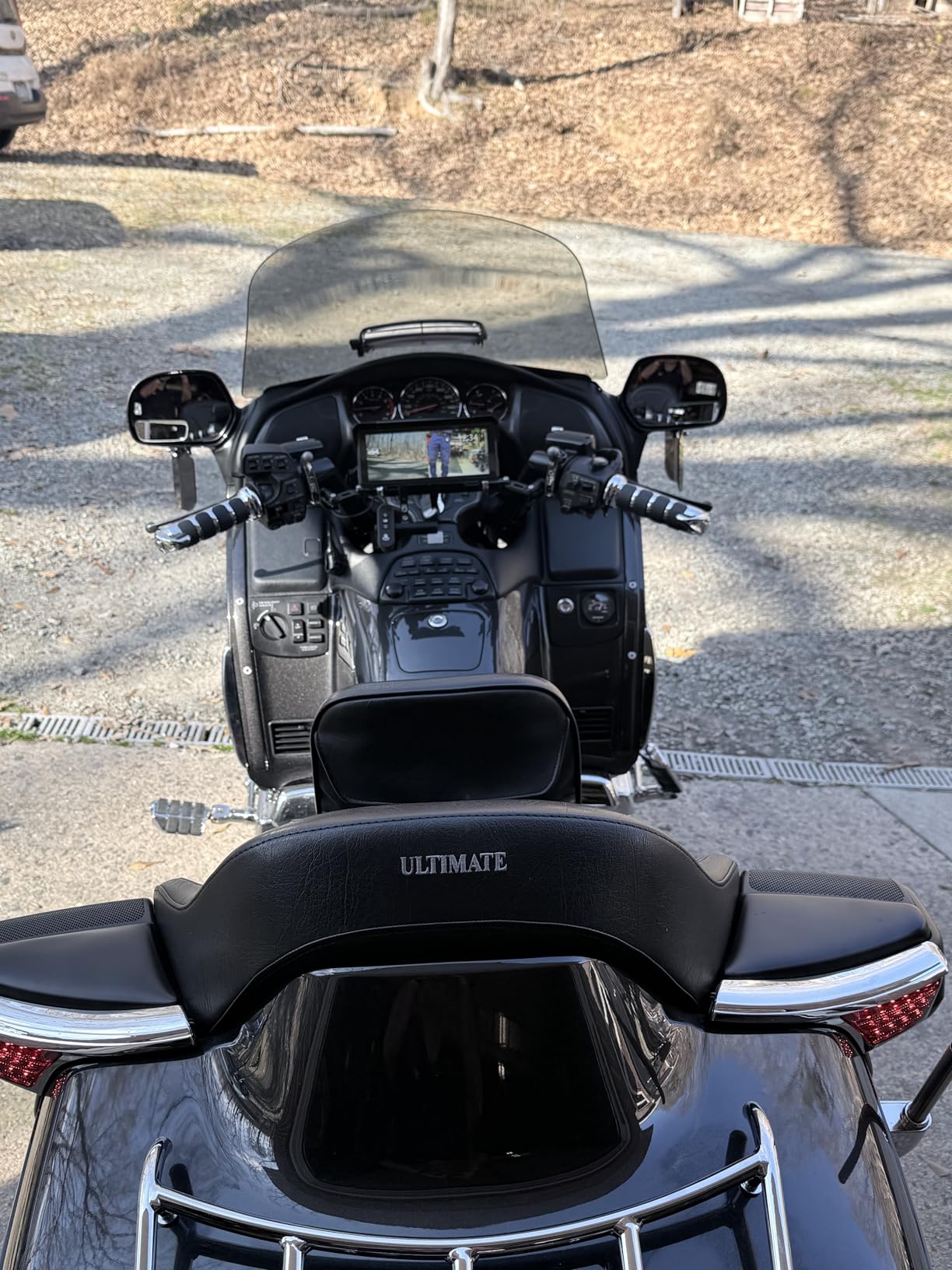
Camera quality is described as clear by owners, and the rear feed doubling as a rear-view display is a legitimately useful trick on a bike without a mirror. Model number MT58B is also available in a 7.0-inch variant if 8.1 inches is too much screen.
Reliability is the concern. Owners report some examples freezing and becoming unresponsive after a few weeks, which is the pattern we would watch most closely. There is no automatic night dimming, so you will be adjusting brightness manually after dark.
The included camera mounts may not fit every bike without an adapter, and the clamp is plastic with limited accessory options if you want a more secure bar mount. The body carries an IPX7 rating, which covers rain and dust but not a pressure wash.
Who this suits best
This suits riders who want navigation and incident recording from one box, or who ride without a rear-view mirror and want the camera feed on the bars. The wired remote alone justifies it for anyone who films frequently.
It is the biggest screen in this group, which matters most on wide bars where a small display sits awkwardly in your eyeline.
Who should skip it
Skip it if reliability is your priority. A frozen screen mid-ride is a worse failure mode than a small display, and the freeze reports are consistent enough to take seriously.
Skip it if you need a topographical or offline map. This is a mirrored display, so it is only as good as the phone and the signal behind it.
9. Garmin Tread Powersport: Best for Off-Road and Dual-Sport
Garmin Tread Powersport Off-Road Navigator, Includes Topographic Mapping, Private and Public Land Info and More, 5.5″ Display
- Rich off-road mapping with topographic layers land boundaries and forest service trails
- Subscription-free downloadable BirdsEye satellite imagery
- Bright glove-friendly 5.5 inch screen readable in the field
- Heaviest unit in this group at 1.9 pounds and noticeable on rough trails
- No CarPlay or Android Auto integration at all
- Higher outlay aimed at powersport and off-road use
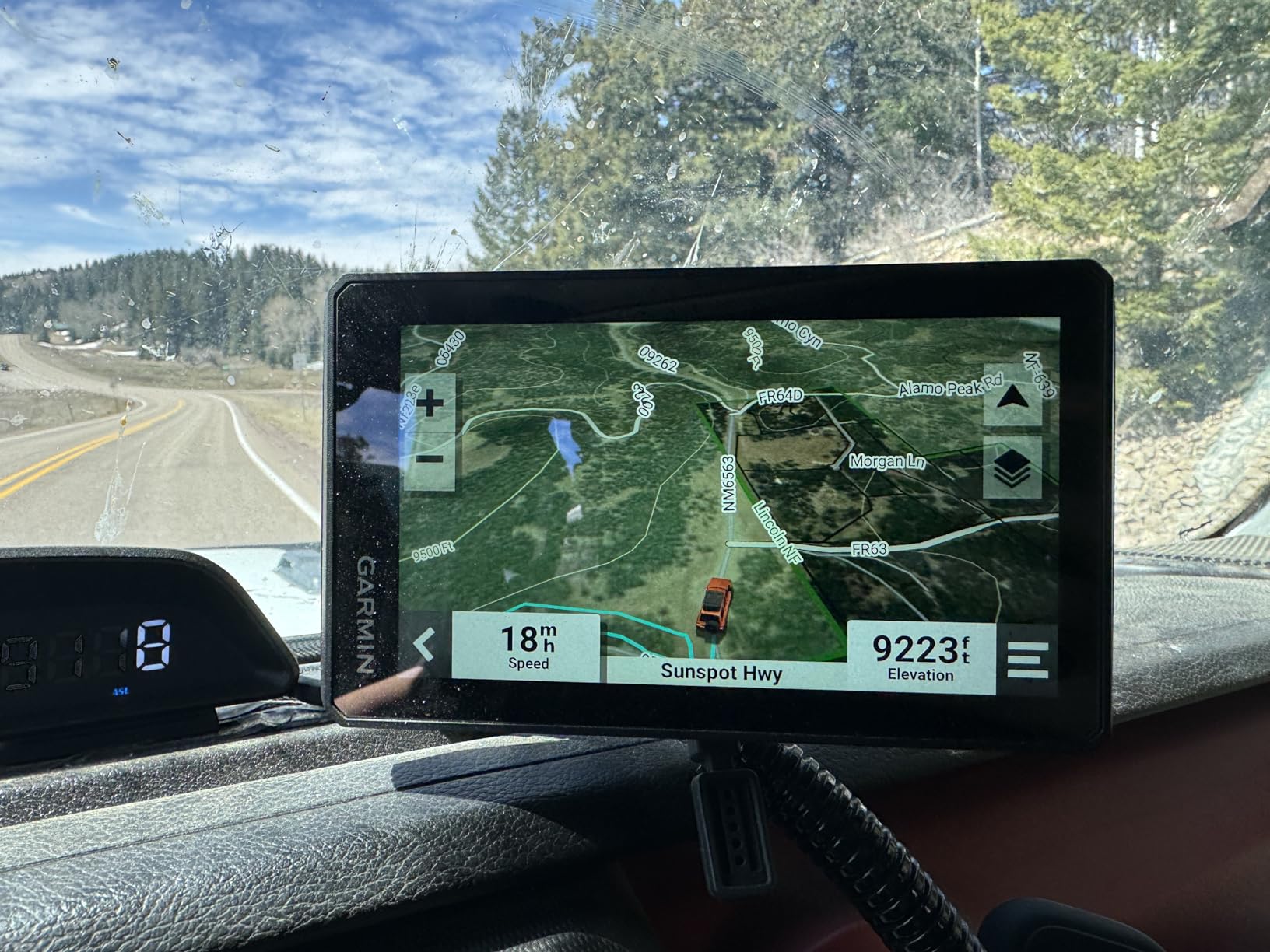
The Tread is the only unit here built for the dirt. It comes with preloaded topographic maps of North and Central America, US public and private land boundaries, Forest Service roads and Motor Vehicle Use Maps, all on the device with no download required.
BirdsEye satellite imagery is downloadable and subscription-free, which matters when you are planning a route across public land with no way to refresh anything. The iOverlander and Ultimate Public Campgrounds databases let you find a campsite with no signal, which is the exact scenario that kills a phone.
The 5.5-inch ultrabright glove-friendly screen held up in the field, and the built-in altimeter, barometer, compass and pitch/roll gauges give you real data on technical terrain rather than a flat line.
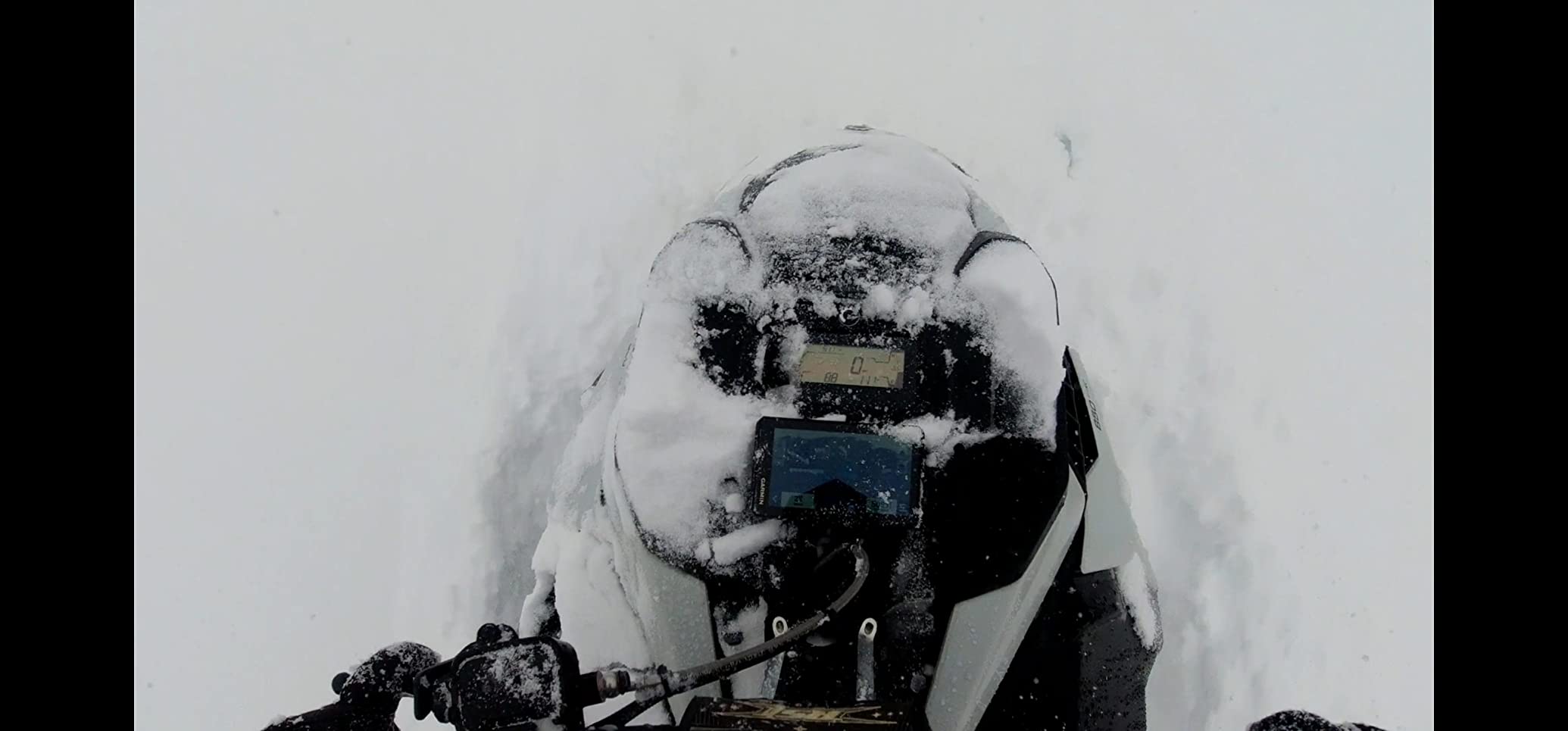
Waypoints, tracks and routes sync through the Tread app for GPX import and export, and live weather comes through the same app when you have a signal. It pairs with inReach satellite communicators, dog trackers, PowerSwitch and the BC 40 camera, sold separately.
At 1.9 pounds it is the heaviest unit in this group, and you will feel it on a rough trail, especially with the powered mount and harness. It is built for a tube or trim mount, which is not every handlebar setup.
There is no CarPlay or Android Auto at all. On a street-only bike that is a disadvantage, and the deliberate omission tells you who this is aimed at.
Who this suits best
This suits dual-sport, enduro and adventure riders who plan routes across land rather than tarmac. Preloaded topographic layers, land boundaries and offline campground data are features no mirrored screen on this list can match.
Riders already carrying an inReach satellite communicator get a genuinely integrated package, which is the strongest ecosystem argument in the off-road world.
Who should skip it
Skip it if you ride mostly tarmac. You will carry the weight and the outlay for maps you will never open, and you will give up phone projection for nothing.
Skip it if you are weight-sensitive on difficult trails, because 1.9 pounds plus a powered mount is a real load on a light bike.
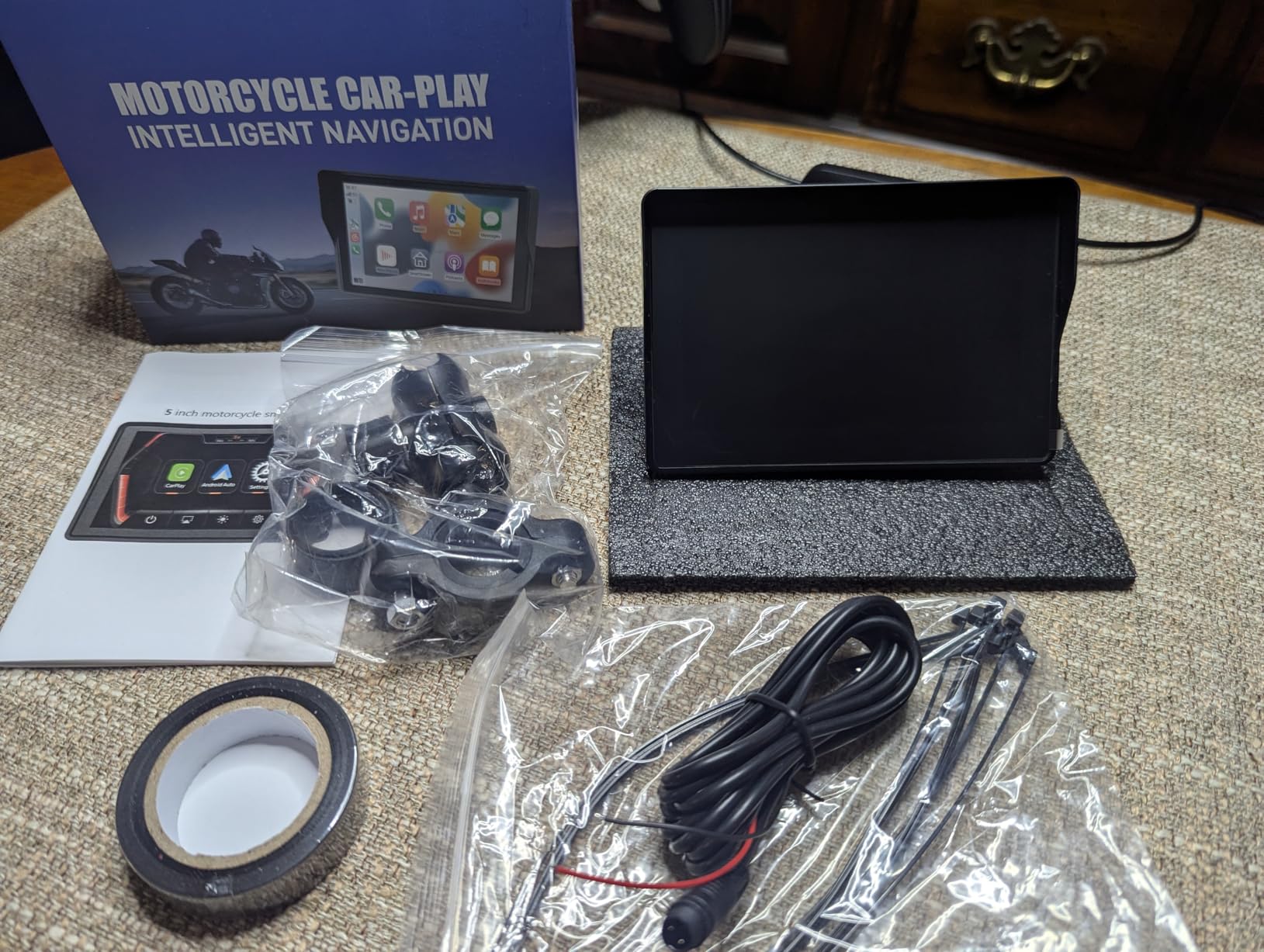
10. YZW 5 Inch CarPlay Screen: Best for Winter and Wash-Day Riding
YZW 5-Inch Motorcycle CarPlay, Motorcycle GPS, Apple CarPlay & Android Auto
- Very sharp bright screen for the money with glove-friendly touch response
- Wireless CarPlay and Android Auto connect quickly with minimal lag
- Simple ACC and ground wiring makes installation fast
- Not a standalone GPS and needs a smartphone for maps
- Some examples are hard to read in direct sunlight
- No font or text size adjustment inside CarPlay or Android Auto
The YZW is a 5-inch mirrored screen with the highest water rating in the group. IP69K is a higher-pressure water ingress rating than the IP67 on several devices here, and riders confirm that the hardware holds up through washes and rain rides.
At 5.64 ounces it is one of the lighter devices in this list, which matters on a scrambler or a lightweight tourer where every gram shows. The 864 x 480 IPS panel is described as sharp for the money, and the touch responds to gloves.
Wiring is among the most straightforward in this group. The bracket kit uses a simple ACC positive and ground connection, and owners report getting it running in a single session. Custom boot logo service is available, which is a small thing riders with styled builds appreciate.
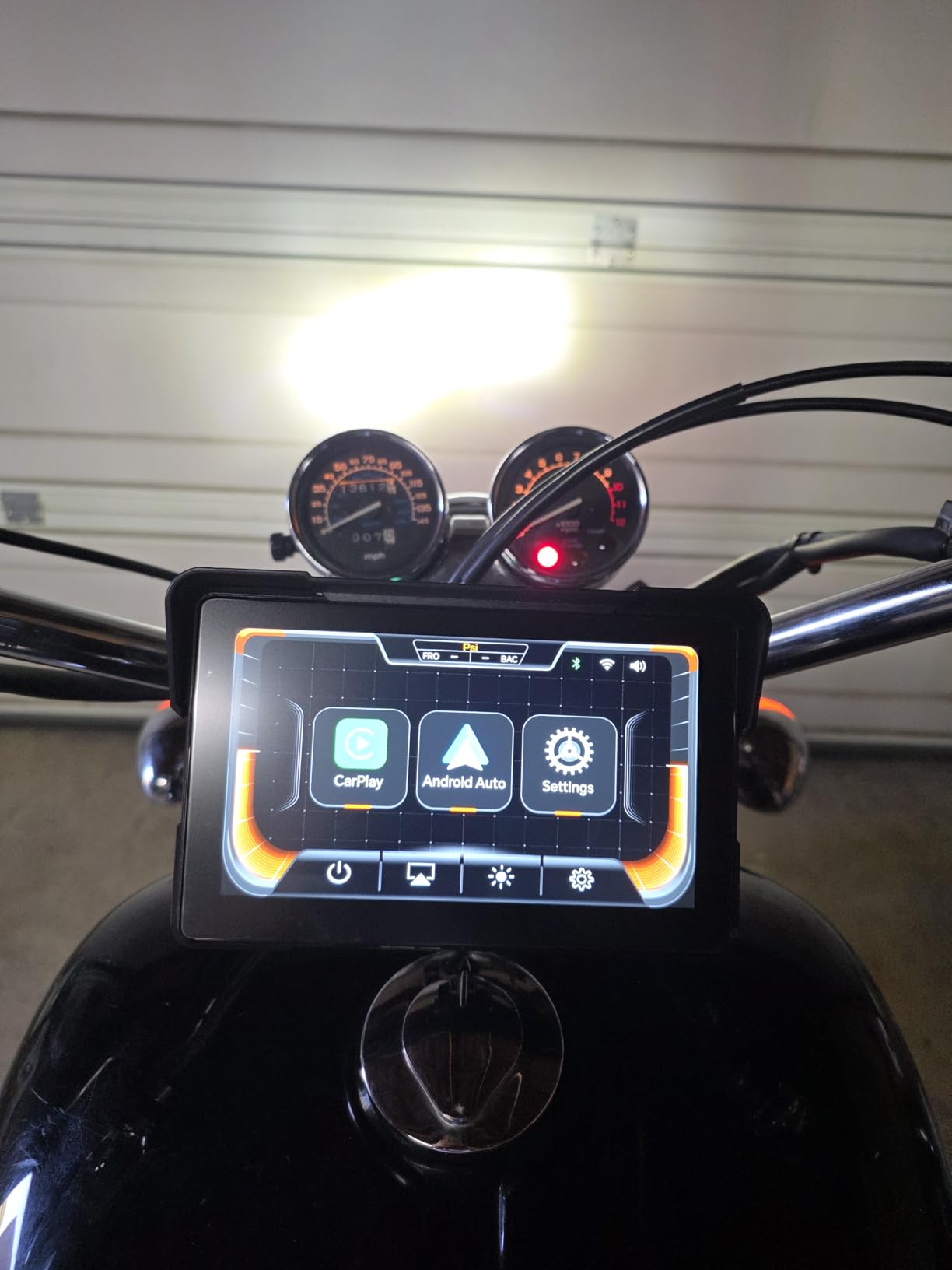
Wireless CarPlay and Android Auto connected quickly in testing with minimal lag, and voice control runs through Siri and Google Assistant. Bluetooth stereo with headset pairing keeps audio in the helmet, and the device fits naked, sport, cruiser, touring, adventure, off-road and retro bikes as well as scooters.
Two honest weaknesses. It is a mirror, so it needs a phone for maps, and some 5-inch examples are hard to read in hard direct sunlight even with an anti-glare panel. There is no font or text size adjustment inside CarPlay or Android Auto, which some riders miss immediately.
There is also an isolated report of a screen separating from the housing on first use, exposing the internals. One report is not a pattern, but it is worth checking the unit on arrival.
Who this suits best
This suits winter commuters, off-road riders and anyone who washes the bike properly and wants hardware that will not complain. The IP69K rating and the light weight are the two things that set it apart from the other 5-inch screens here.
It also has one of the simpler installs in this group, which matters if you have never wired anything to a motorcycle before.
Who should skip it
Skip it if you plan to ride deep trails with no signal, because a mirrored screen is only as capable as the phone feeding it. This is the same limitation as every other screen in the group.
Skip it if you ride at high speed on open roads in strong sun and want the biggest, brightest panel you can find. The 7-inch units in this guide serve that purpose better.
How to Choose a Motorcycle GPS Navigator
Every decision in this category comes down to a handful of questions, and most riders answer them by what they ride rather than by what features they want. Work through these in order and the shortlist writes itself.
Standalone navigator or phone-mirroring screen?
Ask yourself whether your route planning happens on a computer or on a phone. If you build routes in Garmin BaseCamp, Gaia GPS or OSM and sync them, you want a dedicated navigator with stored maps. If you tap through Google Maps and Apple Maps as you go, you want a mirrored screen and the phone experience you already have.
The second question is signal. Dedicated devices work in canyons, forests and deserts where nothing works. Mirrored screens need a paired phone, and a phone in a tank bag or pocket degrades its own GPS reception, which is why some Beeline users report worse results without understanding why.
The third question is how you feel about apps. Garmin still asks you to plan on a computer, which owners across TWTEX and K1600forum threads defend as a feature rather than a chore. A mirrored screen is a display for whatever your phone already runs. Neither is wrong, and the mirror question comes up most often in the forums because the answer depends entirely on riding style.
Waterproofing and what the IP rating really means
IPX7 means the unit survives immersion in fresh water to one metre for thirty minutes. IP67 adds dust-tight protection. IP69K, the highest rating in this group, is a high-pressure, high-temperature water jet rating. All three are fine for rain, road spray, mud and a bike wash.
None of them cover a pressure washer held close to the seals for an extended period, and none of them cover salt water. Rinse with fresh water after riding on the coast and check that your mount’s closing caps are seated before you wipe anything.
Riders on r/motorcyclegear report the most common hardware failure of all is not water ingress at all. It is a phone left on a handlebar mount for years, where the constant vibration eventually destroys the camera optical image stabilisation. That single failure mode is the strongest argument for dedicated hardware that is designed to be bolted to a vibrating surface.
Screen size, brightness and sunlight readability
Nits measure how bright a screen is. Anything around 1000 nits peak is where a handlebar display stays readable through a windshield at midday, and that is the number to check on any mirrored screen you are considering. Dedicated Garmin devices describe the display as sunlight-readable without publishing a nits figure, and in practice they perform well.
Then pick the size honestly. A 4.3-inch screen is compact and unobtrusive but demands you lean in at complex junctions. A 6-inch screen is the sweet spot for road riding. Anything at 7 or 8 inches is easy to read but covers your view of the front of the bike, which some riders dislike more than the readability gain helps.
If you ride through a polarized lens or sunglasses, check for anti-glare coating. A screen that disappears under polarized glasses is useless regardless of its brightness rating, and several units in this group specify an anti-glare layer for that reason.
Glove-friendly touch and control methods
Capacitive touch means the screen senses a conductive surface, which is why it works through a glove but also why it can misfire when wet. Resistive touch works with anything but feels dated and is dimmer. All ten devices reviewed here use a capacitive panel.
Physical buttons beat touch in the rain and in thick winter gloves, which is exactly why the Beeline’s button-driven interface appeals to riders who hate touchscreen errors. Test with the gloves you actually ride in, not the ones in the box.
Battery life versus wired power
Battery claims in this category range from about 4 hours on the 396 LMT-S to 14 hours on the Beeline Moto II. Treat any internal battery as a convenience for removing the device and putting it somewhere secure, not as a full riding day.
Wired power from a switched 12V accessory socket or a USB boost lead is the standard setup, and it is where most self-fit purchases go wrong. Budget an hour for it the first time, and check your bike has a switched accessory socket before you buy the lead.
Map updates and ongoing cost
Every dedicated device in this guide works without a subscription. The Garmin 396 LMT-S and the zūmo XT2 come with lifetime map updates, and the Tread’s BirdsEye imagery is downloadable without a fee. That is the single strongest long-term argument for a standalone navigator over a mirrored screen paired with a phone that expects you to pay a carrier for data.
Mirrored screens carry no map cost of their own, but they inherit the cost of your phone plan and they need the phone charged before the ride or at the destination. Over five years a standalone navigator usually works out cheaper to run, because the map updates are already paid for.
For riders who want no hardware at all, the app route is worth a look. OsmAnd and Gaia GPS both run offline maps on a phone, and Waze handles live traffic well. A wrist-worn GPS is a different category altogether, and we cover the best GPS running watches for marathon training if that is closer to your use case. A smartwatch with built-in GPS is covered separately in our kids smartwatch guide, though the tracking principles are the same.
How to Install and Power a Motorcycle GPS
This is the part nearly every roundup skips and nearly every rider gets wrong on the first attempt. The good news is that a handlebar GPS needs no drilling on almost any bike.
1. Choose the mount. Rubber strap mounts suit bars up to about 32 mm and need no tools. RAM ball mounts give you the best vibration damping and let you remove and re-angle the device in seconds, which is why most riders who run the same hardware across two bikes choose them.
2. Locate a switched 12V accessory socket. Many bikes have one under the seat or behind a side cover. It must switch off with the key, otherwise you will drain the battery. If your bike has none, an accessory relay or a USB port on a switched circuit both work.
3. Fit the lead. If you are running a permanent wire, add an inline fuse rated just above the draw of the unit and route it away from the exhaust and the front wheel. Do not connect directly to the battery unless you understand the parasitic drain.
4. Route the cable. Tie it to the loom, leave a service loop at the headstock so the bars can turn fully, and use soft ties so nothing chafes on paint. A cable that has chafed once will do it again.
5. Secure the unit. Torque the RAM ball hand-tight plus a fraction, do not overtighten, and check the screen sits where your eyes go rather than where the clamp fits easiest.
6. Test before you need it. With the engine off, confirm the unit powers up and holds a satellite fix outside. Then check brightness in full sun and again at a dark stop, and set your mount angle once and leave it alone.
7. For mirrored screens, pair the phone and helmet before the ride, not during it. Confirm navigation audio routes to the helmet Bluetooth channel rather than the phone speaker, and confirm the screen locks and unlocks when the ignition cycles.
Riders on forums repeatedly describe doing this properly once and never thinking about it again. The ones who fiddle end up with a loose mount, a chafed lead and a device that resets every time the bars turn.
Frequently Asked Questions
What are the best GPS navigation devices for motorcycles?
The best overall is the Garmin zumo 396 LMT-S: a rugged sunlight-readable glove-friendly unit with free lifetime map updates and no subscription. Riders who want a large mirrored screen should look at the Carpuride W702 7 Inch, and dual-sport riders who need topographic layers and land boundaries should choose the Garmin Tread Powersport. All three work with no cell signal.
Is Garmin GPS obsolete?
No. Garmin remains the strongest standalone choice because these devices store maps on the hardware and do not need a paired phone, which is exactly what dual-sport and touring riders depend on. The criticism riders raise is software, not hardware, with BaseCamp route planning and the Tread app the most common complaints. The XT2 improved responsiveness considerably, but validate a device at a stop before a trip.
What is the best GPS app for motorcycle riding if I refuse to buy hardware?
OsmAnd and Gaia GPS both download offline maps onto your phone and are the standard answer for riders with no hardware budget. Waze handles live traffic and road hazards well for paved commuting. The catch is vibration: a phone on a handlebar mount degrades camera stabilisation over years, so use a phone in a tank bag with a vibration-damping mount and check reception.
Is Zumo XT2 worth it?
The XT2 is worth it if you ride long distances, want a 6-inch sunlight-readable display, and use Group Ride tracking where there is no signal. The IPX7 build and much-improved Tread app are real upgrades. Skip it if you ride short local trips, since the smaller 396 LMT-S handles most road riding and the XT2 carries a higher outlay and reported touchscreen failure complaints.
Which Garmin Zumo is best?
For road riding the zūmo XT2 gives you the largest screen and the newest software, while the 396 LMT-S remains the value pick with the same lifetime map policy. For off-road riding the Tread Powersport is the only one with preloaded topographic maps, land boundaries and free BirdsEye imagery. Choose on riding type, not on screen size alone.
Can a motorcycle phone mount damage a camera?
Yes. Riders on r/motorcyclegear report multiple cases of permanent camera damage after years of riding with a phone on a handlebar mount, because constant engine vibration eventually destroys the optical image stabilisation. It is the most repeated hardware complaint in rider forums. A dedicated or mirrored unit that the phone stays away from removes the problem entirely.
What are some alternatives to Beeline Moto?
For riders who like the distraction-free idea but want more map detail, the Garmin zumo 396 LMT-S gives a full rectangular screen with Adventurous Routing and lifetime maps. Riders who want phone-based simplicity with a bigger display should look at a 5 or 7 inch mirrored screen such as the YZW or Carpuride W702, which show the same phone apps on a much larger panel.
Final Verdict: Which Motorcycle GPS Should You Buy?
For most riders the Garmin zumo 396 LMT-S is the right first dedicated motorcycle GPS navigator in 2026: it works with no phone, no signal and no subscription, and it is backed by more owner feedback than anything else in this guide. Riders who want a big readable phone screen should get the Carpuride W702 7 Inch, and serious tourers who want Group Ride tracking and satellite pairing should step up to the zūmo XT2.
Dual-sport riders should ignore all three and buy the Garmin Tread. Riders chasing recording should look at the jelkuz 8.1 Inch. And anyone still deciding between hardware and an app should read the phone-vibration section first, because that is the mistake riders regret.