
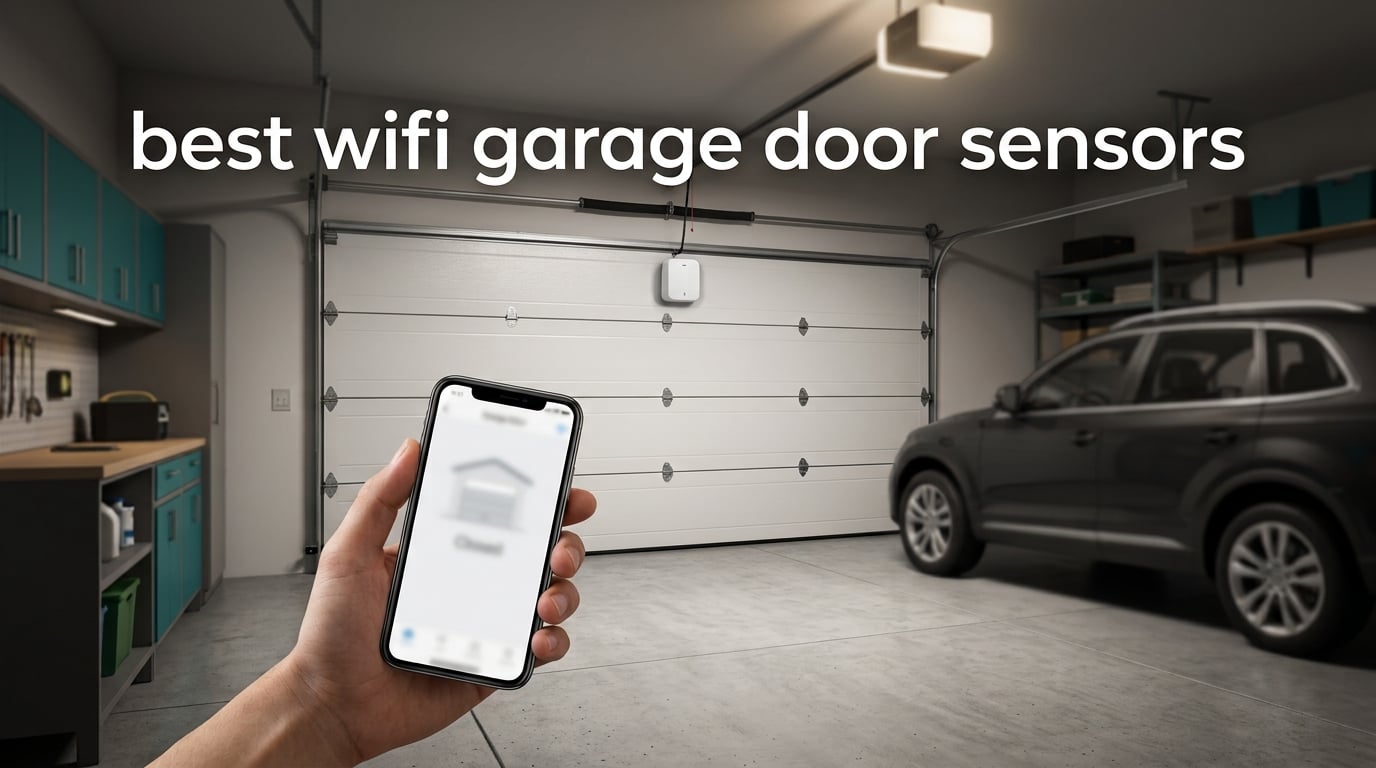
The garage is the largest opening in most homes, and it is also the one nobody thinks about until it matters. A door standing open at midnight with your car inside, a package sitting outside a closed door, a contractor standing at the opener with no key. WiFi garage door sensors solve all three by telling your phone what the door is doing and, in most cases, letting you move it remotely.
We spent weeks comparing the ten highest-reviewed WiFi garage door sensors and add-on controllers available now, checking how each one handles an older opener, how the app behaves when the garage signal is weak, and what the alerts actually do for you at 11pm. What we found is that the word “sensor” covers two completely different jobs, and buying the wrong one is the single most common mistake in this category. We explain the difference before the picks so you can skip the buyer remorse.
If your opener is old enough that you are already shopping for a replacement, our guide to the best smart garage door openers is the better read. Everything below is for retrofitting a working opener you already own.
Table of Contents
Top 3 Picks for Best WiFi Garage Door Sensors

Chamberlain myQ Smart Garage Control
- Hub plus tilt door sensor
- Works with most post-1993 openers
- Scheduled close and alerts
- Amazon Key support

eKyro Smart Garage Door Opener
- Universal two-wire install
- Alexa and Siri support
- Open-door alerts
- No monthly fees
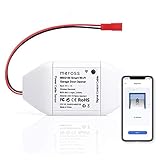
meross MSG100
- Wired position sensor
- 200 brands and 1600+ models
- Overtime alerts
- No hub needed
All 10 WiFi Garage Door Sensors at a Glance
Every unit below clips onto or wires into an existing opener, so none of them require replacing the motor. The column that matters most is the position sensor: a wired sensor gives accurate state with no battery, while a wireless tilt sensor is faster to install but needs its coin cell checked.
| Product | Specifications | Action |
|---|---|---|
| Chamberlain myQ Smart Garage Control |
|
Check Latest Price |
| eKyro Smart Garage Door Opener |
|
Check Latest Price |
| meross MSG100 |
|
Check Latest Price |
 AGSHOME WiFi Opener Remote AGSHOME WiFi Opener Remote |
|
Check Latest Price |
 Aubric WiFi Opener Controller Aubric WiFi Opener Controller |
|
Check Latest Price |
 meross MSG200 with Antenna meross MSG200 with Antenna |
|
Check Latest Price |
 LiftMaster myQ Smart Garage Control LiftMaster myQ Smart Garage Control |
|
Check Latest Price |
 EVERSECU Tuya WiFi Controller EVERSECU Tuya WiFi Controller |
|
Check Latest Price |
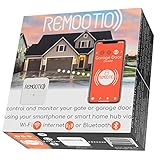 Remootio 2 Smart Opener Remootio 2 Smart Opener |
|
Check Latest Price |
 ismartgate PRO ismartgate PRO |
|
Check Latest Price |
Monitor or Controller: Which One Do You Actually Need?
Before any picks: the phrase WiFi garage door sensor is used for two products that solve different problems, and the gap between them is bigger than most listings admit.
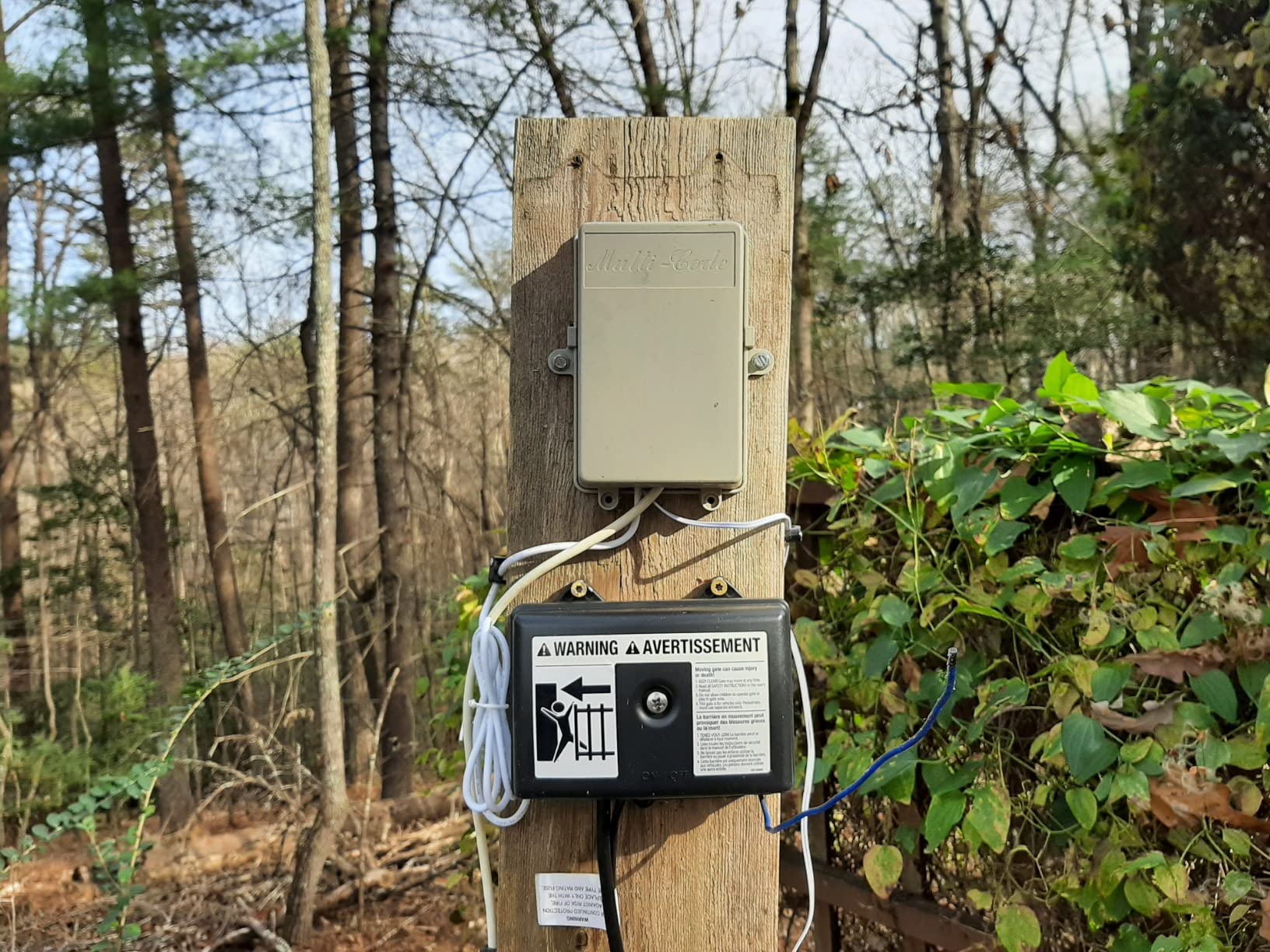
A monitor tells you the door is open or closed and nothing else. It sits on the panel or beside the frame, runs on a battery or a wire, and pushes a notification. A controller does that plus drives the opener, which means it hooks into the two wall button terminals on the ceiling unit with a two-wire connection. Every product in this roundup is a controller, because that is what people searching this keyword actually install, but the distinction matters when you read listings.
There is a third path worth knowing about. Home Assistant and Hubitat users often skip both and tap the dry contacts of a LiftMaster wall button to read position directly, which several long-term users on the Hubitat community describe as working for years with no subscription and no vendor cloud. It is a weekend project rather than a ten-minute install.
Now the part almost nobody states plainly: alert latency. A battery-powered WiFi contact sensor has to wake up, join the network, and send a message, and commenters on r/homeautomation report that step alone can take around ten seconds before the notification lands. A wired controller is reading a continuous signal, so its alerts are effectively immediate. If you are relying on an alert to react to something in the moment, that gap is the difference between useful and frustrating.
One more clarification. The infrared photo-eye pair mounted at the bottom of your garage door is a federally required safety device that stops the door from closing on an obstruction. Nothing in this roundup replaces it, and no smart sensor can. A smart sensor is an addition to your opener, not a substitute for safety equipment.
1. CHAMBERLAIN myQ Smart Garage Control – Best Overall
- Guided app setup that most people finish in one sitting
- Reliable open and close control from any distance
- Revives older openers without a motor replacement
- Scheduled close at set times
- Amazon Key in-garage delivery support
- Closed ecosystem after third-party integrations were discontinued
- Warning strobe and beeps before closing unless you disable them
- Second door needs a separately sold sensor
This is the unit our team recommends to the widest range of homeowners, and the reason is volume. More than 60,000 reviews at a 4.3 average is a sample size no competitor in this category can match, and the pattern in those reviews is unusually consistent: people bought it to upgrade an opener they were not going to replace, and it worked.
Several owners describe pairing it with a nine-year-old Genie or a twenty-plus-year-old Craftsman, which tells you more about real-world fit than any compatibility chart. The hub mounts to the ceiling, the tilt sensor rides on the top panel, and Bluetooth Low Energy handles the pairing so you are not typing long codes into your phone in a dark garage.
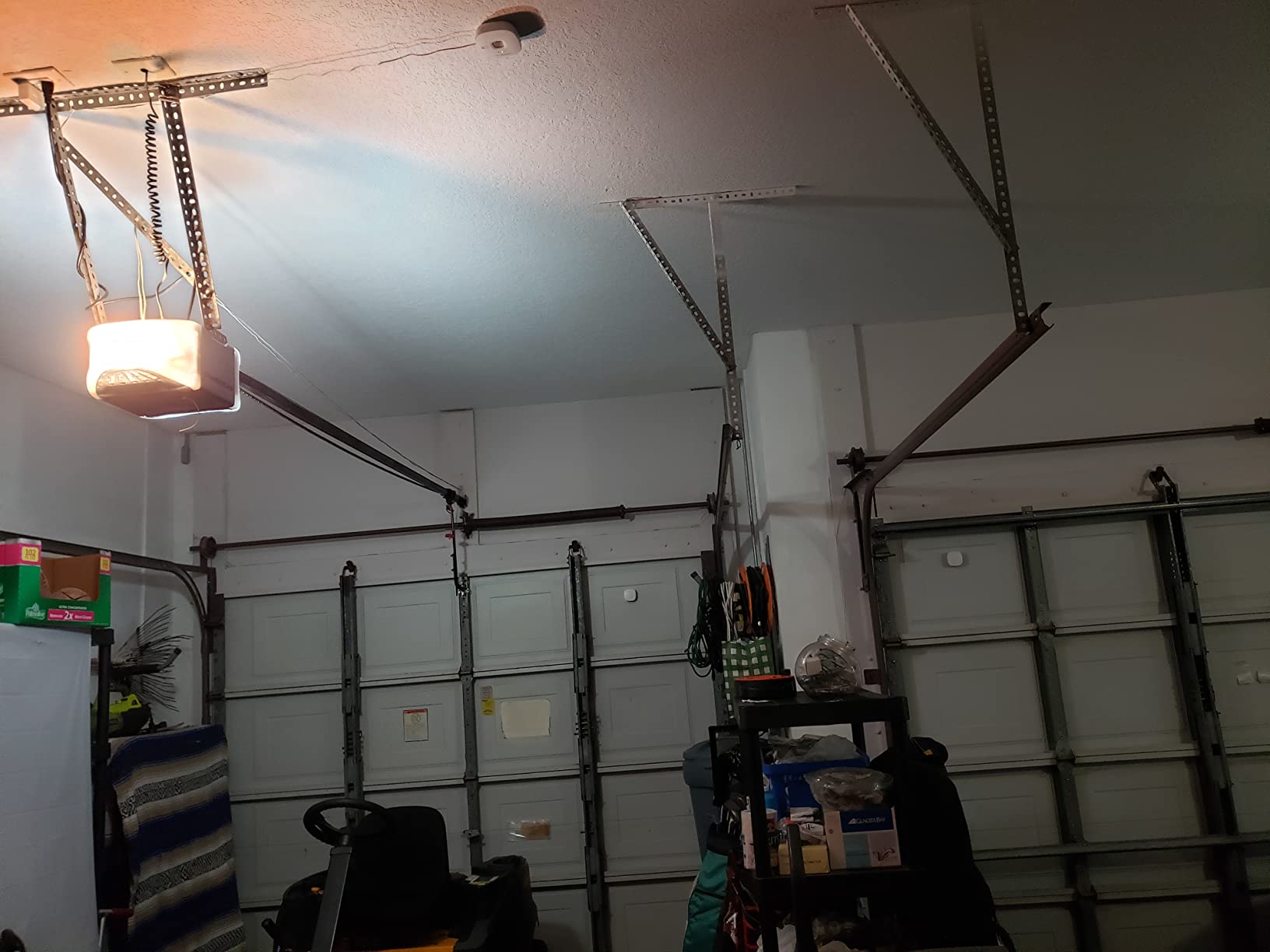
The scheduled close is the feature that converts skeptics. Setting a nightly auto-close turns a forgotten door into a solved problem, and reviewers single it out more often than remote opening itself. Amazon Key in-garage delivery support is a genuine bonus for anyone who ships through the platform regularly.
What you give up is flexibility. Third-party integrations were discontinued, so Home Assistant and other platforms no longer see this device, and the app home screen carries rotating advertisements. The closing strobe and beeps also draw consistent complaints, and silencing them now depends on workarounds outside the myQ app.
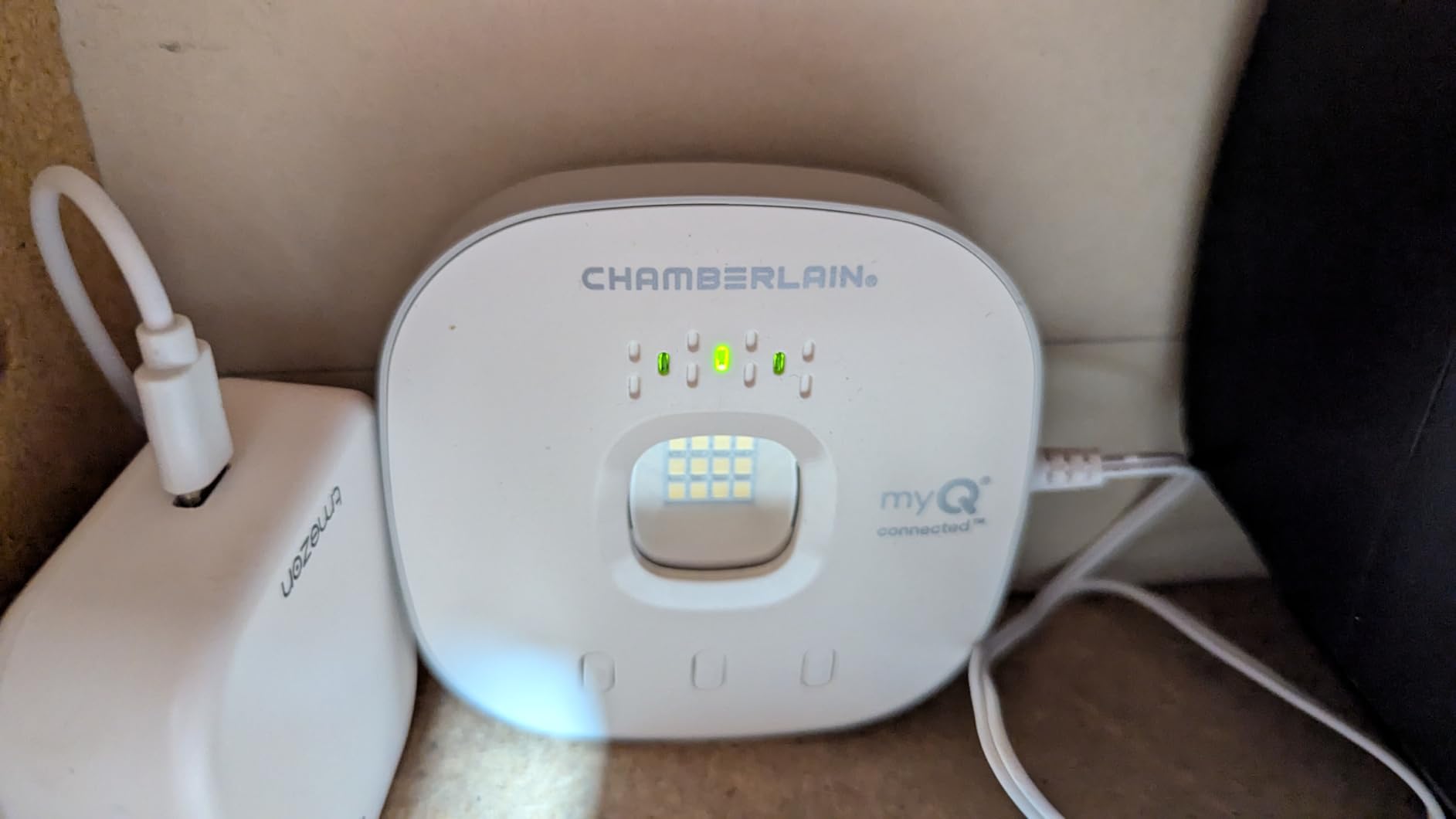
How it fits older openers and awkward installs
It works with most openers manufactured after 1993 that use photoelectric sensors which do not switch to a low power mode. It will not work with openers whose sensors change power mode, with Chamberlain Group units bearing a yellow learn button made between 2010 and 2021, or with Linear openers. That is a narrower gap than the marketing implies, and if you own a Linear opener you should skip to the meross options below.
Plan for a 2.4 GHz router within about 50 feet of the hub, since the system requires 2.4 GHz Wi-Fi at 802.11 b/g/n. Owners of detached garages often solve this with a mesh node or extender mounted inside the garage rather than inside the house.
Who it suits and who should pass
Buy this if you want the least thinking involved, you already own a post-1993 opener, and you have no interest in Home Assistant. The app is genuinely good, the alerts are reliable, and the install is short.
Pass if you run a local-first smart home, if you need more than one door without buying extra sensors, or if you dislike subscription-era paywalls and closed app ecosystems. Several reviewers moved to alternatives specifically over that ecosystem decision.
2. eKyro Smart Garage Door Opener – Best No-Hub Upgrade
- Two-wire connection suits most existing openers
- No hub and no monthly fee for core features
- Works with the major voice assistants
- Open-door alerts and auto-close schedules
- Some older or unusual openers need a separate adapter
- Not compatible with RYOBI openers
- Each additional door needs its own controller
The eKyro carries the highest average rating in our group at 4.5 stars across more than 3,800 reviews, and roughly 77 percent of those ratings are five stars. That distribution is unusual for a category usually dragged down by compatibility complaints.
What it does well is refuse to charge you. Scheduling, automatic closing, voice control through Alexa and Google Assistant, and Siri all run without a monthly fee, which is precisely the frustration voiced repeatedly in forum threads about paywalled core features.
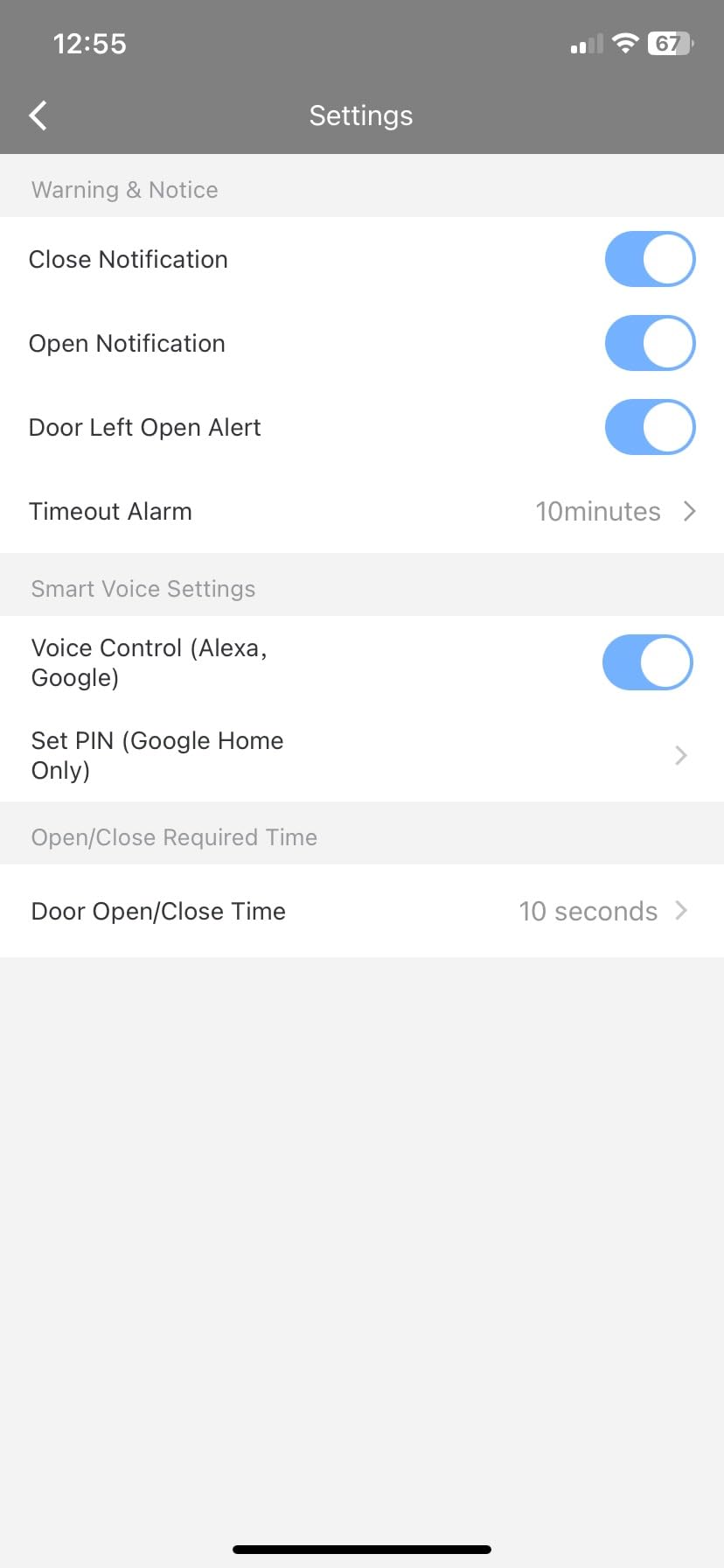
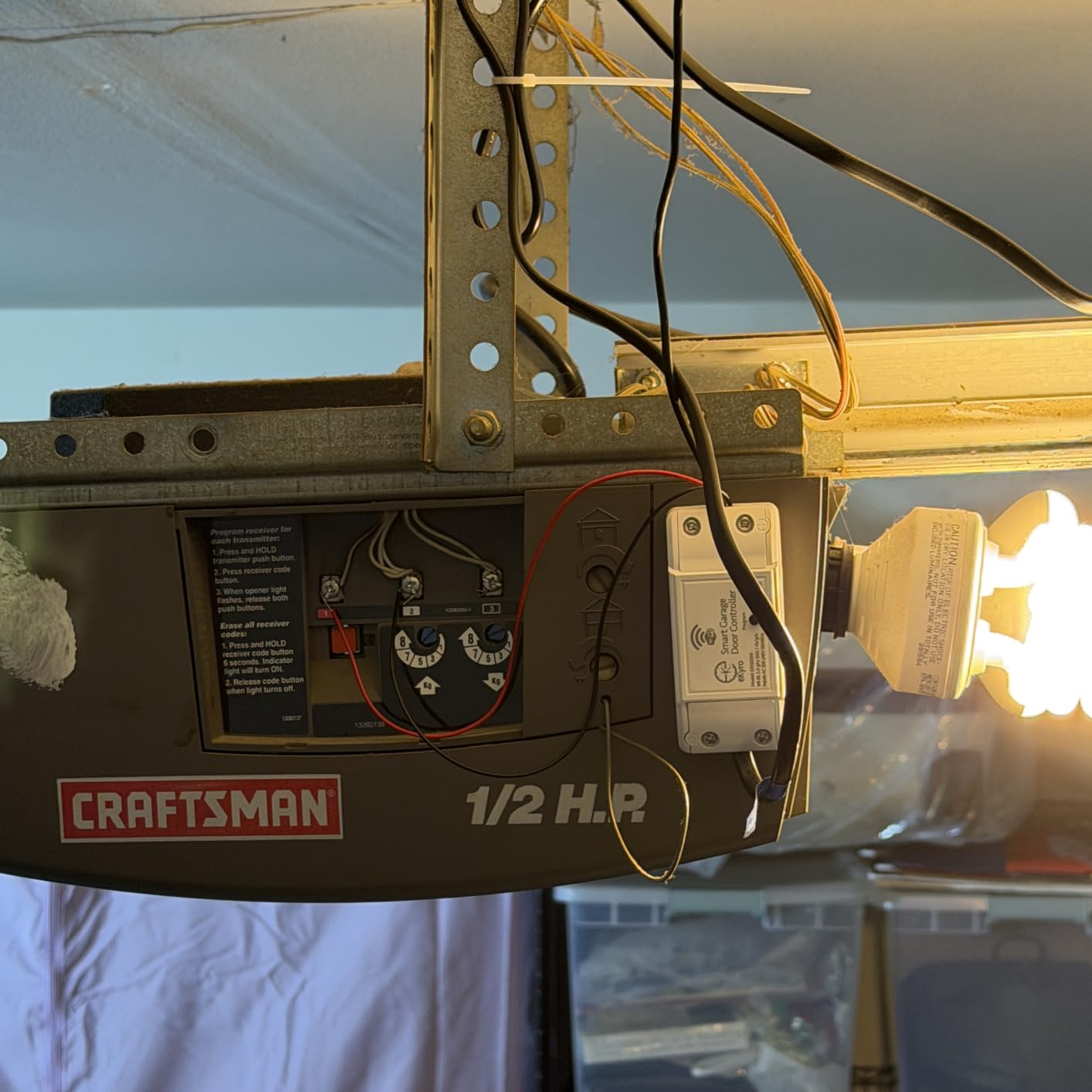
The universal adapter approach means most people wire two leads into the wall button terminals and are finished. Owners of oddball openers report the adapter handles it, though that is where the one real caveat lives: some older or unusual units need the adapter, and RYOBI openers are excluded outright.
Multiple eKyro controllers can be paired, but there is one controller per door. If you run a two-car garage with a single opener that is a non-issue; if you genuinely have two doors, budget for two units or pick the meross MSG200 below.
What to check before wiring
Every add-on controller of this style hooks into the same two low-voltage wall button terminals on the ceiling receiver. The paperclip test takes thirty seconds: bridge the terminals with a straightened wire and see whether the door moves. If it does, this device will drive your opener. If it does not, you have a wall console setup that will not accept an add-on.
Weight and dimensions are modest at 12.8 ounces in a package under six inches wide, so mounting space is never the problem here. The problem, if there is one, is the adapter for unusual openers, so keep the model number handy when you order.
Who it suits and who should pass
This suits anyone who wants phone and voice control without a subscription, a hub, or a learning curve. It is also a solid pick for a rental property where you need to grant access without handing over physical remotes.
Pass if you own a RYOBI opener, run Home Assistant and need local API access, or want one device to cover several doors. Reviewers who came from paid ecosystems tend to be the happiest here, which tells you something about where the value sits.
3. meross MSG100 – Best Value Wired Sensor
- Wired sensor reads position accurately with no battery changes
- Covers 200 brands and over 1600 opener models
- Open close plus overtime and overnight alerts
- No hub and no monthly fee
- Free adapter supplied when needed
- Does not support Security+ 3.0 openers
- Single door only on this model
- Needs a decent Wi-Fi signal in the garage
The meross MSG100 solves the battery anxiety that dominates forum threads about garage sensors. Its sensor is wired, which means there is no coin cell dying in a freezing garage and no false open alerts caused by a flattening battery. Reviewers call out the accuracy of the wired read as the main reason they stayed with it.
The compatibility claim is the headline: 200 brands and more than 1,600 opener models, with meross providing a free adapter when a unit needs one. An adapter converts 110V to 5V for safety, which is a sensible design choice on something you are wiring into a live opener circuit.
Notification modes are more granular than most competitors offer. Alongside standard open and close status you get overtime alerts for a door open longer than you set and overnight alerts if it moves after dark, with an operation history you can scroll back through.
Two limits are worth planning around. Security+ 3.0 openers are not supported, only 1.0 and 2.0, so check your opener before buying. And the MSG100 handles a single door, so a two-door situation means a second unit.
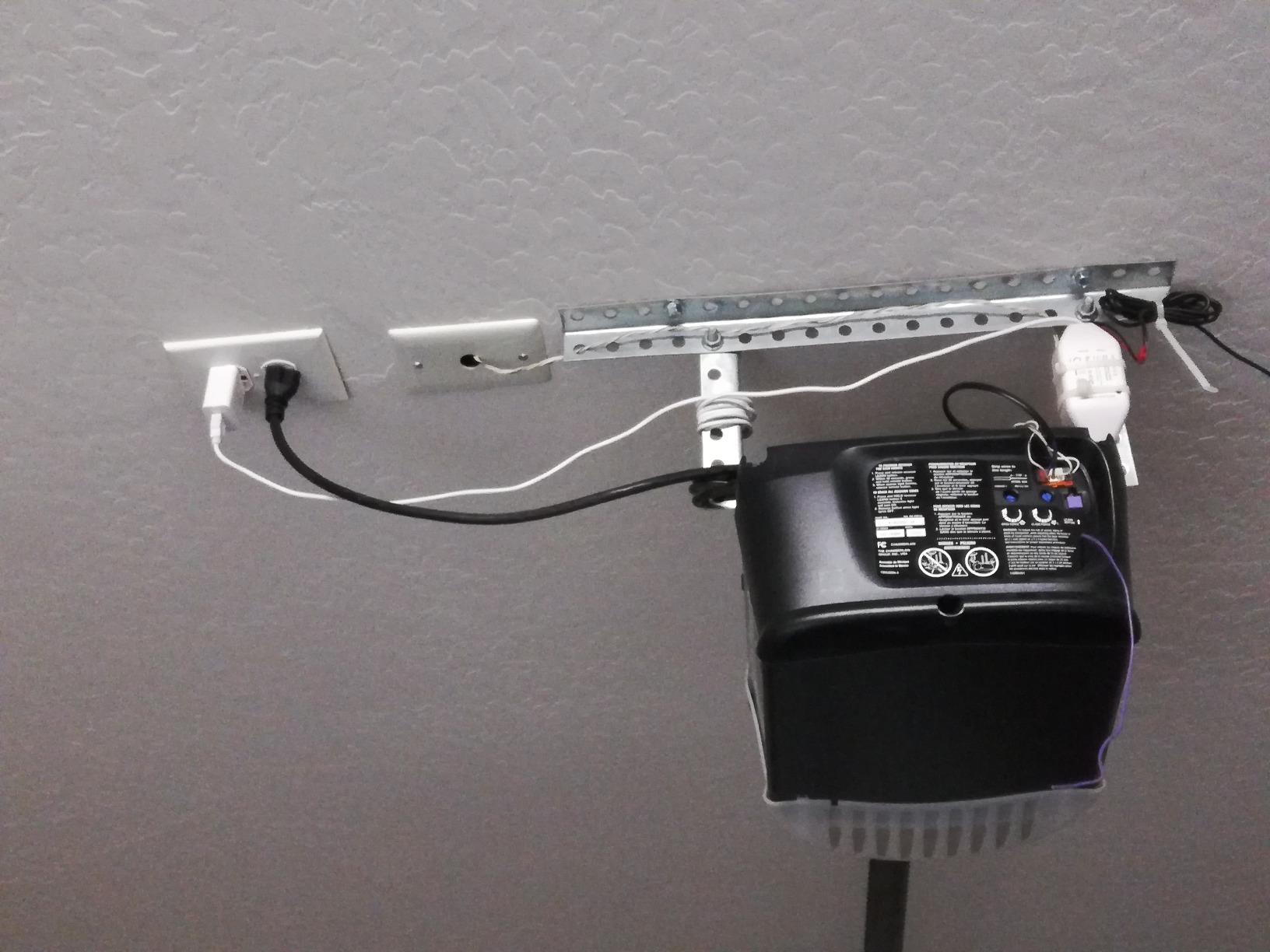
Installation and signal placement
There is no hub to install, which keeps the install to the wiring at the opener and the sensor run to the header. At 9.6 ounces the unit is small enough to tuck beside the motor without crowding the ceiling, and the coverage figure of 200 opener brands is the broadest in this group.
The signal question matters here. This controller runs on 2.4 GHz Wi-Fi and needs reasonable coverage where the opener sits, and reviewers in older homes with brick or detached garages mention testing signal before ordering. A mesh node mounted near the opener is the standard fix.
Who it suits and who should pass
It suits homeowners who are tired of batteries and want accurate position reporting, plus anyone running SmartThings who wants a garage device without another hub.
Pass if you own a Security+ 3.0 opener, need one box to cover several doors, or want a wireless sensor because your garage has no accessible wiring run. The wired design is the whole point, so a location that resists wiring rules this unit out.
4. AGSHOME Smart WiFi Garage Door Opener Remote – Best Budget Entry
- Typical install takes 25-45 minutes with the app
- Works with very old openers such as Genie Blue Max
- No hub and no subscription
- Hard-wired magnetic sensor means no batteries
- Good low-cost way to add WiFi to a working opener
- Alexa is voice only and cannot check door state
- Voice opening needs a spoken 4 digit passcode
- Sensor wire is short and instructions are confusing
The AGSHOME is the cheapest way into this category, and its 4.3 star average across more than 1,300 reviews surprises people who assume budget means flimsy. It uses a hard-wired trigger connection plus a magnetic door status sensor, and the wiring is straightforward enough that most owners finish in 25 to 45 minutes with the Smart Life app open on their phone.
Owners specifically mention older openers, including a Genie Blue Max, pairing without drama. That is the case the expensive units often refuse, which makes this a better fit than its price suggests for a house with a twenty-year-old opener.
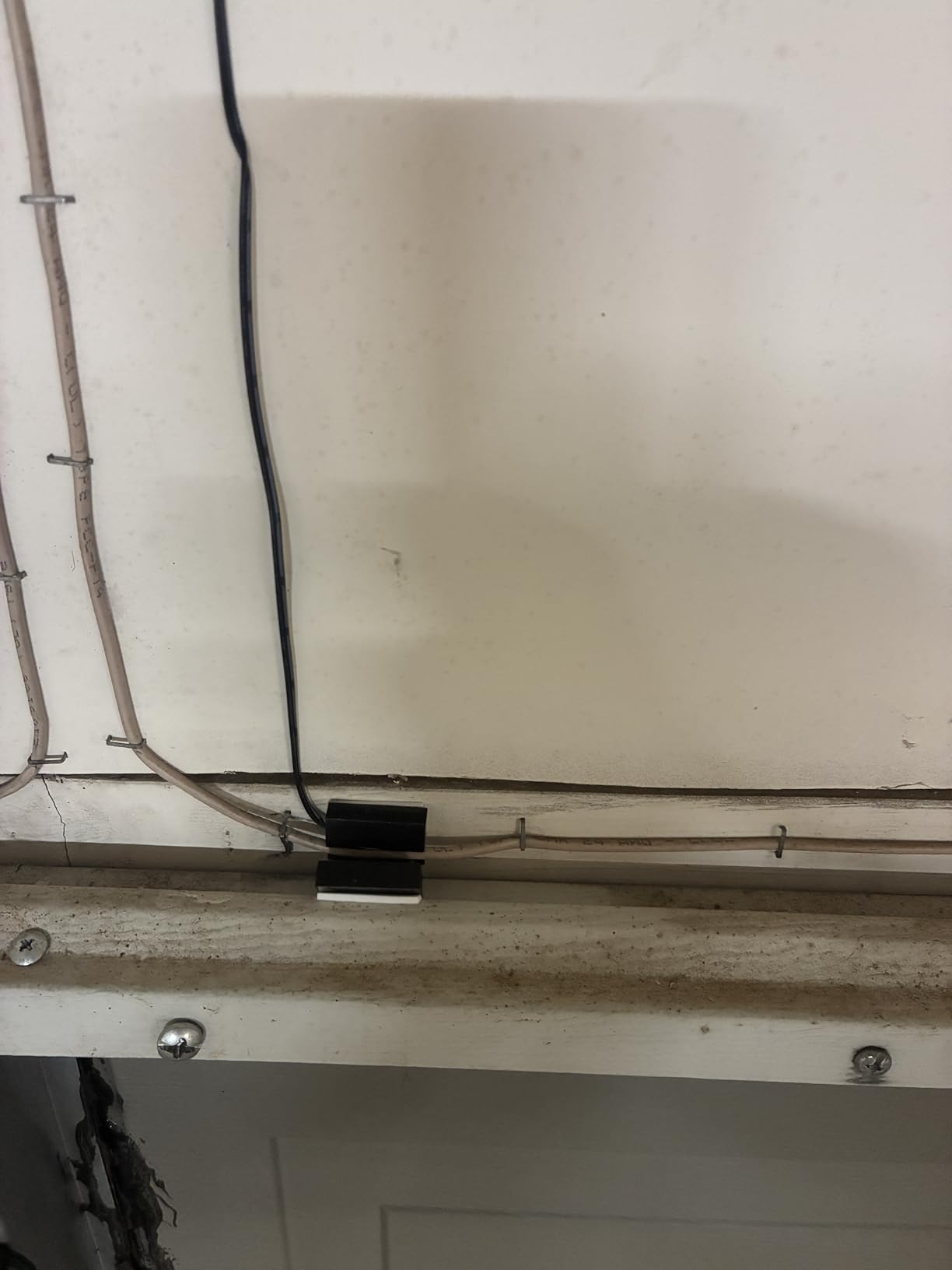
The voice assistant limitations are real and consistent across reviews. Alexa responds to commands but cannot report or toggle door state in the app, and voice opening requires speaking a four digit passcode each time, which blocks most Google Home routines and automations entirely. Some users also report the first voice open failing and needing a repeat.
Because the sensor is magnetic, it reports fully open or fully closed only. A door stopped halfway reads as open, which is a genuine problem for anyone with a track or torsion bar that tends to stall.
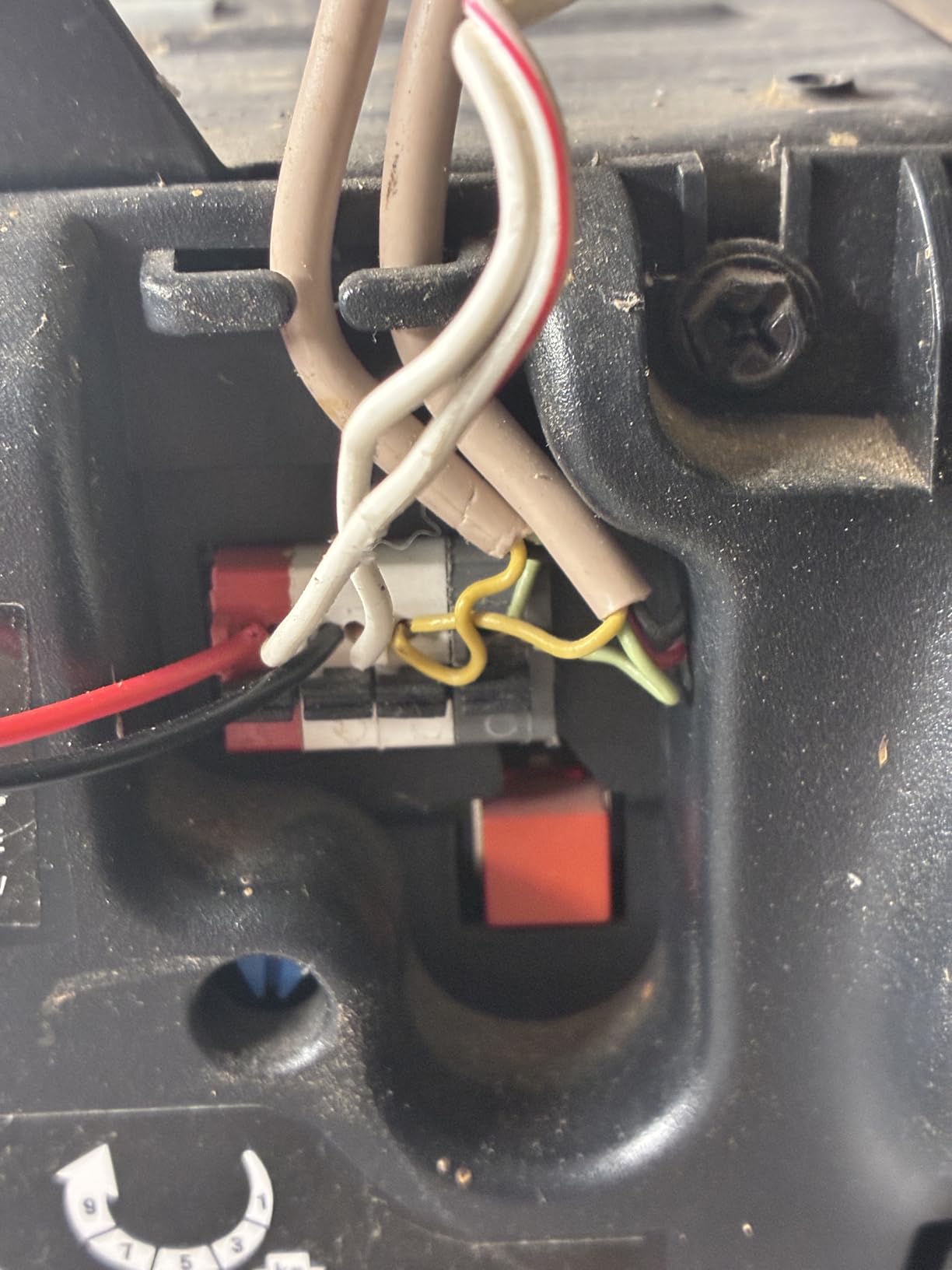
Placement and wiring constraints
The sensor wire is short, and that is the single most cited installation frustration. Plan the mounting position before you buy, and if your magnet has to sit far from the header you will want a longer run than the supplied cable allows. The supplied instructions also draw complaints, so budget extra time for translation confusion.
This unit is 2.4 GHz only. If your router splits bands, force your phone onto the 2.4 GHz network during setup. It supports one garage door, and its listed maximum range of 4 meters applies to the sensor trigger rather than Wi-Fi coverage.
Who it suits and who should pass
It suits a first-time smart garage install on a tight budget, an older opener, and anyone who only needs open and closed notifications from a phone rather than voice control.
Pass if you rely on voice assistants for automations, care about partially open position detection, or need more than one door. The single magnetic sensor and the passcode requirement rule it out of both use cases.
5. Aubric WiFi Garage Door Opener Controller – Best for IFTTT Automations
Smart WiFi Garage Door Opener Remote Controller, Smartphone App Control, Compatible with Alexa, Google Assistant and IFTTT, No Hub Required
- Two-wire install makes an existing opener smart quickly
- Works with Alexa Google Home Siri smartwatches and IFTTT
- Multi-user access with an audit log of who opened the door
- Scheduled opening and closing
- No hub and no subscription
- Compatibility must be confirmed by the buyer before ordering
- Supports only one garage door
The Aubric is the one to buy if you build automations. It is the only unit in our group that pairs IFTTT with Siri, smartwatches, Alexa and Google Home from the same Smart Life app, and 4.4 stars from more than 1,000 reviews suggests the flexibility is real rather than a listing claim.
Multi-user access with a real audit trail is the feature that stands out. The app records who opened the door and when, which matters in a shared house, a rental, or anywhere a contractor has temporary access. Reviewers treat that log as the reason to recommend it to others.
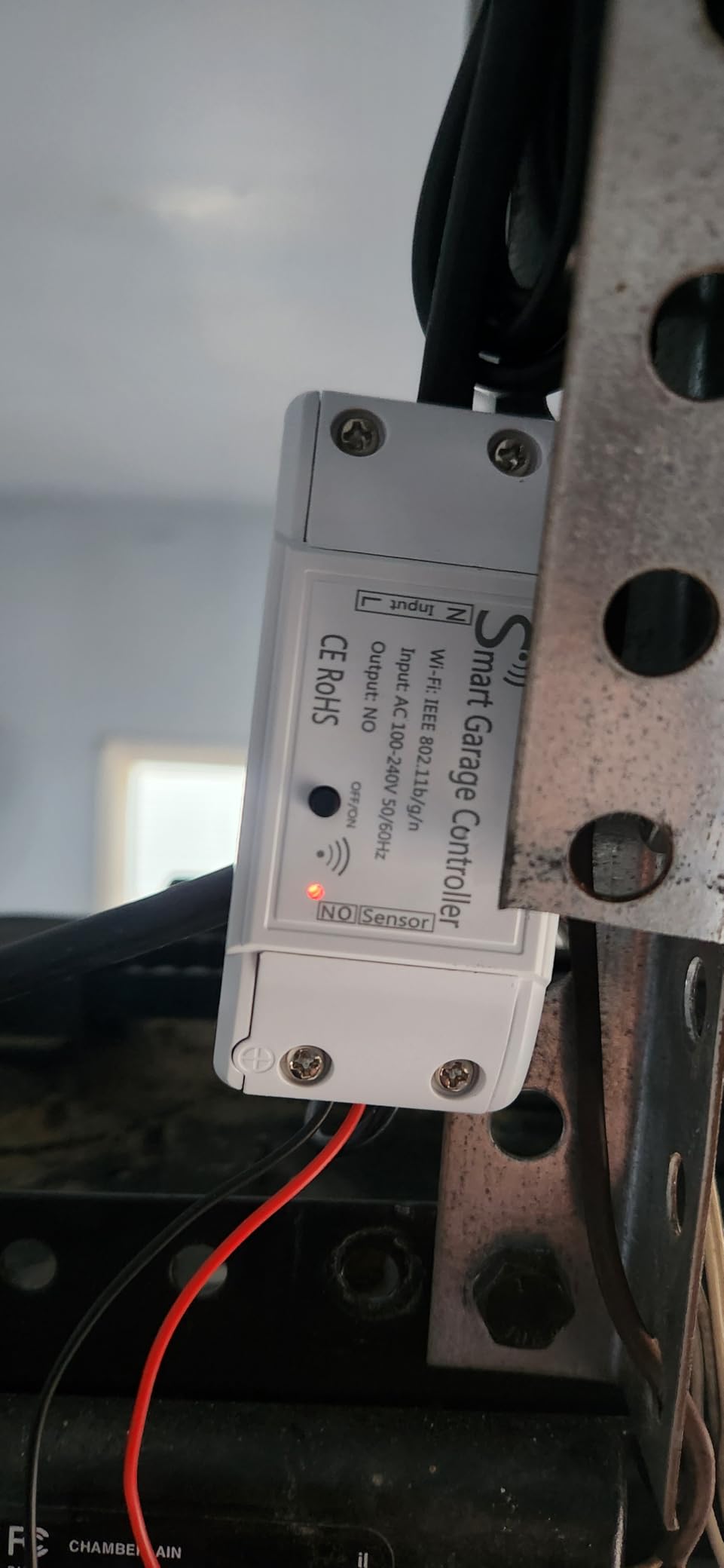
Installation is two wires into the positive and negative wall button terminals, with no hub and no monthly fee. Scheduling for automatic opening and closing is handled in the Smart Life app, and most owners describe the whole job as a short evening.
The caveat is stated plainly in the product’s own guidance: compatibility must be confirmed by the buyer first. Aubric suggests testing with a wire or straightened paperclip before ordering, and a full model compatibility list sits in an application guide PDF. Skipping that step is the fastest way to end up with a device that fits nothing.
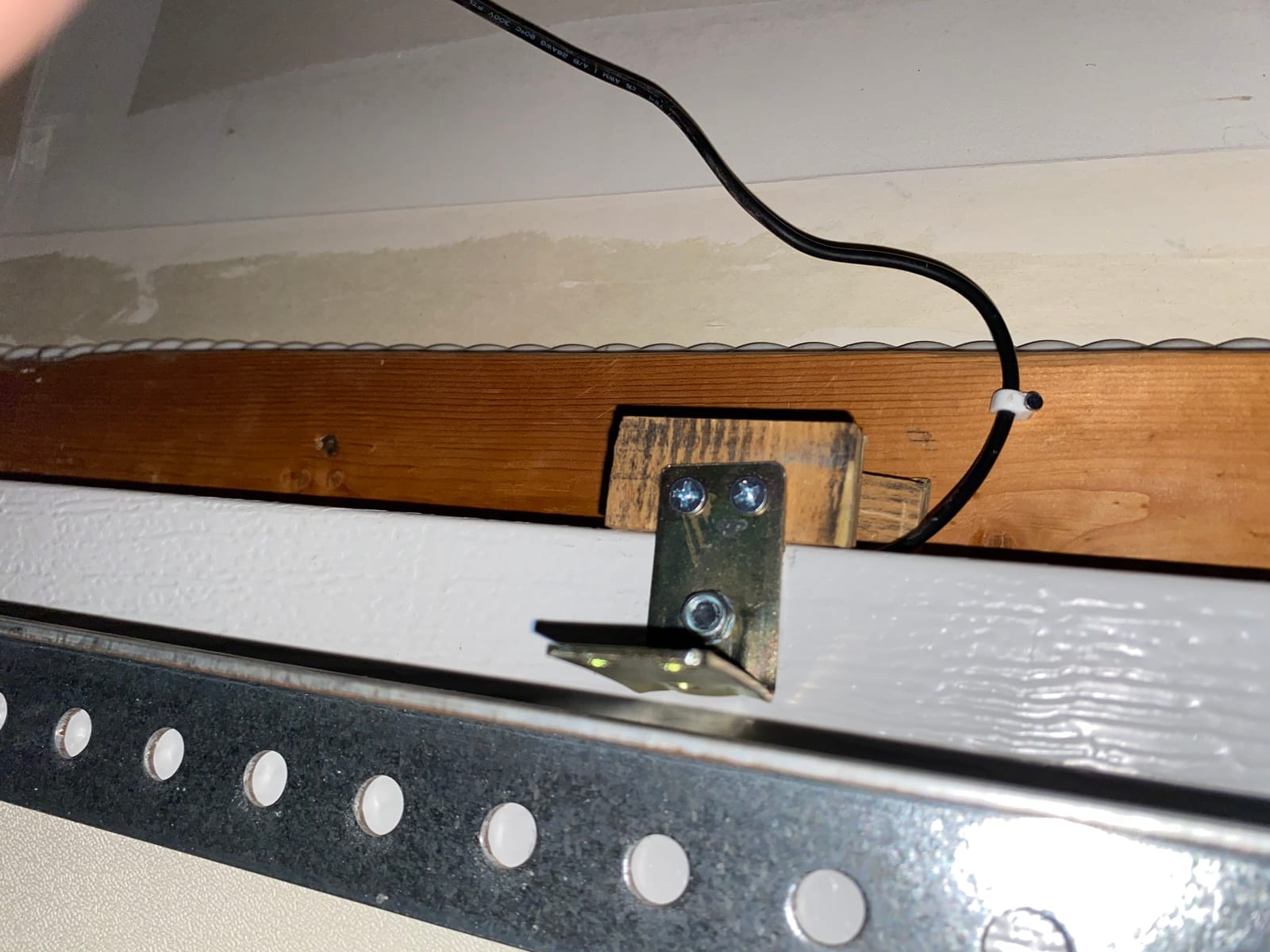
Testing before you buy
Bridge the wall button terminals with a paperclip for a few seconds. If your opener moves and the light clicks on, your door accepts an add-on controller, and this one will work. If nothing happens, you have a wall console that needs a different approach entirely. It is the quickest check in this whole guide.
At 3.54 by 1.57 by 0.98 inches and 340 grams it is the heaviest unit we tested, but that is still smaller than a wall console and it mounts out of the way near the opener. Wi-Fi is 2.4 GHz only.
Who it suits and who should pass
It suits automation builders who want IFTTT hooks without a hub, shared households that need an access log, and anyone replacing a wall console with something smarter.
Pass if you want a set-and-forget device with no compatibility homework, need multiple doors on one controller, or refuse to use a cloud app. There is exactly one door per unit here, and the whole value rests on the Smart Life platform.
6. meross MSG200 with External Antenna – Best for Detached Garages and Multi-Door
meross Smart Garage Door Opener Remote with External Antenna
- External antenna holds a stable connection in detached garages
- Wired sensors mean no batteries and better cold weather behavior
- One unit controls up to three doors
- Wired trigger adapts even yellow learn button openers
- Faster than myQ through HomeKit CarPlay Alexa and the meross app
- Apple Home sometimes shows the device as not responding
- Siri away from home needs an Apple Home hub
- No warning strobe before an automatic close
This is the answer for the problem that ruins most garage installs: Wi-Fi that does not reach the door. The external antenna is not a marketing line, it is the reason owners of detached garages report a stable connection where myQ and other units dropped off. One buyer described it directly as a myQ replacement that held up where the branded hub would not.
Two wired door position sensors are included and the unit controls up to three doors, which makes it the natural pick for a three-car garage or a property with a main and a detached bay. The wired trigger bypasses the opener learn button, which means even Chamberlain and Craftsman units with a yellow learn button can be adapted.
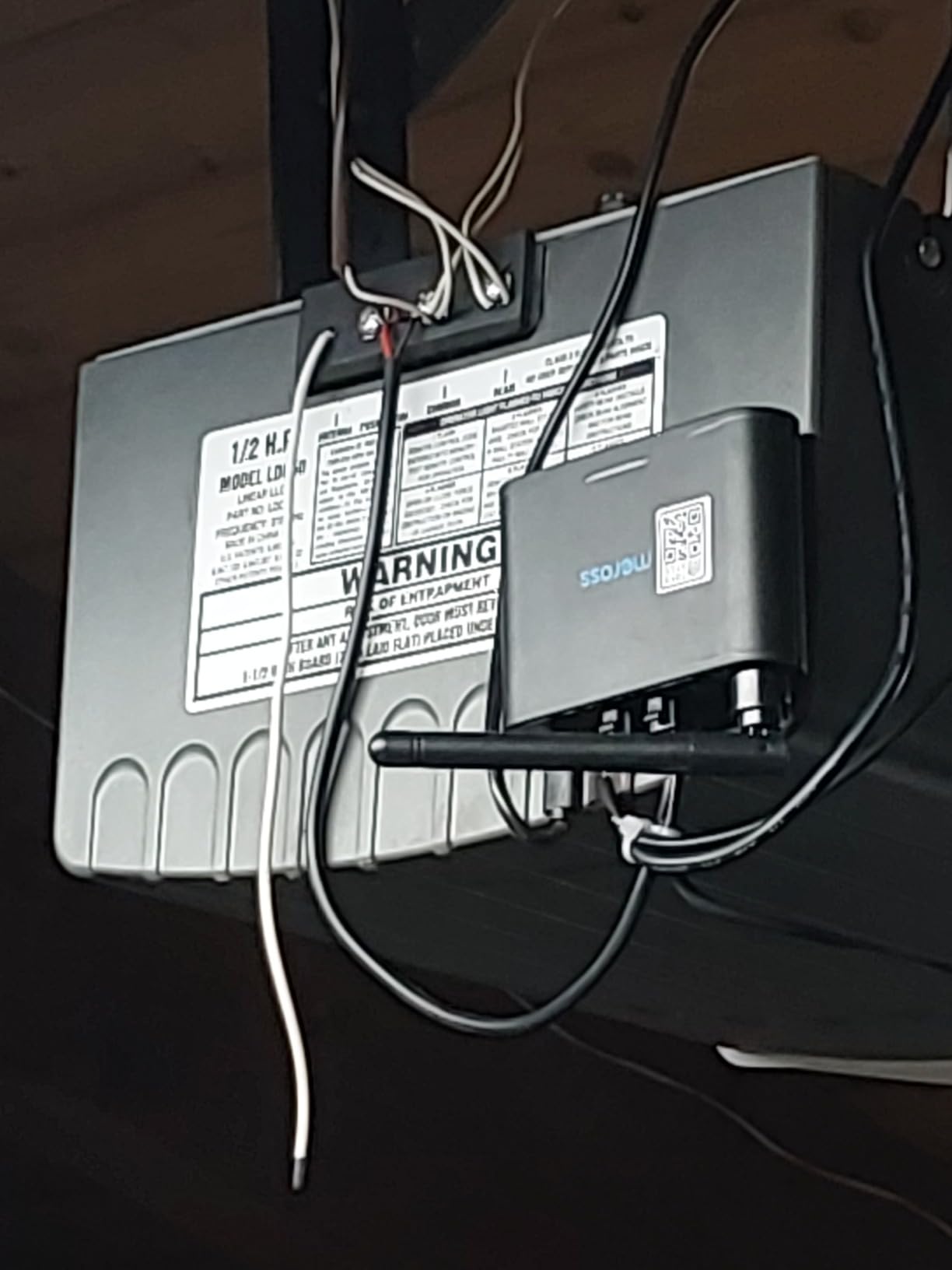
At 4.1 stars from 664 reviews it sits near the bottom of our ratings, and the gap between fans and critics is the widest in the group. Apple HomeKit users who get it working report fast, responsive control. Others hit intermittent not responding states in the Home app while the same device works fine in the meross app.
Two other limits appear repeatedly. Siri from outside the home requires an Apple Home hub such as a HomePod mini or an Apple TV. And because the trigger is a direct wired connection, there is no warning strobe or beep before an automated close, so the door moves without alerting anyone standing nearby.
Wiring and multi-door planning
This is the least beginner-friendly install in the roundup, and reviewers say so. Roller door sensor placement in particular is described as tricky. Two wiring sets are included for a unit that supports three doors, so plan a third run or expect to source the extra wiring yourself before you start.
Security+ 1.0 and 2.0 are supported and 3.0 is not, same as the MSG100. Wi-Fi is 2.4 GHz only, and with a two-year manufacturer warranty it is the better covered of the two meross units. At 565 grams it is a substantial box compared with the others here.
Who it suits and who should pass
It suits a detached or far-from-router garage, an Apple household using HomeKit and CarPlay, and anyone who needs one device across three doors without batteries.
Pass if you are not comfortable with opener wiring, if you rely on Siri while out and own no Apple Home hub, or if you want a warning beep before the door moves. CarPlay commands were also unreliable for a subset of users.
7. LiftMaster myQ Smart Garage Control 821LMC-S – Best Compact myQ Option
Liftmaster myQ Smart Garage Control – Wireless Garage Hub and Sensor with WiFi & Bluetooth – Smartphone Controlled, 821LMC-S, White
- In-app setup usually finished in under an hour
- Paired with a 13 year old LiftMaster without trouble
- Compact white housing fits a ceiling or wall
- Phone support rated patient and effective
- Works with Amazon Key in-garage delivery
- HomeKit and Google Home support were removed
- Needs a strong Wi-Fi signal in the garage
- A second door needs another sensor
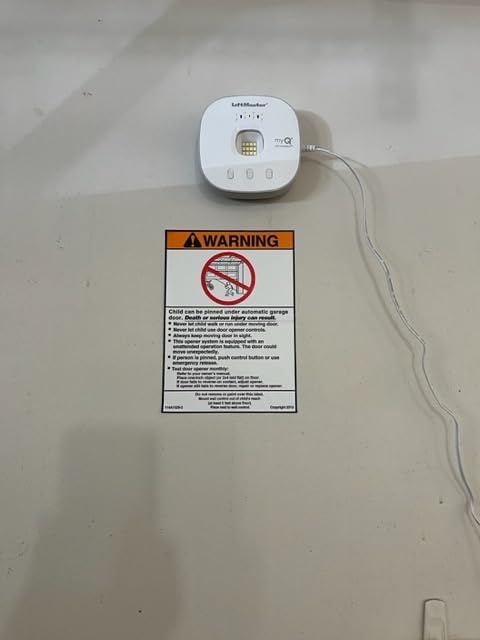
This is the myQ experience in a smaller, cleaner box than the Chamberlain unit at number one, and if you prefer how that app behaves this is the same idea with a newer mounting plate. Setup runs through short instructional videos in the app and typically takes under an hour for most people.
The compatibility story is proven rather than claimed. One owner paired it with a thirteen-year-old LiftMaster without trouble, and another reports it working with a Linear 801, which the Chamberlain unit specifically excludes. That single report matters more for Linear owners than anything else in this guide.
At 4.3 stars across 435 reviews with roughly 74 percent five-star ratings, the sentiment is solid. The compact modern housing blends into a ceiling or wall better than the original hub, and owners who needed to re-pair the hub report patient, effective phone support.
The headline drawback is ecosystem. HomeKit and Google Home compatibility were removed, so this unit no longer integrates with broader smart home platforms and locks you into the myQ app. Owners of multiple doors also mention the antenna could be stronger at distance, and one buyer reported the unit dead after professional installation.
Where it fits against the Chamberlain version
Both myQ units target openers made after 1993 that use photoelectric sensors which do not switch to low power mode. The LiftMaster adds a slightly different compatibility story based on owner reports, and Bluetooth Low Energy keeps setup simple in either case.
Amazon Key in-garage delivery support is present on both, which makes either a solid pick if you ship through that service. Adding a second door means another sensor purchase in both cases, so plan the count before you commit.
Who it suits and who should pass
It suits a LiftMaster or Chamberlain house that wants the myQ app experience in a less bulky hub, and anyone already using Amazon Key for deliveries.
Pass if you need HomeKit or Google Home, if your router sits far from the garage and you already know signal is marginal, or if you plan several doors and want multi-door support from one unit. For the last point, the meross MSG200 handles three doors properly.
8. EVERSECU Tuya Smart WiFi Controller – Best for Home Assistant on a Budget
EVERSECU Tuya Smart WiFi Switch Garage Door Opener Controller Compatible with Alexa Echo Google Home SmartLife/Tuya APP Control No Hub Required
- Quick clean install with ample cable and tidy covers
- Plugs in directly with no USB cables or power bricks
- Smart Life shows an animated door graphic and open-time reminders
- Works with Home Assistant through LocalTuya when the internet is down
- Integrates with SmartThings for garage light automations
- Some units drop Wi-Fi after several hours and need a power cycle
- App glitches report the door as offline and delay notifications
- Alexa voice opening needs a spoken 4 digit PIN
The EVERSECU earns its place for one reason above the others: it works with Home Assistant through LocalTuya even when the internet connection is down. That is the exact scenario forum users care about most, and almost nobody else in this category offers it. If you run a local-first home, cloud dependence is the deal breaker you have been hitting.
Installation is the cleanest we saw. It plugs straight into the wall so there is no USB cable or power brick, and there is generous cabling with tidy cable covers included. One owner highlighted the Smart Life app as the reason to stay, since it animates the door graphic and nudges you when it stays open.
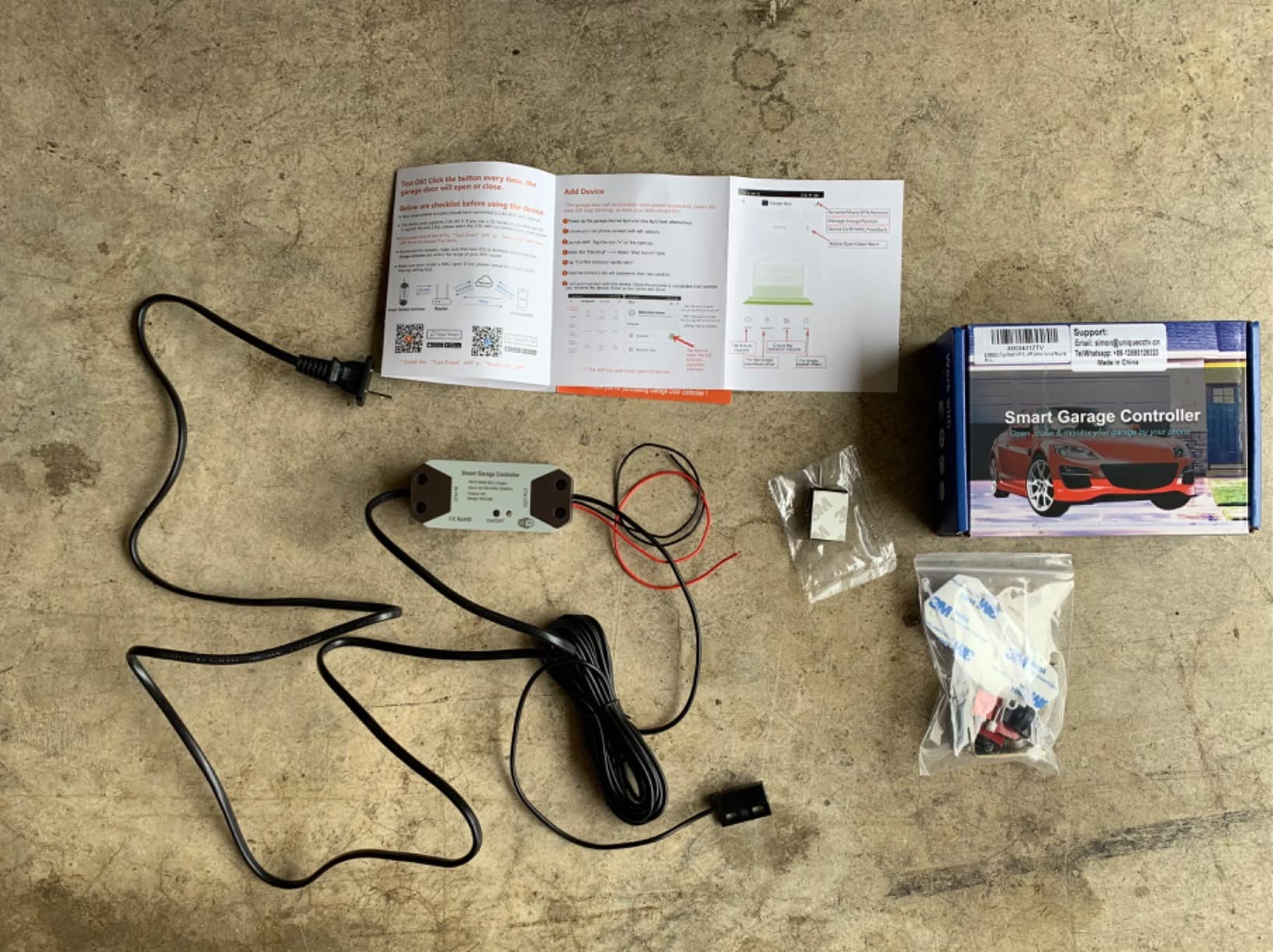
Also included are timers, a countdown, a repeat function and operation history, plus multiple user access for deliveries and guests. Timers are usable through the Smart Life platform alongside your other devices, which is convenient if you already standardised on Tuya hardware.
Connectivity is the recurring negative theme at 4.2 stars from 389 reviews. Some units drop their Wi-Fi connection after several hours and need a power cycle, app glitches can report the door as offline and delay push notifications until you are home, and initial pairing takes several attempts. Voice opening also needs a spoken four digit PIN.
Local control and the LocalTuya path
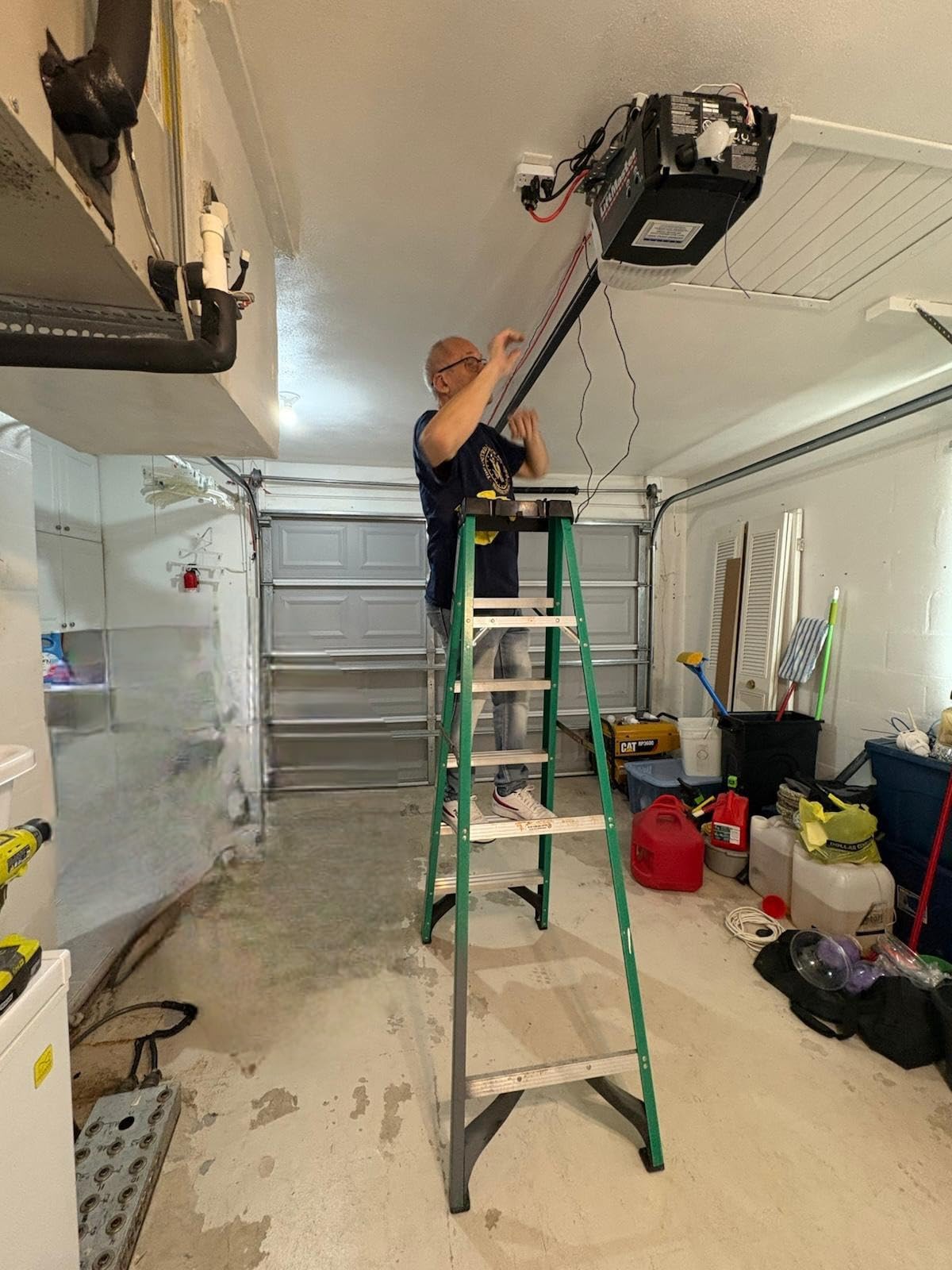
Setting up LocalTuya takes a little patience. You add the device to your Tuya account, then link the integration through your Home Assistant instance and pull credentials from the Tuya integration page. Once linked, the door is controllable locally, so an internet outage stops killing your automations.
Compatibility testing before ordering is simple here too. Short the wall button terminals on the opener with pliers; if the door cycles, the unit will drive it. The unit is 2.4 GHz only, rated 10 A, and carries CE, ETL, RoHS and cULus certification.
Who it suits and who should pass
It suits Home Assistant users on a budget, anyone already running Smart Life or Tuya devices, and households that want multiple user access without a subscription.
Pass if you need rock solid always-on connectivity, if your router serves only 5 GHz, or if voice assistants are your primary control method. The PIN requirement and the reported dropouts make it a poor fit for both.
9. Remootio 2 Smart Garage Door Opener – Best for Shared Access
- Door position sensor included in the box
- Compact at just over 2 inches square
- Connects over Bluetooth when Wi-Fi is unavailable
- 256-bit end-to-end encryption with no subscription
- QR code key sharing with an activity log of who operated the door
- Remootio 2 works only with 5V DC openers and others need the Remootio 3
- Compatibility must be checked on the Remootio website before purchase
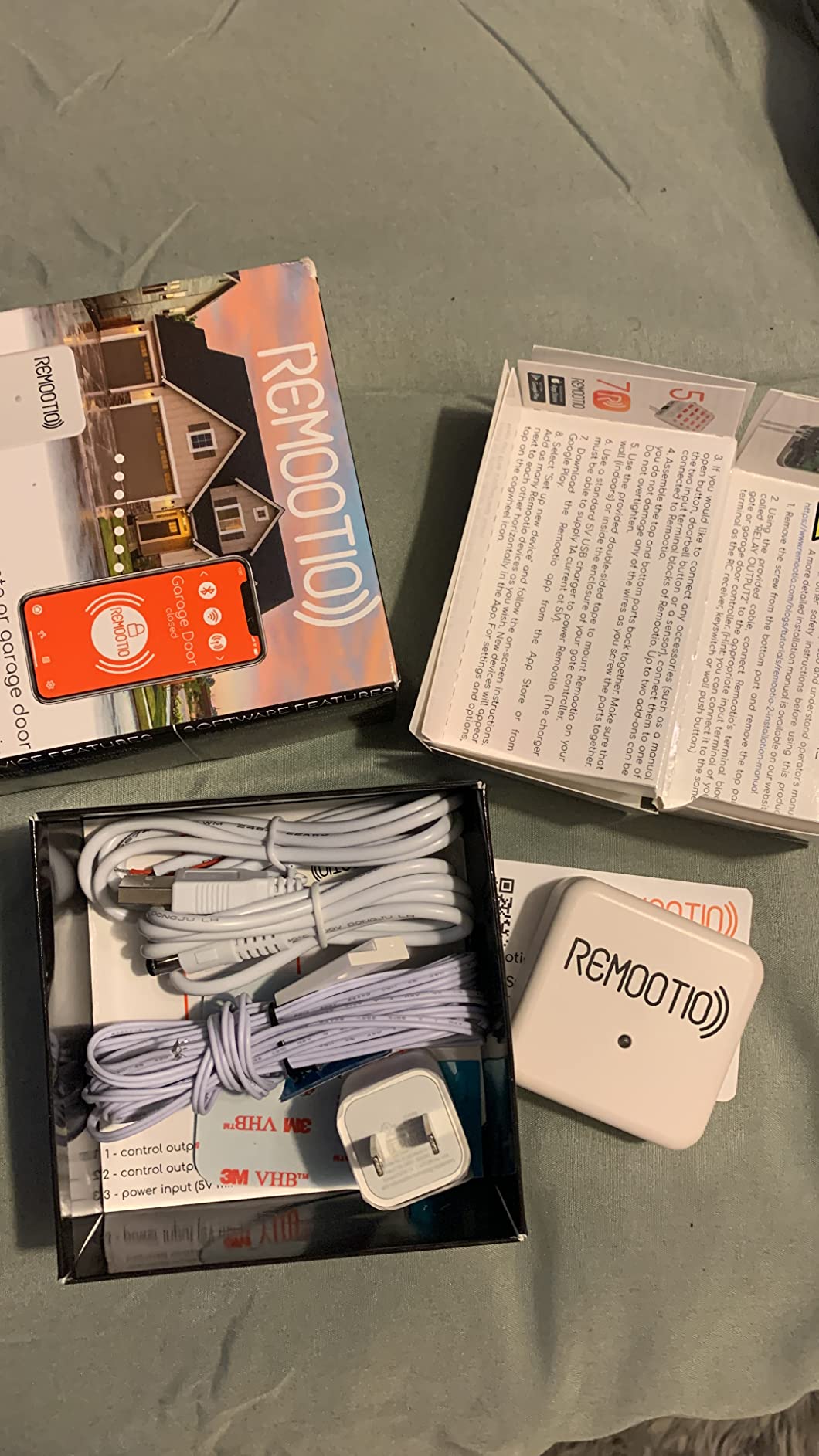
The Remootio 2 is the smallest unit here at 2.12 by 2.12 by 0.78 inches and 6.7 ounces, and it is the only one whose access sharing works by QR code. That sounds minor until you have handed out virtual keys to a contractor, a cleaner and a neighbour, then wanted to see which one opened the door at 8am.
You can share virtual keys with up to 20 people and review who operated the door each time. For rental properties, a shared garage, or a family with teenagers, that audit trail is worth more than any single automation.
Two details stand out beyond the sharing. It connects over Bluetooth when Wi-Fi is unavailable, so you can still open the door from inside the house if the router drops, which is a genuine reliability gain over cloud-only devices. And it uses 256-bit end-to-end encryption with a subscription-free app, addressing the privacy complaint that comes up constantly in smart home communities.
It works with Apple Home, Alexa, Google Home, Siri Shortcuts, SmartThings and Apple Watch, which makes it one of the broader ecosystem lists here. Double-sided adhesive is included for mounting, along with the sensor and power adapter.
The voltage limitation that matters
Read the voltage carefully. Remootio 2 works only with 5V DC, and openers with wider input voltage need the Remootio 3 instead. This is the single reason to slow down before ordering, and the manufacturer asks you to check compatibility on their website first.
At 5 volts with a standard USB charger, the power draw is modest and the box runs cool near the ceiling. The included adhesive mount avoids drilling, which renters will appreciate, though it needs a clean surface to grip.
Who it suits and who should pass
It suits households sharing garage access across more than a few people, security-minded users who care about encryption and no subscription, and anyone whose garage Wi-Fi is unreliable but who wants local Bluetooth control as a fallback.
Pass if your opener runs on a voltage other than 5V DC, if you are not willing to run the compatibility check first, or if you need multi-door control from one unit. At 4.2 stars with 273 reviews it also carries the highest share of one-star ratings here, so read the recent reviews for your exact model.
10. ismartgate PRO – Best for User Restrictions and Cameras
ismartgate PRO Smart Garage Door Opener Remote. Compatible Apple Homekit, Amazon Alexa, Google Assistant, IFTTT, Samsung SmartThings. Compatible with All Garage Openers. Wireless Sensor Included.
- HomeKit integration reported as rock solid with instant response
- Plugs in so no batteries to swap on the hub
- Opening delay and sound can be deselected
- Works with a previously installed normally-open myQ sensor
- Integrates up to 3 IP cameras for live video in the app
- Yellow learn button openers need a separately sold adapter
- Roller doors need the separate GATE kit
- Reported app and Wi-Fi connection failures
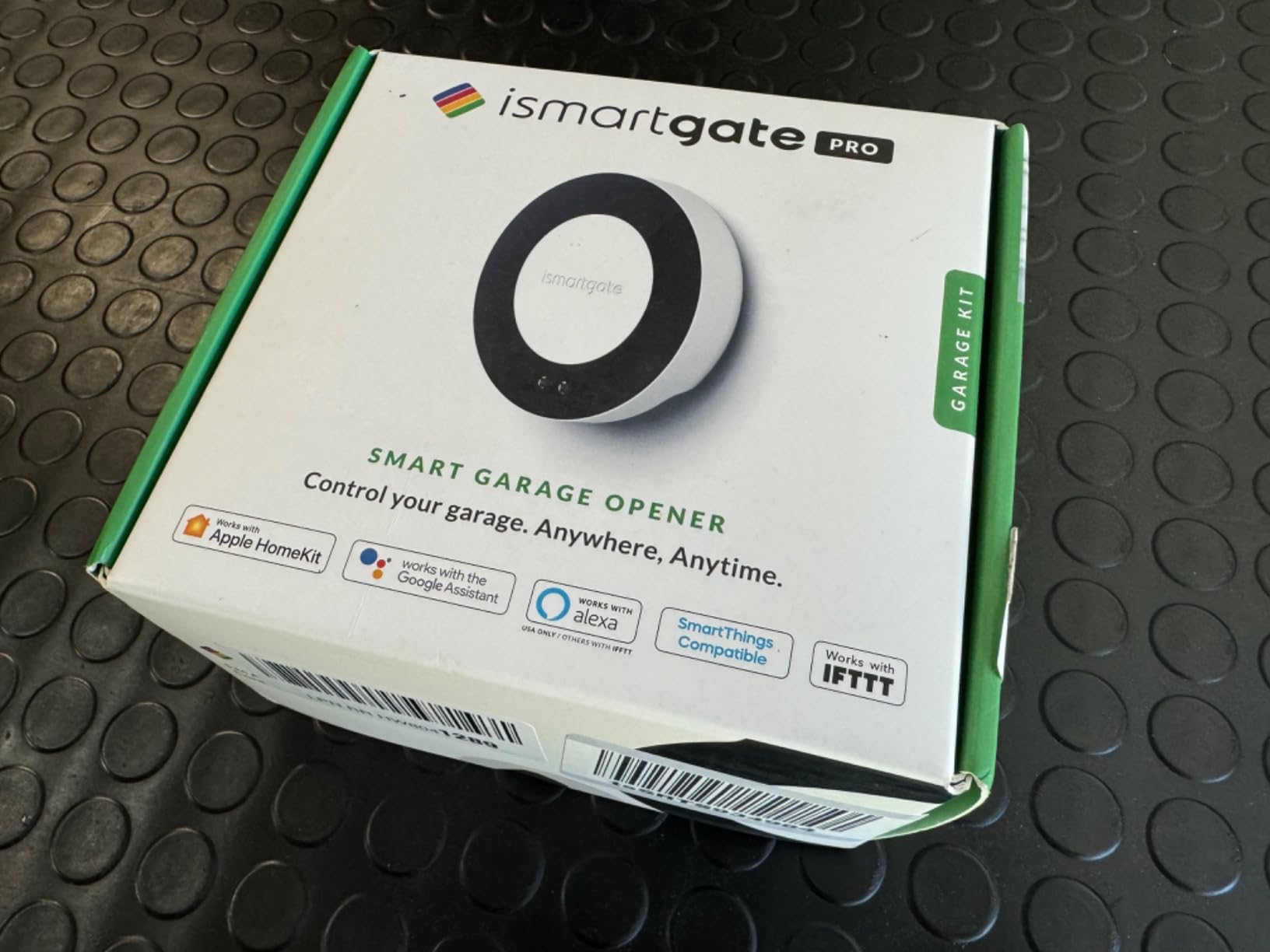
The ismartgate PRO is the only unit here that combines three doors, user accounts with time and location restrictions, and IP camera integration in one app. If you want a delivery driver to have access between 9am and 1pm and nobody else to have access at all, this is the device built for that request.
Long-term Apple HomeKit users describe it as a reliable myQ replacement with instant response and no connectivity errors, and they like that it plugs in so there are no hub batteries to swap. One owner reused the previously installed normally-open myQ sensor rather than running new wire, which saved a real evening of work.
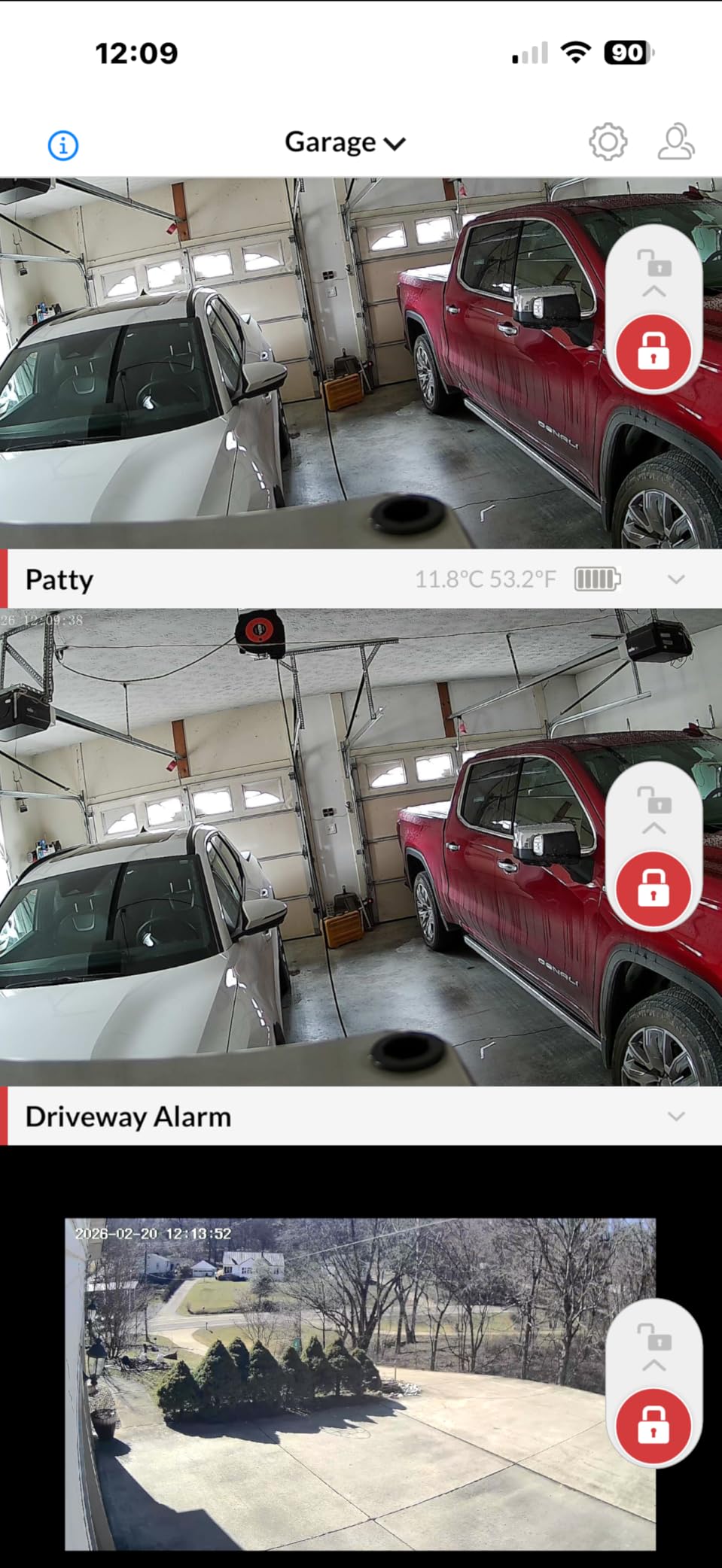
Camera integration is the quiet differentiator. It pulls up to three existing IP cameras into the same app as the door, so you can watch the delivery live instead of trusting a notification. The app also supports uploading an image for open and closed states and a distinct alarm tone per door.
At 4.0 stars from 193 reviews it is the lowest rated and least reviewed unit here, with 16 percent one-star ratings. Detractors report app and Wi-Fi connection failures where some users never gained reliable control, plus fiddly 2.4 GHz setup when the phone is on the 5 GHz band.
Wiring realities and the Ethernet option
Two hardware notes before you plan the install. Chamberlain, Craftsman and LiftMaster openers with a yellow learn button require the ismartgate switch adapter, sold separately, and roller doors need the separate GATE kit. Neither is included.
Because the Wi-Fi module is 2.4 GHz only, setup is fiddly when your phone sits on the 5 GHz band. Several owners report that connecting over Ethernet with a USB adapter is far more reliable than Wi-Fi in that situation, which is worth knowing if you have wired the garage already.
Who it suits and who should pass
It suits landlords and shared households who need per-user time and location restrictions, Apple Home users who want cameras alongside the door, and anyone running three doors from one unit.
Pass if you are price sensitive for the features on offer, if you own a yellow learn button opener and do not want a second adapter purchase, or if you need a guaranteed setup experience. The wiring stays messy because existing physical wall switches remain in place with extra wire runs, and Alexa needs an awkward trigger phrasing through IFTTT.
How to Choose a WiFi Garage Door Sensor
Six questions decide whether you are happy in six months or replacing hardware. Ask them in this order.
1. Monitor or controller? If you only want to know the door state, a battery or wired tilt sensor is cheaper and simpler. If you want to open the door from your phone, or to close it automatically, you need a controller with the two-wire wall button connection. Everything in this roundup is a controller because that is what this search usually means.
2. Does your opener accept an add-on? Bridge the wall button terminals with a straightened paperclip. If the door moves, every unit here will work. If nothing happens, you have a wall console that blocks add-on controllers entirely. This thirty-second test prevents the most common disappointment in the category.
3. What is your signal actually like? Every unit in this roundup runs on 2.4 GHz Wi-Fi. Before buying, stand at the opener with your phone on the 2.4 GHz band and check the signal. One bar means you need a mesh node or extender inside the garage, not a different brand of controller. Owners who skipped this step were the ones who reported dropouts later.
4. Wired sensor or battery sensor? Wired sensors give accurate continuous position and survive a freezing garage with no maintenance. Battery tilt sensors install faster but bring the cold-weather drain anxiety and the multi-second alert latency described earlier. Choose wired if you can wire, battery if you cannot.
5. Which ecosystem do you actually live in? If you run Home Assistant, the EVERSECU is the only unit here confirmed to work locally through LocalTuya when the internet is down. Apple households should look at the meross MSG200 or Remootio 2. SmartThings works across several options including the meross MSG100.
6. How many doors and how many users? Single-door units include the meross MSG100, AGSHOME, Aubric and EVERSECU. Three-door capability comes with the meross MSG200 and the ismartgate PRO. For per-user time and location restrictions, the ismartgate PRO is the clear answer, and for QR code key sharing the Remootio 2 leads.
On installation safety, treat the ceiling opener terminals as live even when the door is not moving. Turn power to the opener off at the wall before you touch wiring, and if you are not confident with low-voltage wiring, an installer will do it in under an hour. For garage door hardware beyond the smart side, our guide to the best wall mount garage door openers covers the mechanical upgrades worth pairing with a sensor, and if the weakest link is the door frame itself, our picks for the best door reinforcement kits are the complementary upgrade.
Finally, do not confuse any of this with your safety photo-eyes. The infrared pair at the bottom of the door is a legal safety requirement, and a smart sensor does nothing to replace it. If the door stops and reverses when the beam breaks, that system is working correctly.
Frequently Asked Questions
What is the best Wi-Fi garage door opener add-on?
The CHAMBERLAIN myQ Smart Garage Control is the best overall add-on. It pairs with most openers made after 1993 through photoelectric sensors that do not switch to low power mode, holds a 4.3 star average across more than 60,000 reviews, and adds scheduled closing plus Amazon Key support. For openers outside that range, the meross MSG100 covers 200 brands and 1,600 plus models with a wired sensor.
Which garage door alarm sensor is the best?
For pure monitoring, a wired door position sensor gives the most reliable alarm because it reads the door continuously with no battery to drain. The meross MSG100 is our pick because it adds overtime and overnight notifications on top of standard open and close alerts, covers 200 brands, and needs no hub or subscription. Battery-powered WiFi sensors are cheaper but can take several seconds to send an alert.
Is a Wi-Fi garage door opener worth it?
For most households the value is confirmation, not control. Knowing the door closed before bed removes a real risk, and shared access removes physical keys. It is worth less if your garage Wi-Fi is weak, if your opener has a wall console that blocks add-on controllers, or if you only want notifications and never plan to open the door remotely. Test both before you decide.
Is Chamberlain better than Genie?
For openers and add-on controllers, Chamberlain has the stronger smart platform because the myQ app and Amazon Key support are the most proven in the category. Genie openers are reliable machines and many pair well with third-party controllers, but the Genie smart ecosystem has a smaller feature set. If you already own one brand, matching the controller to your opener usually gives the smoothest setup.
Is Aladdin Connect better than MyQ?
It depends on whether you want a walled garden or an open one. MyQ offers scheduled closing and Amazon Key in-garage delivery but has closed off third-party integrations, and the app carries rotating advertisements. Open-platform controllers such as the meross MSG200 and Remootio 2 support HomeKit, Alexa, Google Home and SmartThings with no subscription, which is the better fit for a local-first smart home.
Which garage door sensor is the best overall?
For most people the meross MSG100 is the best balance of accuracy and cost. Its wired sensor needs no batteries, it covers 200 brands and more than 1,600 opener models with a free adapter when required, it offers overtime and overnight alerts, and it needs no hub and no monthly fee. It does not support Security+ 3.0 openers, so verify yours first.
Do garage door sensors need WiFi?
The mandatory infrared photo-eye safety sensors at the bottom of your door do not need WiFi or power at all. Smart WiFi sensors and controllers do need a 2.4 GHz connection to send notifications and accept remote commands, and every product in this roundup runs on 2.4 GHz only. If your garage signal is weak, add a mesh node or extender before buying.
How long do garage door sensor batteries last?
Battery-powered tilt sensors vary widely with temperature and how often the door moves, and cold weather is the biggest factor. Forum users repeatedly report replacing batteries in winter. That is the main reason wired sensors such as the meross MSG100 and meross MSG200 are our recommendation, since they remove the maintenance question entirely rather than extending the interval.
The Verdict on the Best WiFi Garage Door Sensors
After working through all ten, the CHAMBERLAIN myQ Smart Garage Control is our pick as the best wifi garage door sensor for most homes in 2026. Nothing else in this category has a review base of its size, and the recurring owner story is the same one we heard: an old opener that would never have been replaced now reports its state and closes on schedule every night.
The right alternatives are specific rather than vague. Choose the meross MSG100 if batteries bother you and your opener is not Security+ 3.0. Choose the eKyro if you refuse a subscription. Choose the meross MSG200 if the garage sits far from your router or you have three doors. Choose the EVERSECU if Home Assistant is your hub and the internet going down would ruin your automations.
Whatever you pick, run the paperclip test on your wall button terminals first and check your 2.4 GHz signal in the garage before the box arrives. Those two minutes decide whether the install takes twenty minutes or an afternoon.