
The knock on the door at 11:40 pm decides whether a guest books you again. The knock at 4 pm with a suitcase and a toddler is worse, because now you are losing an evening to it. If you have ever handed a stranger a physical key and then wondered whether it came back, you already know why the best smart door locks for Airbnb hosts matter more than any other piece of hardware in the unit.
A smart door lock for a short-term rental is not really a smart-home device. It is an access-control device for a building full of rotating strangers. The version you want generates one code per booking, expires it automatically at checkout, and keeps a record of who came through the door. Everything else on the spec sheet is secondary.
Self check-in is the amenity guests ask for most often, and arrival timing feeds straight into the review score that drives Superhost status. When a guest gets in without messaging you at 10 pm, they sleep better and you stop answering messages about code failures. That is the whole argument, and the rest of this guide is the hardware that delivers it.
We spent weeks reading specifications, warranty terms and long-term review patterns across eight smart deadbolts, then sorted them against what hosts actually ask for in the r/airbnb_hosts and r/ShortTermRentals threads. If you want the general picture rather than rental-specific guidance, our best smart locks for front doors guide covers the same hardware for everyday home use.
Table of Contents
Top 3 Smart Door Locks for Airbnb Hosts
The three below are the ones we would put on our own doors first. The Schlage is the safest default for almost any rental, the ULTRALOQ is the strongest balance of features and connectivity, and the Zylenor is the cheapest way to stop depending on a lockbox.

Schlage Encode Plus WiFi Deadbolt
- Built-in Wi-Fi
- no hub
- ANSI/BHMA Grade 1
- Native Airbnb app integration
- Up to 250 access codes
- Lock history and notifications

ULTRALOQ Bolt SE WiFi Smart Lock
- Built-in Wi-Fi with no hub
- Matter over Thread
- IP65 zinc alloy body
- 50 codes and 50 fingerprints
- Keypad works with Wi-Fi down

Zylenor Keyless Entry WiFi Deadbolt
- Built-in Wi-Fi with no bridge
- Temporary passwords
- Gyroscope auto-lock
- Up to 10 months on 8 AA cells
- USB-C emergency port
How We Evaluated These Locks
Every lock here was judged on the same four things: whether a guest can get in without an app, whether you can change a code while you are away from the property, what happens when the batteries die mid-stay, and whether the manufacturer stands behind the electronics. We read the spec sheets and warranty terms first, then used the long review history on each listing to separate what works in daily use from what works in a demonstration.
Ratings alone did not decide the order. A 4.5 from a few hundred owners tells you less than a 4.2 from thirteen thousand, so we weighted review volume heavily and treated the written complaints as more useful than the star average. Where a lock has no published battery figure or no stated storage capacity for codes, we said so rather than guessing.
All 8 Picks at a Glance in 2026
1. Schlage Encode Plus Smart WiFi Deadbolt – Best Overall. Built-in Wi-Fi, no hub, and native Airbnb app integration that creates a guest code at check-in and removes it at checkout.
2. ULTRALOQ Bolt SE WiFi Smart Lock – Best Value. Fingerprint, keypad, app and mechanical key, with a Matter over Thread radio and an IP65 body for exposed doors.
3. eufy Security Smart Lock C220 – Best for a Quick Retrofit. A 15-minute no-drill swap over an existing deadbolt, with built-in Wi-Fi so there is no bridge to mount and power.
4. Tapo Smart Wi-Fi Door Lock DL110 – Best Rechargeable Battery. The only lock here with a one-year rechargeable pack and an exterior USB-C port you can reach from outside.
5. Philips WiFi Keypad Deadbolt with Handle – Best for Housekeeper Codes. The only one offering permanent, one-time, periodic and recurring PIN types, and it ships with a matching lever set.
6. Sifely Fingerprint Smart Door Lock with Handle – Most Entry Methods. Five ways in including a key card, and it still works as a plain mechanical deadbolt when the batteries die.
7. LOCKSTAR Smart Door Lock – Gateway Included. The Wi-Fi bridge comes in the box instead of being a separate purchase, which matters when you are outfitting several properties.
8. Zylenor Keyless Entry Door Lock – Budget Pick. Built-in Wi-Fi, temporary passwords and a 10-month battery figure at the lowest hardware cost in this group.
| Product | Specifications | Action |
|---|---|---|
| Schlage Encode Plus Smart WiFi Deadbolt |
|
Check Latest Price |
| ULTRALOQ Bolt SE WiFi Smart Lock |
|
Check Latest Price |
 eufy Security Smart Lock C220 eufy Security Smart Lock C220 |
|
Check Latest Price |
 Tapo Smart Wi-Fi Door Lock DL110 Tapo Smart Wi-Fi Door Lock DL110 |
|
Check Latest Price |
 Philips WiFi Keypad Deadbolt with Handle Philips WiFi Keypad Deadbolt with Handle |
|
Check Latest Price |
 Sifely Fingerprint Smart Door Lock with Handle Sifely Fingerprint Smart Door Lock with Handle |
|
Check Latest Price |
 LOCKSTAR Smart Door Lock LOCKSTAR Smart Door Lock |
|
Check Latest Price |
| Zylenor Keyless Entry Door Lock |
|
Check Latest Price |
1. Schlage Encode Plus Smart WiFi Deadbolt – Best Overall
Schlage Encode Plus Smart WiFi Deadbolt Lock, Tap to Unlock, Satin Nickel
- Built-in Wi-Fi with no separate hub
- up to 250 access codes
- native Airbnb app integration that creates and removes guest codes automatically
- lock history and customizable notifications
- Apple home keys tap-to-unlock
- limited lifetime mechanical warranty
- Keypad numbers stay dark until the panel is woken
- some owners report intermittent app and Wi-Fi pairing that needs a factory reset
- rekeying to match an existing key requires a special kit
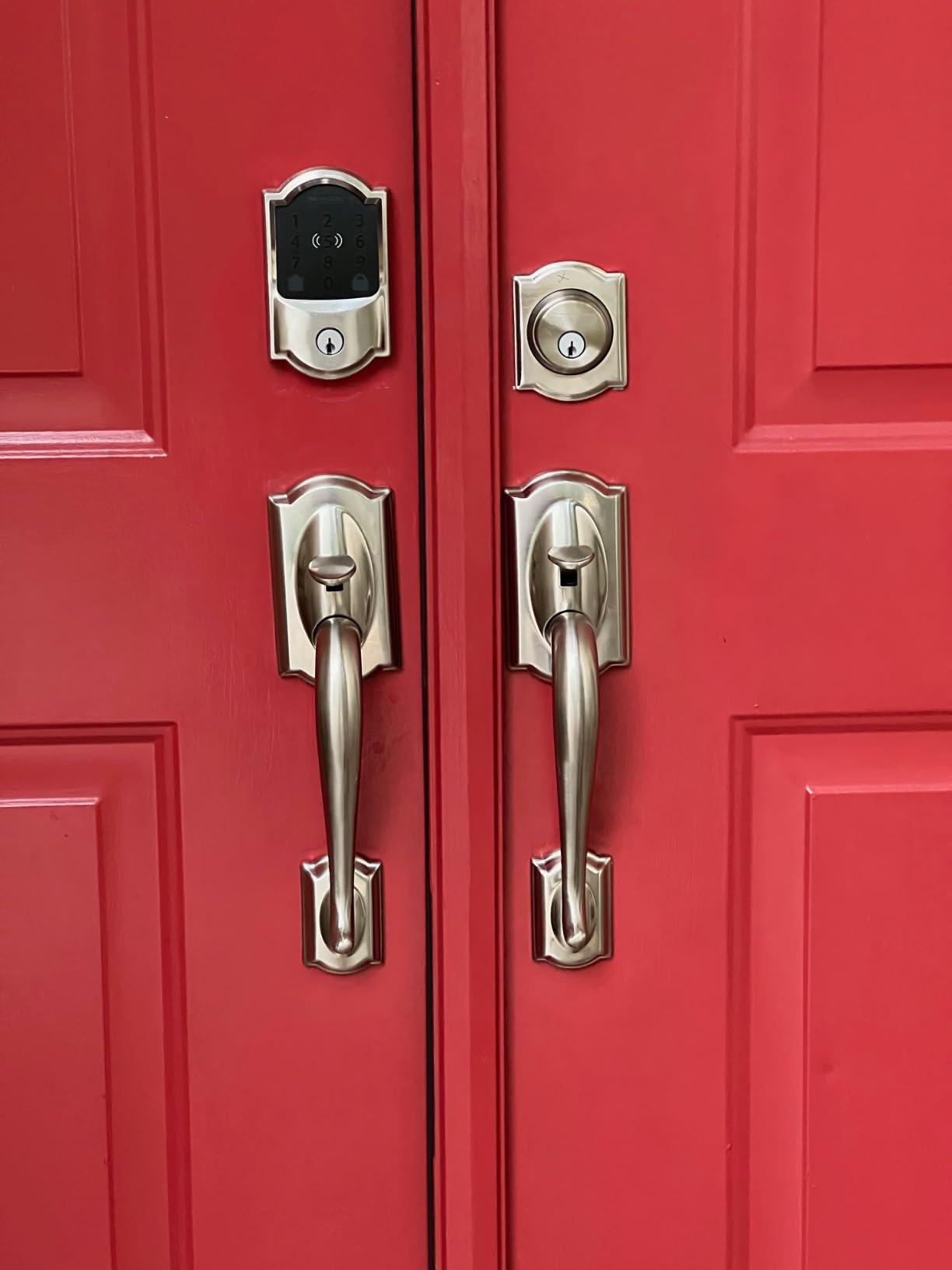
This is the lock we would defend hardest in a host forum, and it is the one hosts name most often when they explain what finally made self check-in reliable. Thirteen thousand reviews at a 4.2 average is a deep enough history to trust the mechanical side, and the ANSI/BHMA Grade 1 certification means it is rated at the top of the residential security scale rather than the middle of it.
What separates it from everything else here is direct Airbnb integration built into the Schlage Home app. When a reservation lands, the app can create a code tied to the booking window and drop it into the guest message flow, then delete it at checkout without you touching a thing. On a portfolio of doors that is the difference between a five-minute job per guest and no job at all.
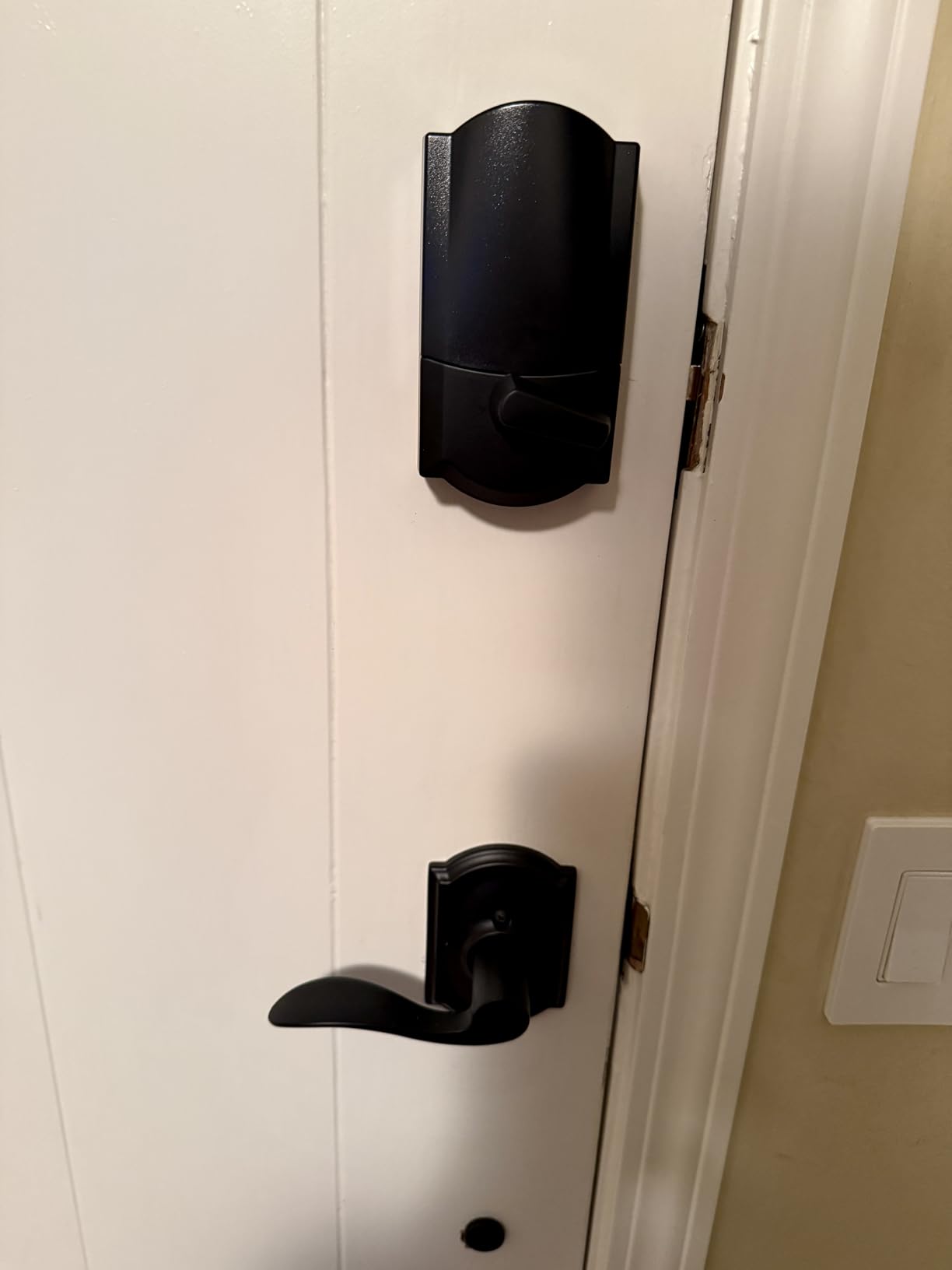
The two details hosts complain about most are both minor on a rental door. The touchscreen stays blank until something touches it, so a guest arriving in the dark has to press the panel before the numbers appear. And a minority of owners report pairing problems that clear only after a factory reset and a full reconnection, which is miserable to do remotely.
One more thing worth knowing before you buy: the lock must be rekeyed with a special kit or at a hardware store if you want its physical key to match your other doors. Several owners also report that installing over an older Schlage deadbolt meant enlarging the bore or drilling new strike-plate holes. Budget an afternoon, not ten minutes, on a house you have never seen.
Why it holds up for high-turnover rentals
The battery situation is what most worries hosts, and here the picture is good. The electronics run three years of coverage and the batteries change by lifting the cover, with no tools and no removal of the lock from the door. A lock that takes fifteen minutes to change batteries is a lock you will not check often enough, and this one you can check while standing in the doorway.
In r/airbnb_hosts, hosts running Schlage hardware single it out as the single best upgrade they have made to a rental, and the Hospitable connection is cited often as the reason. The lock history is the quiet winner for disputes too: when a guest claims someone else was in the property, the app shows exactly when each code was used.
Where it will disappoint you
It is the most expensive lock in this group, and that gap buys the certification, the warranty and the direct Airbnb integration rather than any new physical feature. If you are outfitting a dozen doors on a tight budget, this is the wrong place to economise.
A longer-term theme in the reviews is that a portion of owners report battery drain and eventual unit failure several years into service. That is a minority pattern across a very large sample, but it is the reason we would not advise this lock for a property you manage from another time zone with no local backup key.
2. ULTRALOQ Bolt SE WiFi Smart Lock – Best Value
- Remote unlock works out of the box with no hub purchase
- Matter over Thread for Apple Home and other ecosystems
- keypad entry keeps working when the network drops
- real-time activity history
- ANSI/BHMA certified IP65 zinc alloy body
- Matter features need a Thread Border Router
- built-in Wi-Fi is 2.4 GHz only and works best within about 70 ft of the router
- no door sensor included so open state cannot be monitored
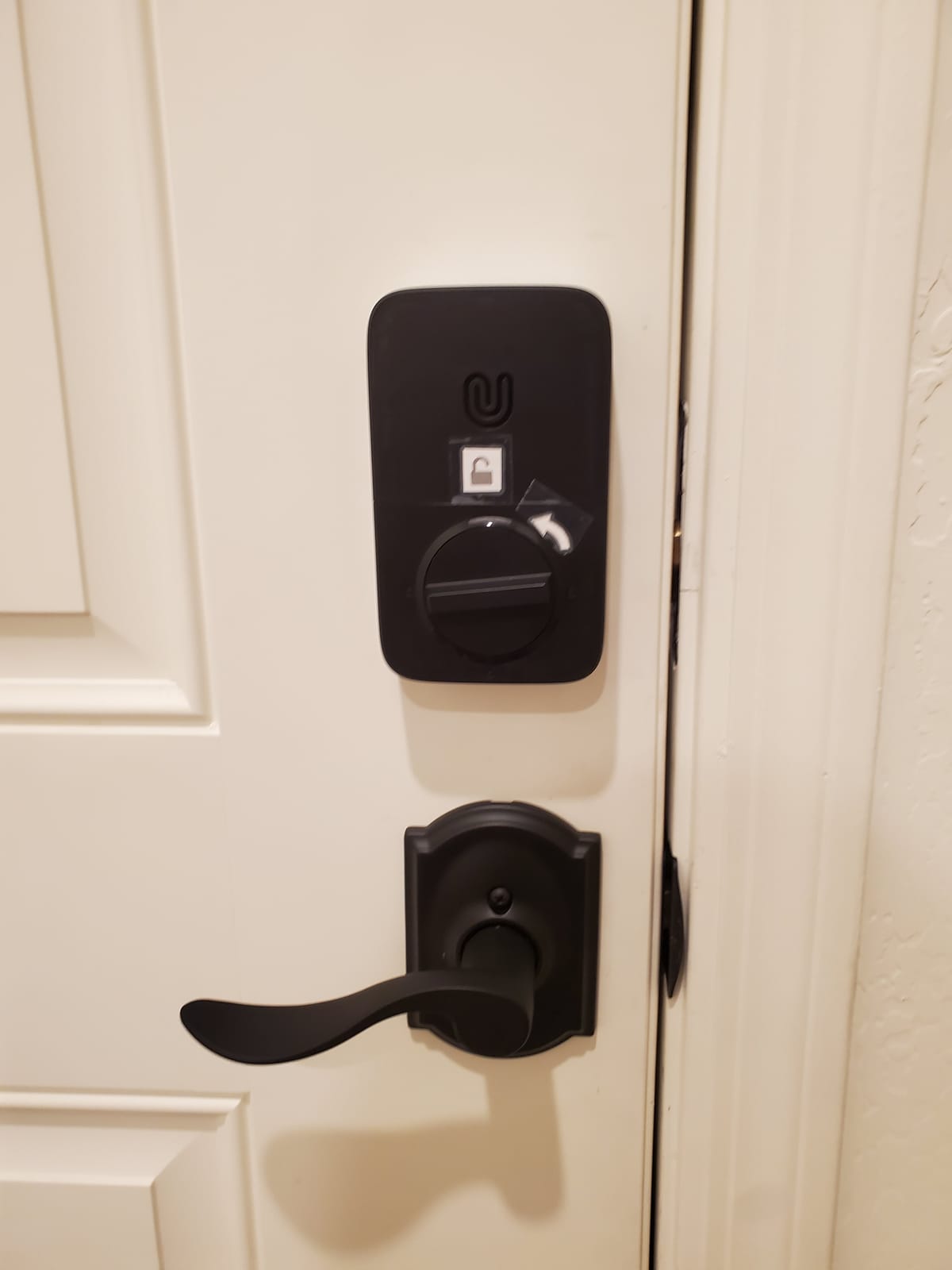
This is the lock we recommend when a host wants the Schlage feature set without the Schlage-tier commitment. Ten thousand reviews at 4.3, seven ways to open the door, and a manufacturer part number that lists front door, back door, garage door, apartment, Airbnb, rentals and hotel as intended uses. That is not marketing language we have to interpret; it is the use case written onto the lock.
Remote access works with nothing else in the box but the lock itself. You get permanent, scheduled and temporary eKeys, up to fifty passcodes and fifty stored fingerprints, and a real-time activity log that records each entry. For a host running several properties, the ability to hand out a scheduled code from the airport without driving to the door is the entire product.
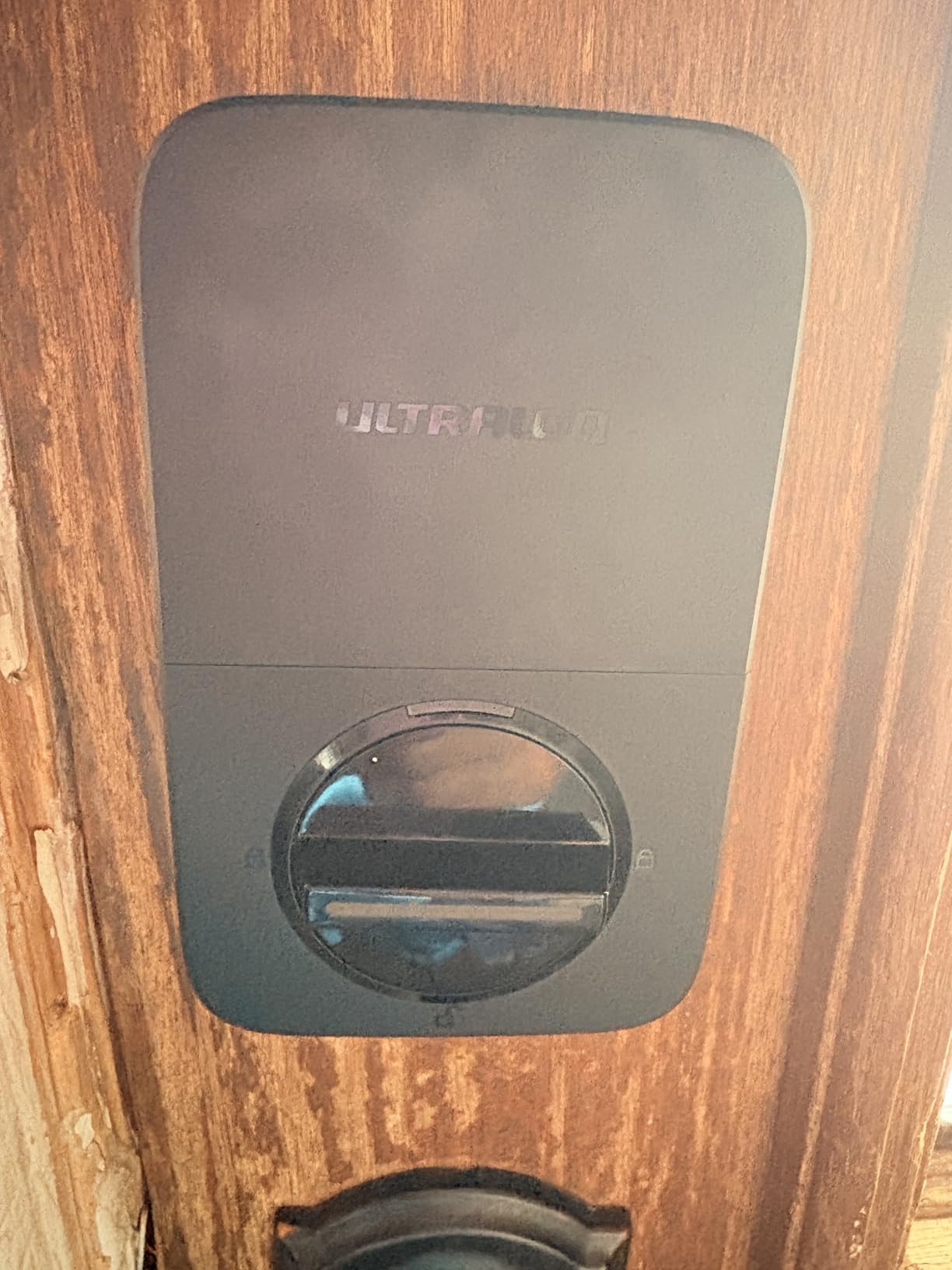
The part we like most for rentals is unglamorous: keypad codes keep working when the Wi-Fi connection is down. The check-in moment does not depend on your router, which means a flaky connection at the property does not turn into a guest standing on a doorstep. Every lock on this list keeps a keypad, but it is worth naming explicitly when the network is the weak link.
Connectivity setup is where the reviews concentrate their criticism. The radio is 2.4 GHz only, so a dual-band router set to 5 GHz will not see it without changing the network, and the manufacturer recommends keeping the lock within roughly 70 ft of the router. Plan that before the install, not after a failed pairing at midnight.
Why it suits a portfolio host
Hosts outfitting more than one property consistently treat a separate hub per door as a deal breaker, because every extra device is another thing to power, mount and eventually replace. The ULTRALOQ removes that from the equation for remote access entirely. Matter over Thread support adds ecosystem compatibility later, but only if you already run a Thread Border Router, which most people do not.
The stated battery figure is up to 18 months on Thread, and the mechanical warranty is lifetime with 18 months on the electronics. That is the strongest warranty pairing in the group and it matters for a lock you are not standing next to every week.
Where it will disappoint you
No door sensor ships with it, so the app cannot tell you the door is standing open. For a unit where a guest leaves the deadbolt pulled or a storm pushes a door ajar, that is information you will not have. There is also no audio or visitor record anywhere in the package.
Matter over Thread is the headline feature and the most likely to disappoint, because it is inert without a Thread Border Router in the home. Buy this lock for the built-in Wi-Fi and the fingerprint reader. Treat Matter as a bonus.
3. eufy Security Smart Lock C220 – Best for a Quick Retrofit
- Built-in Wi-Fi means no bridge to mount or power
- six unlock methods including a sub-one-second fingerprint reader
- temporary guest PINs issued from the eufy Security app
- self-learning fingerprint recognition that sharpens with each touch
- roughly 8 months on 8 AA batteries
- 15-minute no-drill retrofit over an existing deadbolt
- Ties the lock to the eufy Security app rather than open standards
- eight disposable AA cells must be replaced on a schedule
- IP53 rating and a -22F to 158F operating range are modest for a fully exposed door
The C220 is the answer when the door already has a deadbolt you are happy with and you do not want to touch the door frame. It fits over an existing deadbolt, including bores under 54mm once the supplied spacer comes out, and reviewers describe the whole job as about fifteen minutes with no drilling.
The upgrade that matters for a rental is the built-in Wi-Fi. Earlier generations of smart locks needed a separate bridge plugged in near the router, and every host who has installed one knows that means another device to power, mount and eventually replace. This one connects on its own, so temporary PINs go out from the app and remote unlock works from the road.
Entry is flexible in a way most rental locks are not. Six methods cover fingerprint, the eufy Security app, keypad PIN, physical key, Apple Watch and voice. The fingerprint reader is advertised as sub-one-second and self-learning, which is the part you will use most between check-ins.
Why hosts running a single rental like it
Battery life is the honest standout. Eight AA batteries give roughly eight months of use, which is fewer changes per year than the typical keypad deadbolt, and the cells are a standard size you can buy anywhere on the morning you need them.
If you already run eufy doorbells or cameras, the lock folds into the same app and routines. That consolidation is the real reason to pick it over a standalone brand, because everything a guest sees lives in one place.
Where it will disappoint you
This is a fingerprint-led lock, and that choice has a consequence. The configuration depends on the eufy Security app rather than open standards, so you are committing to one ecosystem. Hosts who plan to run mixed brands across a portfolio will find that harder than it should be.
The certification is BHMA Grade 3 and the weather rating is IP53 across a -22F to 158F operating range. That is fine for a door under a covered porch and thinner than the Grade 1 and IP65 hardware elsewhere in this list, which matters for a beach house or an exposed cabin door.
4. Tapo Smart Wi-Fi Door Lock DL110 – Best for a Rechargeable Battery
Tapo Smart Wi-Fi Door Lock, Deadbolt, Fingerprint Recognition, DL110
- Removable rechargeable battery pack rated for a full year with USB-C charging
- exterior USB-C port you can reach from outside to rescue a dead lock
- up to 100 stored fingerprints with 0.42 second recognition
- very quiet deadbolt operation with rubber gaskets on both sides
- two Schlage-compatible backup keys that can be rekeyed to match your other doors
- resident profiles plus one-time and scheduled guest codes
- Keypad digits stay invisible until the screen is touched
- slight delay when locking via the fingerprint sensor
- the doorbell button under the key cap is over-sensitive and raises false notifications
- proprietary battery pack and an inaccurate battery gauge
- no Matter support or open API and each lock is configured separately
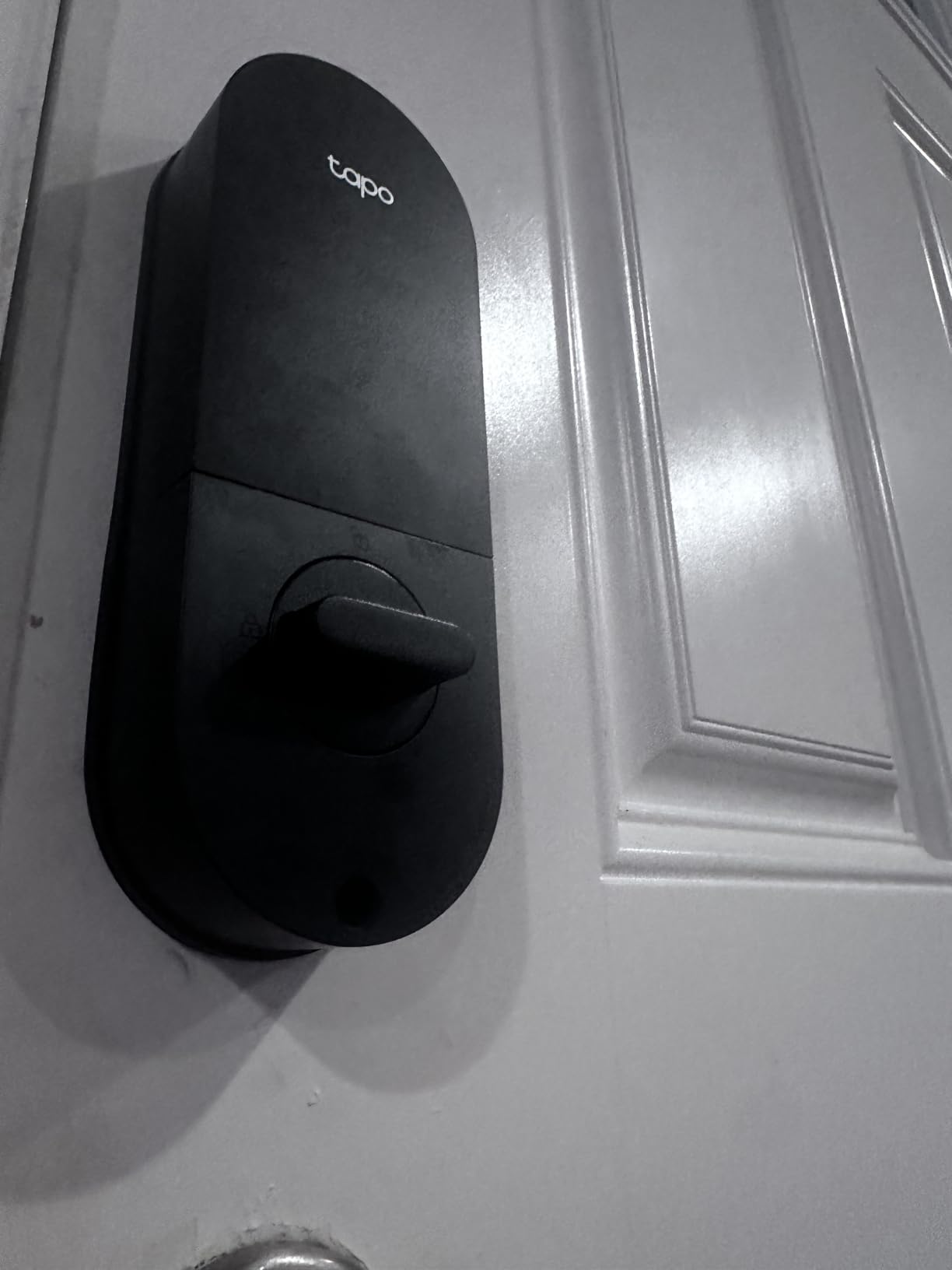
The DL110 is the only lock in this roundup that does not ask you to buy batteries twice a year. It ships with a removable rechargeable pack that claims a full year of operation and charges over USB-C, and reviewers comparing it against other smart deadbolts single out how quietly it operates.
That second detail is not cosmetic. A deadbolt that slams is a deadbolt that wakes a sleeping guest, and a deadbolt that rattles in the bore wears the door finish. This one has rubber gaskets on both sides of the body specifically to damp the movement.
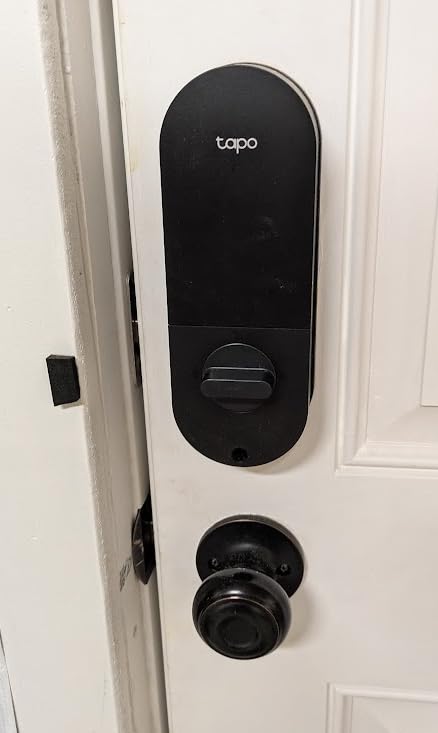
The emergency power port on the exterior face is the feature we would highlight to any host. Most locks only accept power from the inside, which is no help to a guest standing outside. Here you can top up from outside with a USB-C cable and get back in without calling anyone.
Guest handling follows the standard model. Resident profiles hold permanent codes, and the Tapo app issues one-time and scheduled codes for guests. Hosts running several doors should note that each lock is administered separately, and there is no way to share one fingerprint or PIN across multiple locks.
Why it suits a rental with a shared entrance
Two Schlage-compatible backup keys ship in the box, and they can be rekeyed to match other doors in the property. On a unit with several exterior doors, being able to carry one key for the whole place instead of a ring of mismatched cylinders is a small thing that saves real time.
Fingerprint storage runs to one hundred with recognition in 0.42 seconds, which is fast enough that a returning cleaner does not have to think about it. The lock is BHMA Grade 2 certified in a metal body, a sensible middle of the residential scale.
Where it will disappoint you
The keypad is invisible until touched, so a guest using a code has to find the screen first. In daylight, arriving with luggage, that is a friction point, and the same complaint appears on more than one other lock in this list.
There is also no Matter support and no open API, which locks it into the Tapo cloud with limited automation options. If you already run TP-Link devices this is a non-issue. If you want your lock to talk to everything else you own, it is a wall.
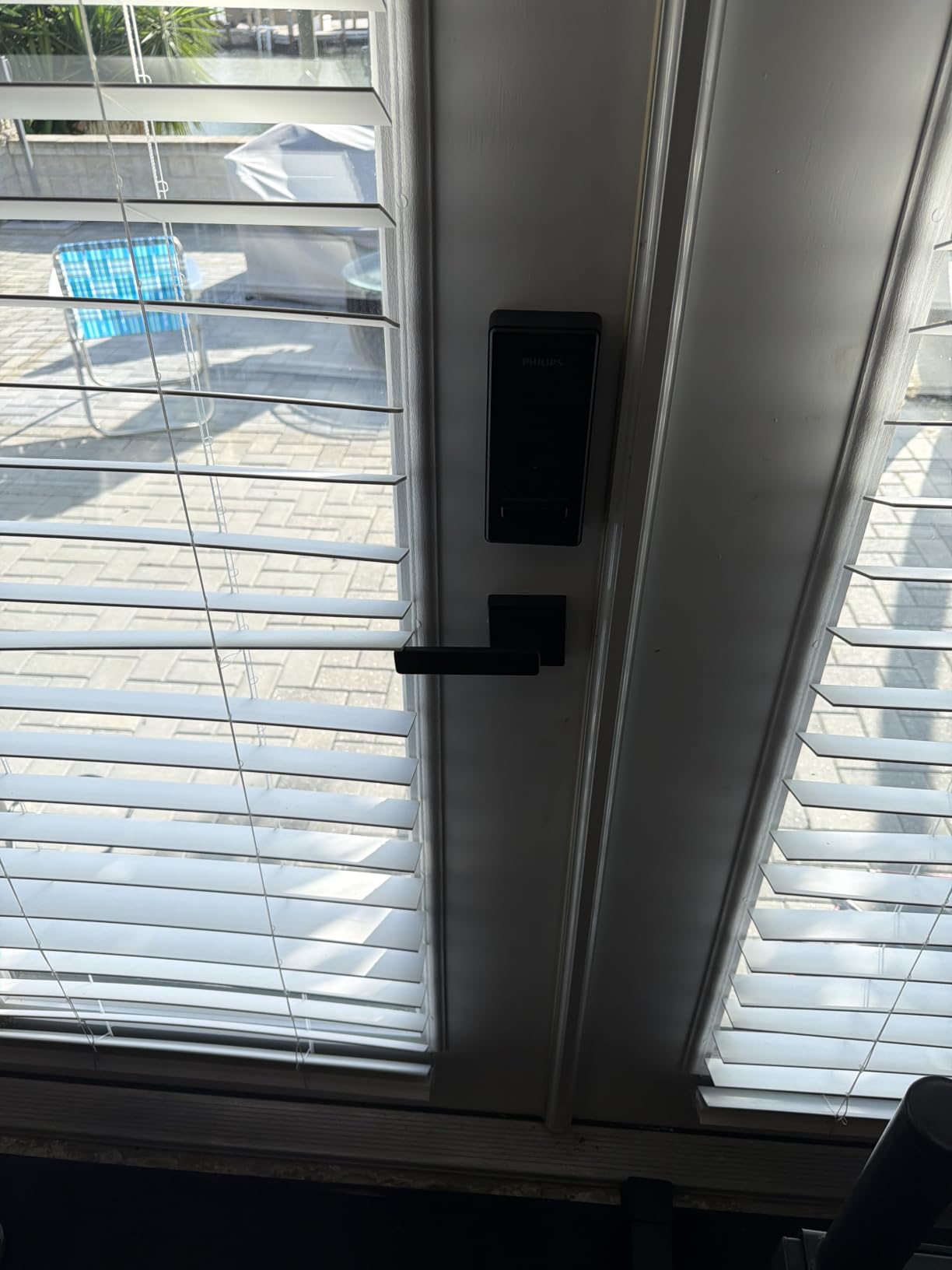
5. Philips WiFi Keypad Deadbolt with Handle – Best for Housekeeper Codes
Philips WiFi Keypad Deadbolt with Handle, Built-in WiFi, APP Remote Control
- Matching door lever and handle set included so the front door is a single purchase
- built-in Wi-Fi with no hub or bridge for remote lock and unlock
- permanent one-time periodic and recurring PIN codes
- 0.3 second fingerprint unlock for multiple users
- backlit keypad plus anti-peeping password and anti-drill construction
- auto-lock adjustable from 0 to 180 seconds
- Auto-lock ships switched off and must be turned on in the app
- batteries are not included and only 1.5V alkaline cells are recommended
- about 6 months of battery life is short next to rechargeable packs
- 2.4 GHz Wi-Fi only and best kept within about 33 ft of the router
What separates this lock is the passcode structure. Alongside permanent and one-time codes it offers periodic and recurring PIN schedules, which is exactly the shape a housekeeper, a maintenance contractor or a returning guest needs, and no other lock in this group spells the taxonomy out this way.
The second box feature matters just as much operationally. A matching door lever and handle set ships in the same carton, so if your entry door has both a deadbolt and a lever, you are not buying two products or hunting for a handle that matches the finish.
Connectivity is built-in 2.4 GHz Wi-Fi with no hub, and the Philips Home Access app handles remote locking, live status and real-time access history. A backlit keypad and a 0.3 second fingerprint reader cover the two other realistic arrival routes.
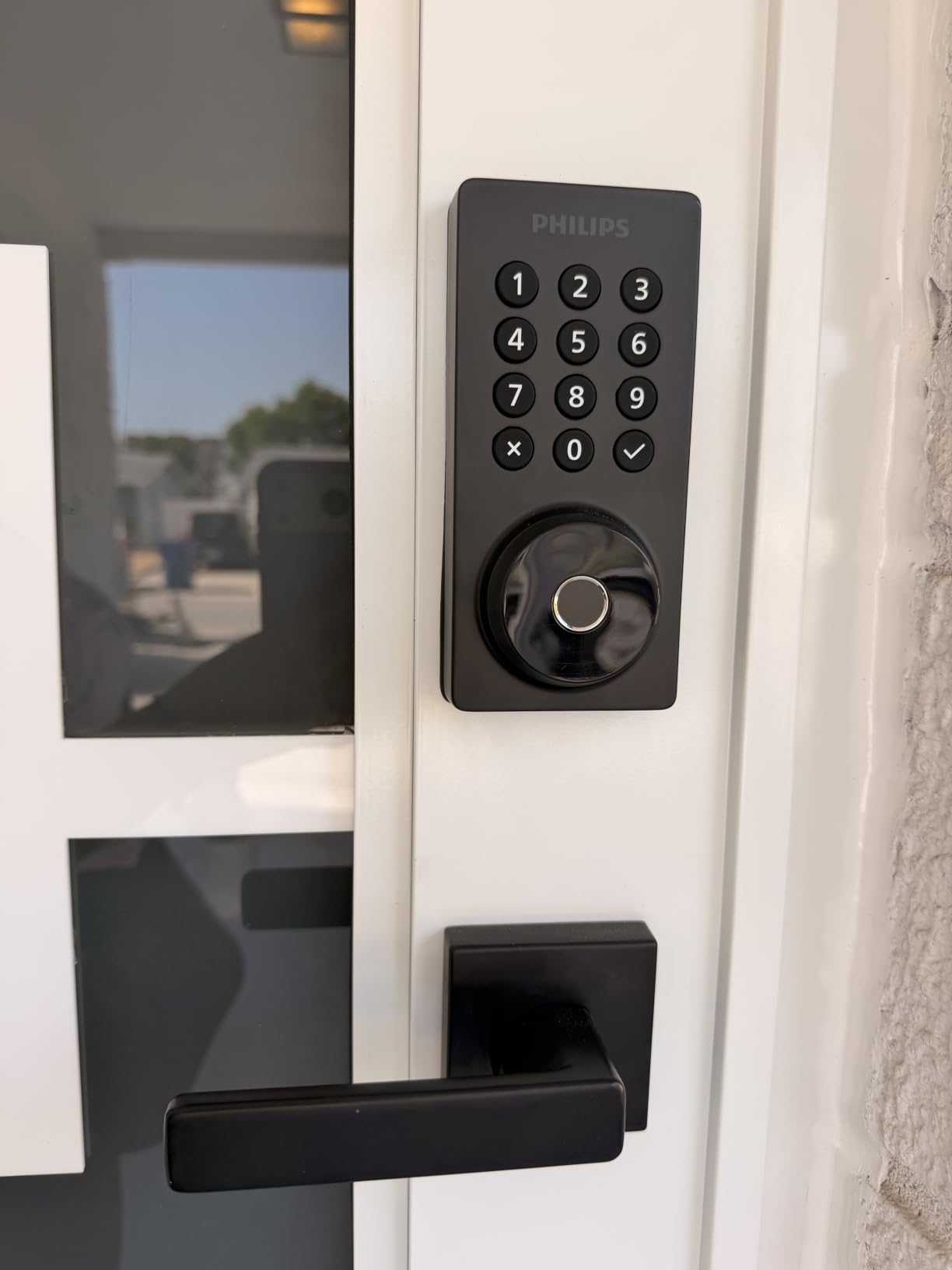
Anti-peeping password support lets you append extra digits after your real code, which stops a guest standing behind someone from watching the digits over their shoulder. Anti-drill construction and a 0 to 180 second auto-lock timer round out the security features you can actually configure.
It fits standard 1-3/8 to 1-3/4 in doors on a 2-1/8 in backset with a screwdriver-only install. That matters if you are standardising across a portfolio and do not want a locksmith in every unit.
Why it suits a property with a cleaning schedule
Recurring and periodic codes are the feature to buy this lock for. A cleaner who works the same property every fortnight gets one code that repeats on schedule, and you can delete it in a single action when the arrangement ends, without hunting through a list of one-time codes.
Maintenance visits work the same way, and the access history gives you a record of who came through the door on a given date. When a damage deposit question comes up, that log is often the difference between a conversation and an argument.
Where it will disappoint you
Auto-lock is off when the unit arrives and has to be enabled in the app, so out of the box it does not secure the door after someone pulls it shut. Set the timer in the first ten minutes after installation and you will never think about it again.
Batteries are not included and the manufacturer is specific: 1.5V alkaline only, with rechargeable and lithium cells to be avoided. Budget about six months of alkaline life and a spare set in the drawer. The radio is also 2.4 GHz and is recommended within about 33 ft of the router.
6. Sifely Fingerprint Smart Door Lock with Handle – Best for a Mechanical Fallback
- Five ways in including fingerprint keypad app key card fob and physical key
- temporary and scheduled PIN codes generated in the app
- reversible handle and no-drill mounting plate for a quick retrofit
- auto-lock with adjustable delay and scheduling plus an inside privacy button
- 4 AA batteries replaceable without removing screws
- still works as a plain mechanical deadbolt when the batteries fail
- Remote unlock access history and voice control need the separately sold Sifely Wi-Fi Gateway
- touchscreen keypad can be slow to wake without several deliberate taps
- fingerprint recognition is inconsistent for some enrollments
- not weatherproof for fully exposed doors and water ingress has ended service life for some owners
- the lock cannot be rekeyed and applies no lockout after repeated failures
With more than nine thousand reviews behind it, the Sifely is the most battle-tested lock we looked at for short-term rentals, and owners consistently describe the same thing: it removes key logistics entirely. One Airbnb host in the reviews calls the app-generated temporary PINs a game-changer for check-in, and the physical key backup plus auto-lock are the features that most reduce the odds of a guest being locked out.
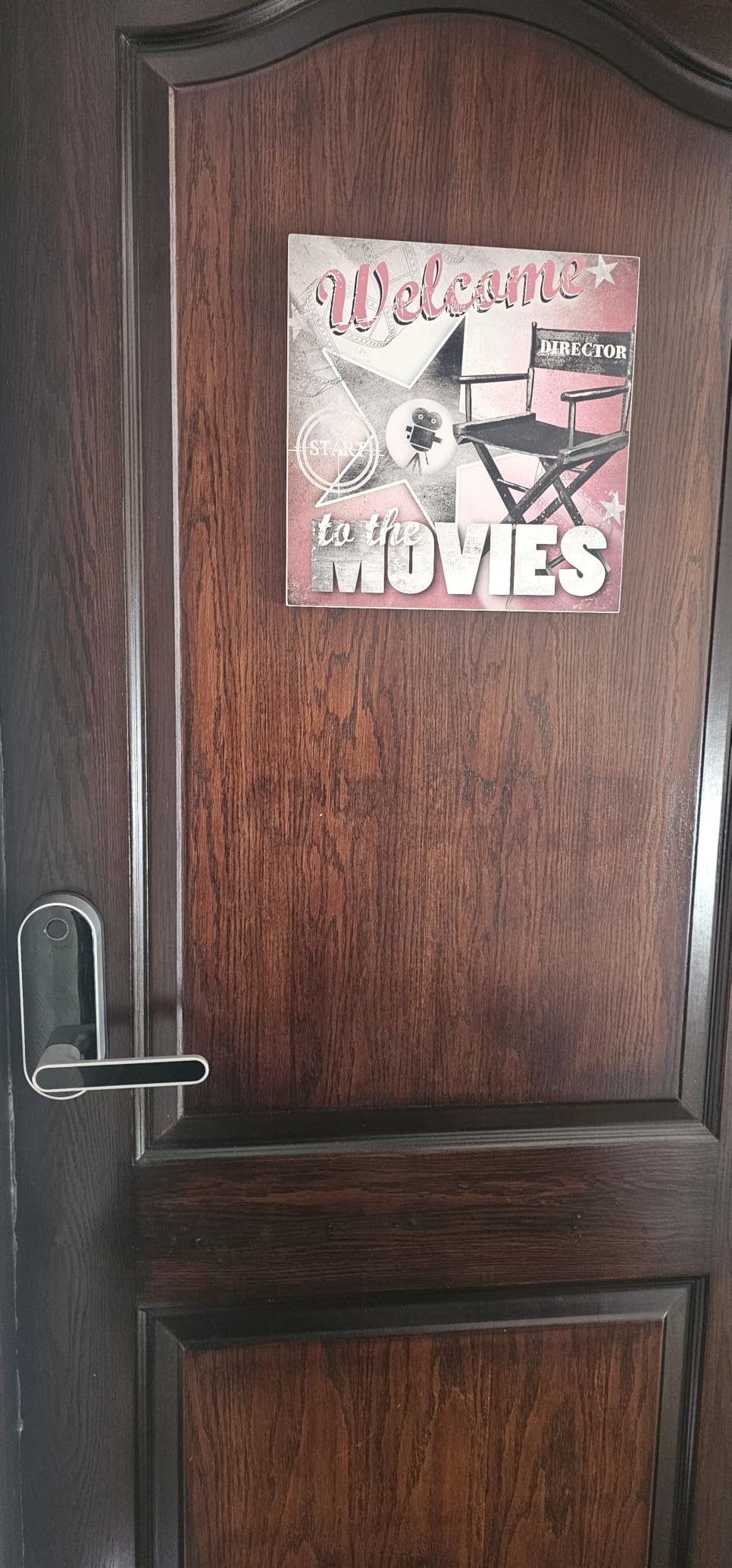
Five entry methods is a lot for one door. Fingerprint, keypad PIN, app over Bluetooth, key card fob and a physical key means there is almost no arrival scenario that fails, including the one where a guest’s phone is dead.
Installation is the other quiet strength. A reversible handle and a no-drill mounting plate mean it goes on most standard doors, and 4 AA batteries change without removing a single screw.
The important decision is whether you add the Sifely Wi-Fi Gateway. Without it you are on Bluetooth at the door, so remote code generation and access history only work when you are standing at the property. With it, remote unlock and voice control come alive, and it also shifts the lock out of the cheapest tier.
An inside privacy button disables all electronic entry from within, which is useful in a shared home where you do not want one guest opening the front door for another.
Why it suits a property in a mild climate
The battery-failure behaviour is the part that earns this lock a place. When the cells die, it keeps working as an ordinary mechanical deadbolt, so the guest still gets in and you are not dispatching someone at midnight. That is the single most valuable property in this whole roundup.
Its one-year product warranty is the shortest on the list, which is worth weighing against that fallback. The mechanical behaviour is what protects you, not the warranty.
Where it will disappoint you
It is not built for a fully exposed door. Owners of entrances where water reaches the unit report ingress that ended the service life, and several recommend sealing or covering the lock. For a covered porch or an interior-facing entry it is fine; for a coastal exterior, pick something with an IP65 body.
Two smaller things annoy owners. The touchscreen keypad sometimes needs several deliberate taps to wake, and fingerprint recognition is inconsistent enough that some enrollments are intermittently forgotten. The lock also cannot be rekeyed, and it applies no lockout after repeated wrong codes.
7. LOCKSTAR Smart Door Lock – Best for a Bundled Gateway
- Wi-Fi gateway ships in the box so remote app control needs no second purchase
- five entry methods including app fingerprint Touch ID keypad code card fob and traditional key
- complete event history with real-time notifications showing who opened the lock and when
- auto-lock on door close or manual lock by holding the hash key
- screwdriver and drill bit included for a single-tool install
- Setup expects you to follow the HowTo video before the gateway behaves as intended
- the product page states no battery life figure and no capacity for stored fingerprints or codes
- zinc alloy body with no stated ANSI or BHMA grade
Most competitors sell the bridge separately, and on a portfolio that is a real line item multiplied by every door. The LOCKSTAR is the one lock here where the Wi-Fi gateway is in the box, so off-site app control and the who-entered-and-when history arrive with the unit.
The listing positions it explicitly for rental properties, and the feature set follows that brief. Five entry methods, codes you can change while you are away from the property, and a complete event log with real-time phone notifications.
Auto-lock fires on door close, and holding the hash key on the keypad locks it manually if a guest is moving furniture in and out. The included screwdriver and drill bit mean the install does not require a tool bag.
Why it suits a multi-property host
Bundle the gateway in and your per-door cost stops having a second device attached to it. That is the same argument that puts the ULTRALOQ and the eufy C220 on this list with built-in Wi-Fi, just solved with an included accessory rather than an integrated radio.
The fob option is worth noting for buildings that already run card entry. A key card is faster to hand over than a code when someone is fumbling for a phone on a doorstep.
Where it will disappoint you
Setup expects you to watch the HowTo video before the gateway works the way it is supposed to. That is a small thing on a door you are standing in front of and an annoying one on a property four hours away.
The product page does not state a battery life figure or the capacity for stored fingerprints and codes, and we will not guess at either. If you run this in a climate that drains batteries, treat the service interval as unknown and check the app monthly.
8. Zylenor Keyless Entry Door Lock – Budget Pick
- Built-in Wi-Fi remote unlock and temporary passwords at the lowest hardware cost in this group
- built-in gyroscope auto-locks the door as it closes with a mode to keep it open
- anti-hijacking ID triggers an alarm and app notification for a designated user
- up to 10 months on 8 AA batteries with a USB-C emergency charging port
- zinc alloy body on a US standard lock body for 35-50mm doors
- Eight AA batteries are not included and must be supplied separately
- no fingerprint reader despite the combination-lock listing
- IPX4 is a light splash rating for a door that faces weather
- written review detail for this listing is thinner than its specification sheet
What you get here is built-in Wi-Fi with app remote unlock and temporary passwords at roughly a third of what the premium options cost, which matters immediately if you are outfitting several properties at once. Reviewers describe installation at about fifteen minutes with a responsive keypad and a solid, weather-resistant build.
The most interesting feature is not on any competitor’s list. An anti-hijacking ID triggers an alarm and sends a notification when a designated user ID unlocks the door, which is a coarse but genuinely useful signal that something unusual is happening at the entrance.
A built-in gyroscope handles auto-lock on door close without a separate sensor magnet, and there is a mode that holds the door open for parties and group arrivals. The USB-C emergency port gives you a second way in if the eight AA cells run down.
We would be straightforward about the evidence here. The automated review summary we pulled for this listing was dominated by commentary on an unrelated product, so the written review detail is thinner than the specification sheet deserves. The specs are clear; treat the social proof as thin and test it on one door first.
Entry methods are permanent and temporary passwords, Wi-Fi, app, voice control through Google Assistant and Alexa, and a mechanical key for emergencies. There is no fingerprint reader.
Why it suits a host outfitting several properties
When the number that matters is cost per door across a portfolio, this is the lock to buy. The battery claim of up to 10 months on 8 AA cells means replenishment is an annual errand at worst, and the US standard lock body covers 35-50mm door thickness on a 57mm backset, which is most residential doors.
Zinc alloy with an IPX4 rating handles an entry that is sheltered but not fully exposed. Move it to a covered porch rather than an uncovered seafront face and the rating is not a concern.
Where it will disappoint you
The batteries are not included, and eight AA cells is eight cells you have to buy and keep spares of. The IPX4 splash rating is the lightest on this list, and the absence of any fingerprint reader means your only fast entry routes are a code or the app.
If the property has a history of battery trouble in hot weather, remember the pattern hosts in r/airbnb_hosts describe with August hardware: climate is a real risk factor, and an always-connected lock in a hot climate is where it shows. Set the low-battery alert and check it on every turnover.
What to Look for in a Smart Lock for Airbnb Hosts
Reliability beats features in every host thread we read. The recurring request is a lock that never generates a mid-stay support message, and that priority should drive your shortlist before any smart-home integration does.
Remote code management. You need to add, schedule and delete codes from your phone while away from the property. A lock you can only reprogram at the door has not solved the problem.
Every lock here issues one-time or scheduled codes; confirm the app expires them without you deleting them by hand.
Built-in Wi-Fi with no hub. Hosts running multiple properties consistently treat a separate hub per door as a deal breaker, because it multiplies the number of devices to power, mount and replace. Six of the eight locks here connect on their own, and the Sifely solves it with an optional gateway and the LOCKSTAR with one in the box.
Keypad entry that survives a dead network. A guest at the door cannot wait for your router. Every lock in this list accepts codes offline, but the ULTRALOQ Bolt SE is explicit that keypad entry keeps working when the Wi-Fi connection drops.
Battery life and low-battery alerts. Published figures here range from about 6 months on alkaline in the Philips to a claimed 10 months on the Zylenor, 8 months on the eufy C220, up to 18 months on Thread for the ULTRALOQ, and a full year on the Tapo’s rechargeable pack. Hosts in humid and hot climates report battery trouble as their number one fear, so set the low-battery alert and check it at every turnover.
Security grade and weather rating. For a rental door, treat ANSI/BHMA Grade 2 as a sensible floor. The Schlage Encode Plus is Grade 1/AAA, the Tapo is Grade 2, the eufy C220 is Grade 3, and the ULTRALOQ and Sifely are IP-rated for exterior exposure while the Zylenor’s IPX4 is not.
Audit trail. An access log that records who unlocked the door and when is how you settle a damage dispute without a screenshot from a neighbour’s doorbell camera.
If your building, condo board or rental association controls exterior hardware, get written approval before you buy. Changing visible entry hardware is a common element in a lot of buildings, and hosts running apartments with fob entry often have no say in the front door at all. Our smart garage door opener guide covers the same question for the other door on a rental property.
What to Do When a Guest Says the Code Does Not Work
Start with the least technical explanation, because it accounts for most failed check-ins. A touchscreen keypad that stays dark until touched is the single most common cause, and the guest simply has not found the wake point.
Second, check whether the code has activated. A code scheduled for a 3 pm check-in does not work at 1 pm, which is the correct behaviour even though it looks like a broken lock.
Third, wake the lock from inside or through the app and try once more, because a lock that has been asleep for weeks can be slow on the first attempt. Then confirm the code is typed exactly as sent, with no transposed digits.
Only after those three steps is it worth worrying about hardware. Keep a physical key in a lockbox at a known location, and a spare with your property manager, so the answer to a 10 pm failure message is a five-minute drive rather than a locksmith bill.
Frequently Asked Questions
What is the best smart door lock for Airbnb hosts?
For most rentals the Schlage Encode Plus is the safest default: built-in Wi-Fi with no hub, native Airbnb app integration that creates a guest code at check-in and removes it at checkout, and ANSI/BHMA Grade 1 certification. Hosts outfitting several properties on a tighter budget get more from the ULTRALOQ Bolt SE, and the eufy Smart Lock C220 is the fastest retrofit over an existing deadbolt.
What are the downsides of using a smart lock on a rental?
Three come up repeatedly. Batteries fail, and in hot or humid climates hosts report that as their number one fear. The lock depends on an app and a network, so a poor connection adds friction at the doorstep. And a lock you cannot rekey, like the Sifely, or one that ships with auto-lock disabled, like the Philips, can behave differently from what you expected until you configure it.
Can I install a smart lock on a condo or HOA door?
Often no, without approval. Exterior entry hardware is frequently a common element controlled by a condo board or HOA, and the rules can prohibit changing the visible lock at all. Get written approval before you buy, and ask whether a retrofit over the existing deadbolt is permitted, since it is a smaller modification than a full replacement.
How do smart locks work with property management software?
A property management system generates a code when a booking lands, pushes it into your guest message, and deactivates it at checkout. Of the locks here, the Schlage Encode Plus has direct Airbnb app integration that does this automatically. The other units work through a channel manager or a manual step, so plan for the extra click rather than assuming full automation.
What happens if the smart lock batteries die during a stay?
Every lock in this roundup ships with a physical key, so a guest is not stranded. The Sifely stands out because it keeps working as a plain mechanical deadbolt with no battery at all. The Tapo DL110 and the Zylenor also accept emergency USB-C power from the exterior, and the Tapo’s rechargeable pack removes the problem for a full year.
Do I need a locksmith to install a smart lock?
Usually not, if the door is standard. The eufy C220, the Tapo DL110 and the Philips are described as no-drill or screwdriver-only retrofits over an existing deadbolt, and the Sifely fits most standard doors with a reversible handle. Budget more time when you are replacing an older deadbolt, since some owners report enlarging the bore or drilling new strike-plate holes on the Schlage.
Which Lock Fits Your Property
Choose by property type rather than by feature count. A single urban rental with a standard door wants the Schlage Encode Plus for its native Airbnb integration and Grade 1 body. A coastal or fully exposed door wants an IP-rated lock, which points to the ULTRALOQ Bolt SE.
A property you cannot rewire for a bridge should take the eufy C220, the Zylenor or the LOCKSTAR, all of which reach the network without extra hardware. A shared home with common areas needs a second keypad on an interior bedroom door, which is worth budgeting for separately.
Whatever you pick, set the auto-lock timer on day one, enable the low-battery alert, and keep one physical key in a known place. Those three minutes of setup remove almost every support message we heard hosts complain about, and they are what turns the best smart door locks for Airbnb hosts from a gadget into self check-in that just works.