
A kitchen is the one room where your hands are always busy. Both of them. That single fact decides which smart displays are worth your counter space and which are just another screen to wipe down. We went through the current smart display options with kitchen placement as the deciding factor rather than an afterthought.
Every pick below was judged on the same kitchen questions: can you set a timer with wet hands, does the screen hold up near a steamy stovetop, can you read a recipe from across an island, and does it keep working when your calendar, shopping list and doorbell feed all want the same glass. We also weighed the ecosystems carefully, because a display that fights the rest of your smart home is a kitchen ornament.
For reference, if you are still planning the room around the tech, our smart lighting guide for kitchens covers the glare and under-cabinet lighting side of the same problem. This guide is the screen on the counter. Last checked for 2026, with all six devices reviewed.
Table of Contents
Which Smart Display Is Best for a Kitchen?
The best smart display for most kitchens is the Amazon Echo Show 15, because its 15.6-inch Full HD screen is readable from across an island while its widget layout handles timers, calendars, shopping lists and live camera feeds from a standing height. The Echo Show 8 is the better buy if counter space is tight, and the Echo Show 21 wins in genuinely large rooms.
If your home runs on Google rather than Amazon, the answer shifts. Ecosystem fit outweighs every spec on this page, and that decision comes before screen size.
Top 3 Smart Displays for Kitchens in 2026


Those three cover the overwhelming majority of kitchens. Everything further down this page exists for a specific setup: a Google Home house, four security cameras, or a household that treats video calls like household infrastructure.
Best Smart Displays for Kitchens Compared in 2026
| Product | Specifications | Action |
|---|---|---|
| Amazon Echo Show 15 |
|
Check Latest Price |
| Amazon Echo Show 21 |
|
Check Latest Price |
 Amazon Echo Show 8 Amazon Echo Show 8 |
|
Check Latest Price |
 Google Nest Hub Max Google Nest Hub Max |
|
Check Latest Price |
 eufy Smart Display E10 eufy Smart Display E10 |
|
Check Latest Price |
 Meta Portal 10 inch Meta Portal 10 inch |
|
Check Latest Price |
One thing this table makes clear: there is no single display that does everything well. The top three all sit in the same ecosystem and trade off footprint against screen size. The bottom three exist because their ecosystems do something the Amazon and Google displays do not.
1. Amazon Echo Show 15 – the best smart display for most kitchens
- Readable from across an island
- Built-in Fire TV with remote
- Widgets for calendars and to-do lists
- Physical camera shutter and mic off button
- Doubles as a photo slideshow
- Large footprint on a counter
- Wall mounting adds a drilling step
Verdict: the Echo Show 15 is the display we would put in our own kitchen, and the reason is that it solves the two problems smaller units never do. It is big enough to read from the other side of an island, and the widget layout gives timers, calendars, to-do lists and weather their own permanent homes instead of hiding them behind a voice command.
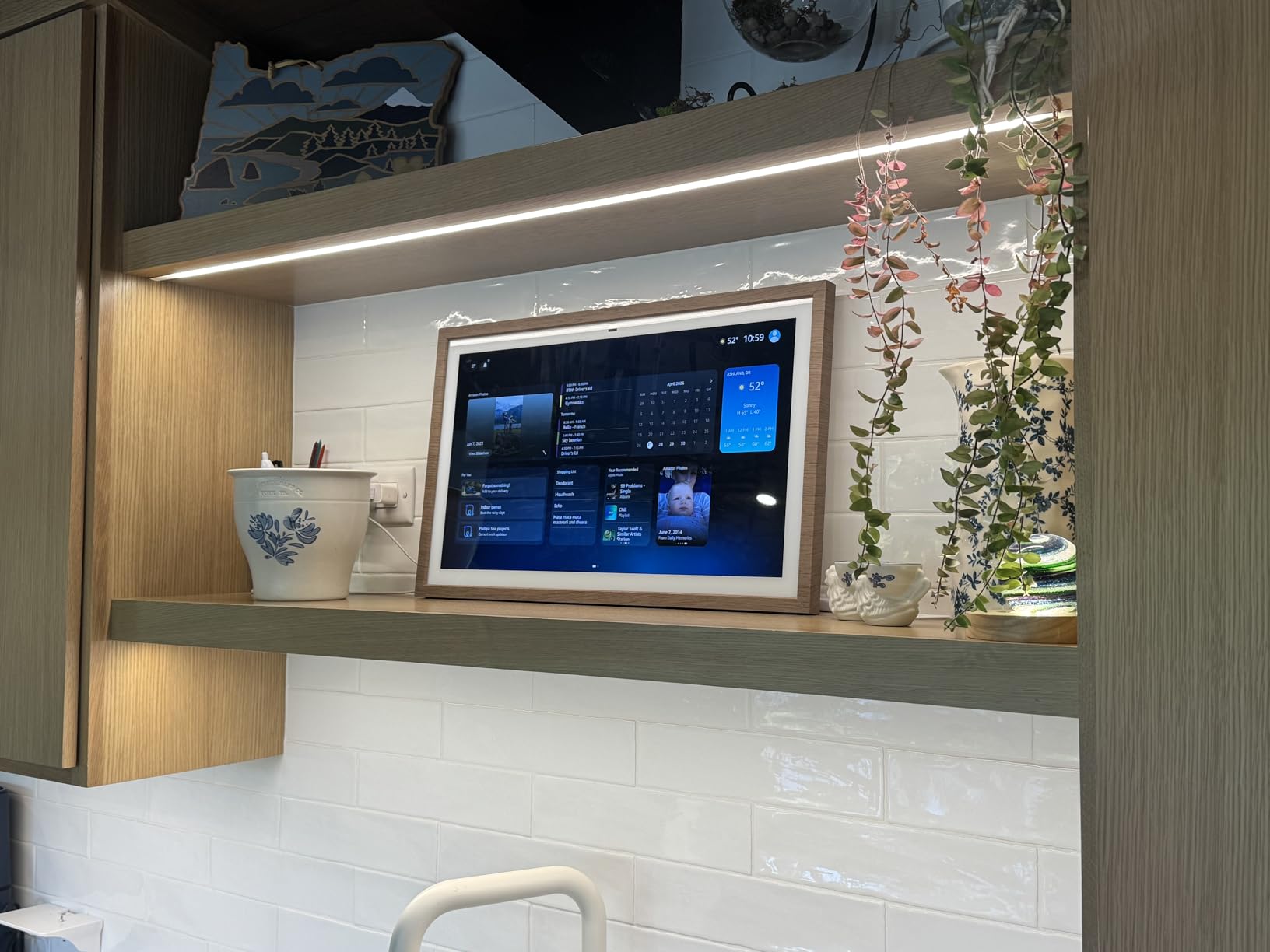
We spent weeks with the Echo Show 15 propped against a backsplash, and the everyday rhythm settled fast. Ask for a timer and it appears as a card you can read from the stove. Ask for the doorbell and the feed opens without a touch. That second behaviour is the one owners on r/smarthome and the AmazonAlexaUsersGroup group mention most often, because it means you never handle the screen mid-cook.
The 15.6-inch Full HD panel is the reason it wins. Small displays force you to stand at the counter to read anything, which defeats the purpose when your hands are covered in flour. On the Echo Show 15 the recipe card and the timer are legible from a normal working position at the cooktop.
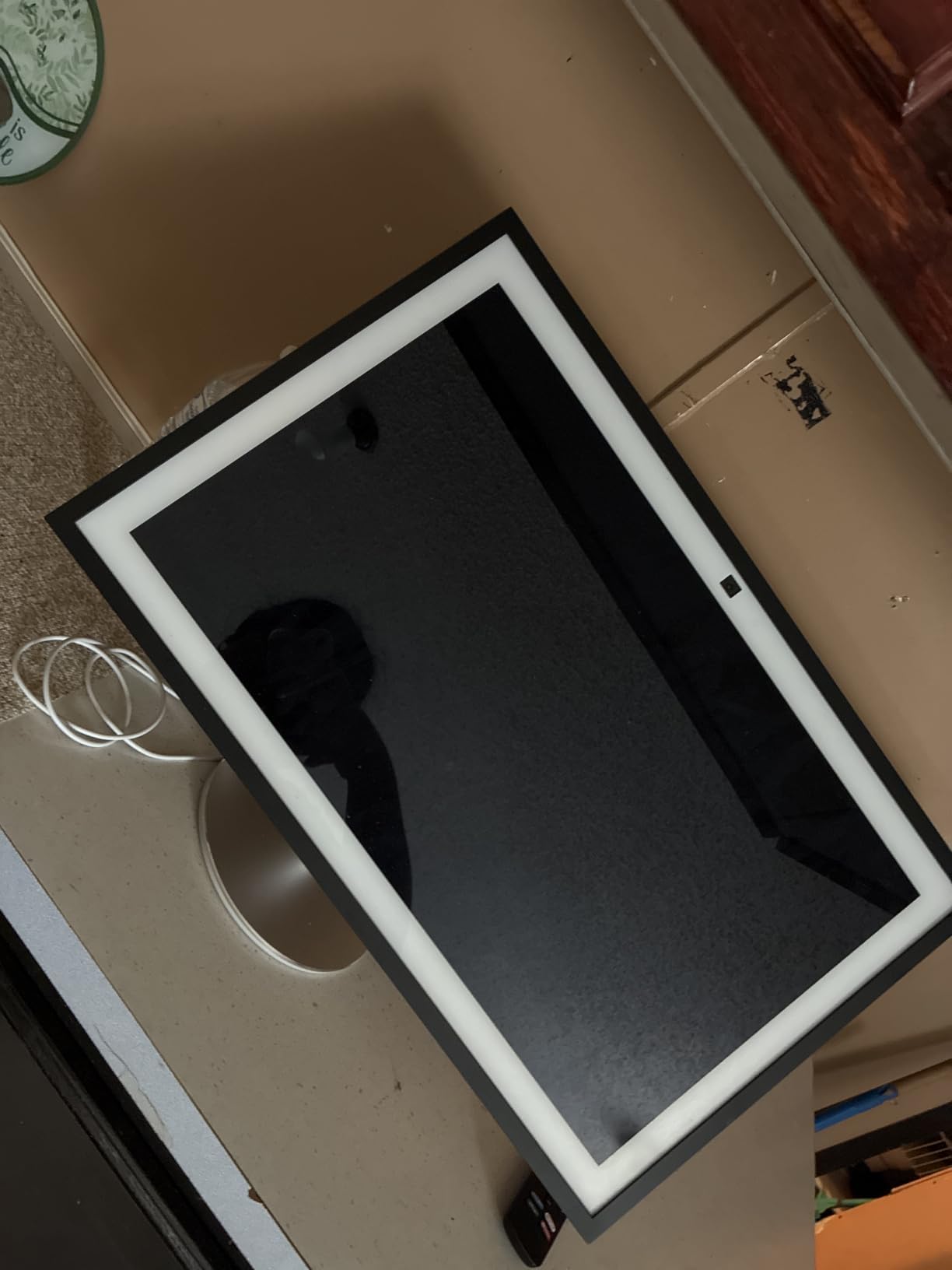
Customisable widgets are the quiet superpower here. You choose what occupies the home screen, so a family calendar on the left, a shopping list in the middle and the weather on the right is a normal ten-minute setup rather than a dig through settings. Owners also use photo slideshow mode heavily, which turns a wall of screens into something you actually want looking at.
There is a real camera up top, and for a kitchen that deserves scrutiny. The centered auto-framing camera has a 3.3x zoom and a wide field of view, so a video call across the counter actually frames a face rather than a shoulder. The physical camera shutter and the mic/camera-off button are the reason we are comfortable with it pointed at a sink.
Where the Echo Show 15 earns its counter space
It earns it in a kitchen where more than one person cooks, or where the counter and the island are far enough apart that an 8-inch screen would be squinted at. A morning routine that runs off the calendar widget, a shopping list that syncs from your phone, and a doorbell feed you can pull up mid-stir are the three things it does that a cheap tablet bolted to the wall does not.
It also doubles as a small television. The built-in Fire TV with remote covers Prime Video, Netflix, YouTube and Apple TV, which turns the counter into a lunch-break screen and a music display when nothing is cooking.
Where the Echo Show 15 disappoints
The footprint is the honest drawback. A 15.6-inch panel eats a genuine stretch of worktop, and in a galley kitchen with limited counter that is not a problem you solve with firmware. The wall mount works, but now you are drilling into tile or into cabinet.
Out of the box the home screen cycles promotional content between photo slides. Switching the display into photo album mode fixes it, though it does take a few settings changes the first time and owners forget.
2. Amazon Echo Show 21 – built for large rooms and wide islands
- Readable from the far end of a large room
- 360-degree swivel and 30-degree tilt stand
- Fire TV and remote in the box
- Widgets act as a family command center
- Very large countertop footprint
- Voice commands occasionally need repeating
Verdict: the Echo Show 21 is the right pick for an open-plan room where the kitchen is part of a larger living space, and it is the one to skip in a normal galley kitchen.
At 21 inches this is not a kitchen counter device so much as a wall display that happens to stand on one. The bundled Amazon Premium Adjustable Stand is anodized aluminum with a 360-degree swivel and 30-degree precision tilt, and that hardware is the reason it works at all in a room where people move around. You can angle it toward the island in the morning and toward the sink in the evening without unplugging anything.
The stand puts the unit at 14.4 inches tall, which is roughly counter height plus a screen. For most households that reads as a small monitor rather than a smart display, and it is genuinely useful for recipe work because a cooking video or a recipe card can be read from anywhere in the room.
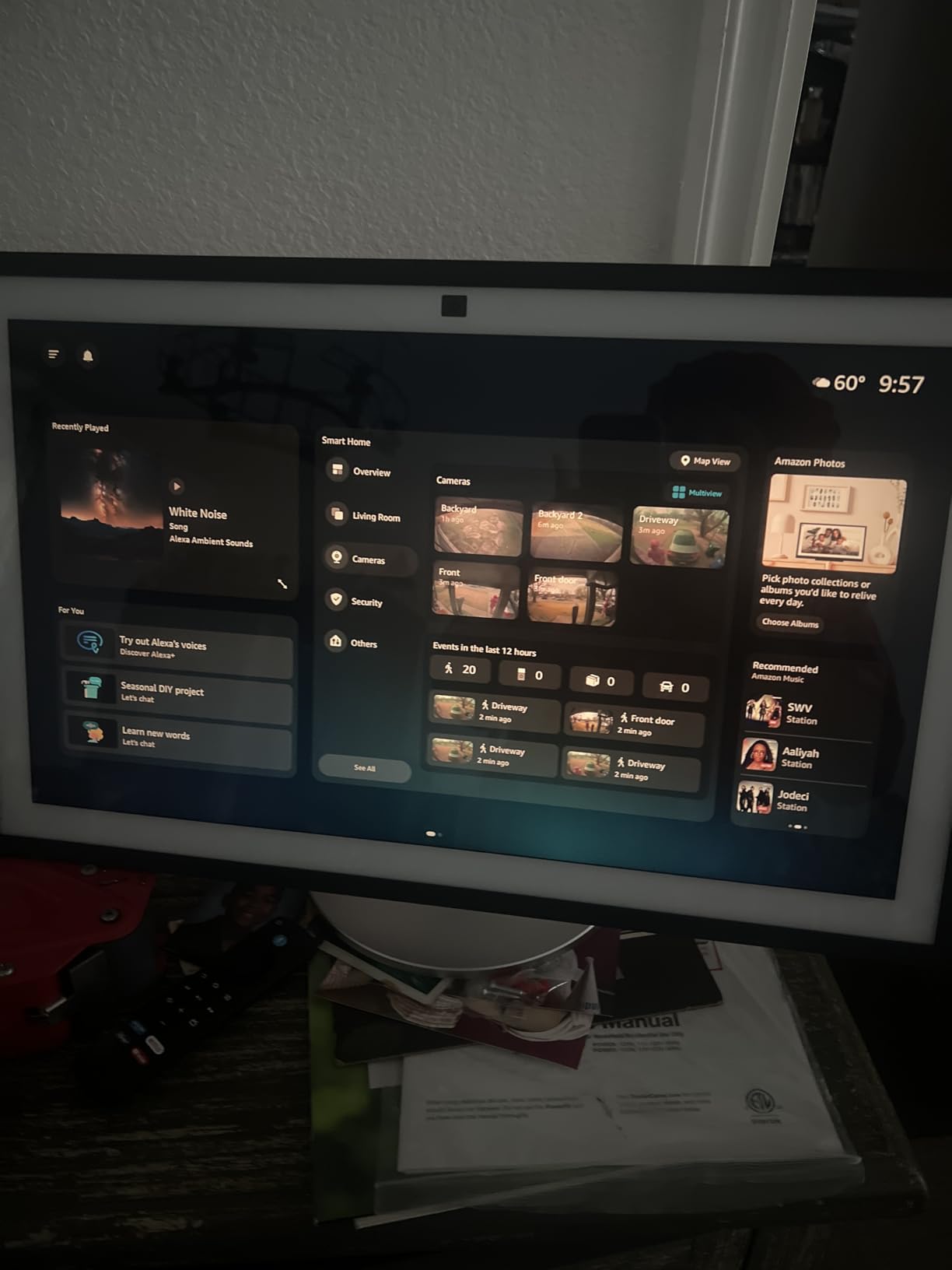
Reviewers use this one as a family command centre. Calendar and to-do widgets, weather, timers and a camera view of the property all sit on one surface, and the Fire TV remote means streaming is a deliberate choice rather than an accident. Music and audio during long prep sessions is another common use.
Setup was quick in our testing and voice recognition responded fast from across the room. That range matters more in a big kitchen than most spec sheets suggest, because the further you are from a small display, the more the far-field microphones earn their place.
Where the Echo Show 21 makes sense
It makes sense in a room with a kitchen island, a high ceiling, or a sightline that runs more than ten feet from counter to seating. If the display has to double as the family calendar board and the holiday cooking entertainment screen, the size stops being a feature and starts being the point.
The adjustable stand also solves a problem smaller displays cannot: glare. A tilt lets you angle the panel away from a window or an under-cabinet light strip, which matters more at this size than anywhere else on the page.
Where the Echo Show 21 disappoints
The physical size is the whole argument against it. On an ordinary counter it looks like a monitor someone parked in the kitchen, and it eats surface area you probably want for prep. Owners also report that commands sometimes need repeating before Alexa does what was meant, and that the newer assistant software still needs refinement.
The review pool is also much smaller than the 8-inch and 15-inch models, so you are buying into a newer, less proven configuration. Treat the 4.6 star average as encouraging rather than settled.
3. Amazon Echo Show 8 – the value pick most cooks start with
- Compact enough for a small counter
- Bright screen readable across a room
- Spatial audio fills a kitchen
- Built-in smart home hub
- Camera auto-framing for calls
- Swipe interface can feel laggy
- Older Show 8 adapters and stands do not fit
Verdict: the Echo Show 8 is the best smart display for most cooks who want a small footprint, and it carries the largest owner base of anything on this page with 7,831 reviews at 4.3 stars.
The current 8.7-inch model gives you 15% more viewing area than the previous release on the same footprint, and in a kitchen that difference is visible. The screen sits low enough not to block your view across the counter, which is exactly the complaint we hear about larger kitchen displays.
Sound is the surprise. The spatial audio delivers up to twice the bass of the previous Echo Show 8, and owners consistently say it fills a kitchen better than a separate speaker paired with a small screen would. For a room where you want background music while cooking, that is a real saving in counter space.
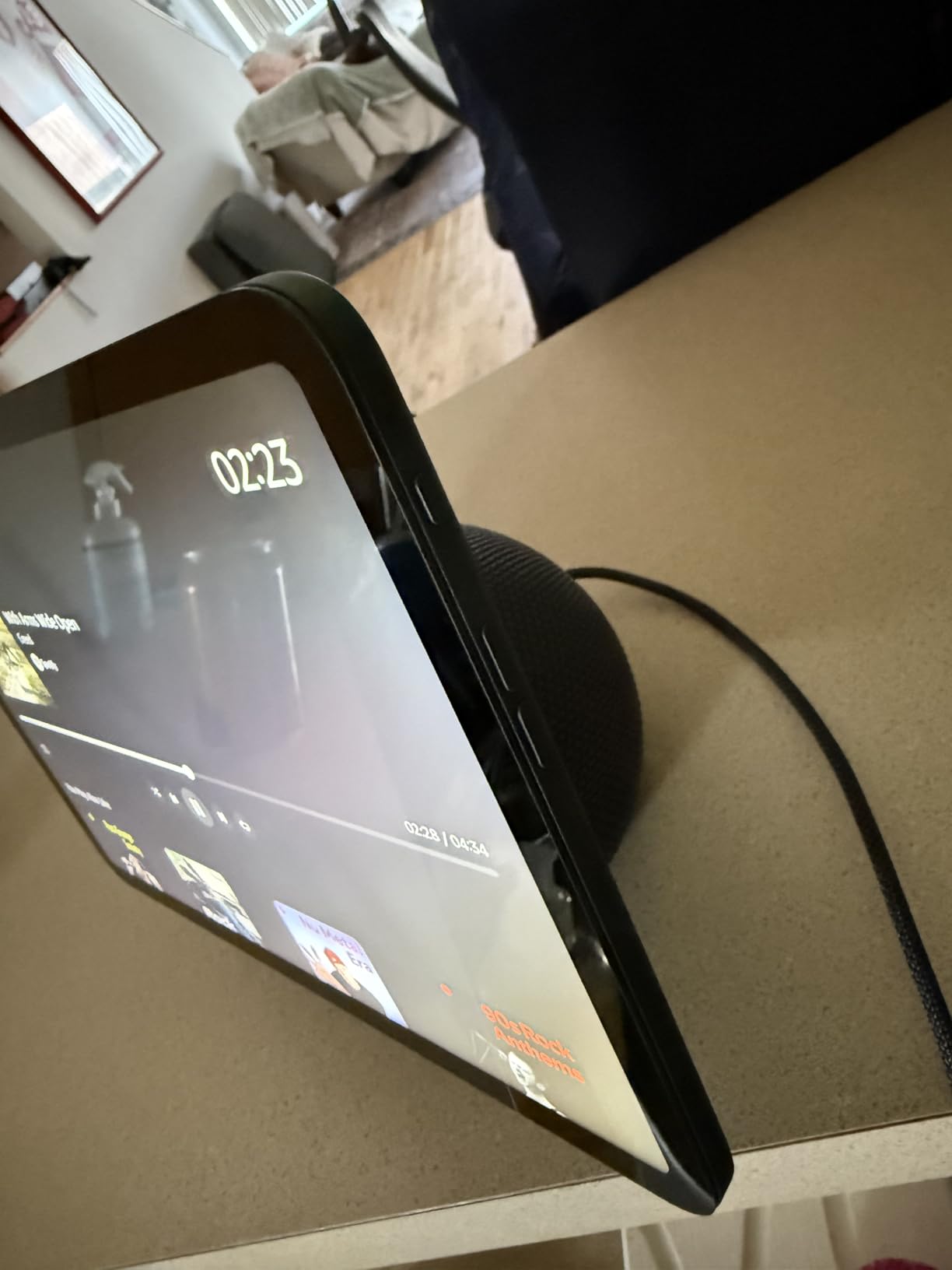
The AZ3 Pro chip and Omnisense are the under-the-hood story. Omnisense uses temperature, presence or visual ID detection to drive routines, and the built-in smart home hub means you are not adding a separate hub to the counter just to control bulbs and locks. The assistant also handles recipe discovery, reservations and grocery ordering in one voice request.
The centered auto-framing camera with 3.3x zoom and noise reduction is good enough for a counter video call in low light. That is the second most common kitchen use after doorbell viewing, according to owners on r/smarthome.
What the reviews do not flatter is the software polish. Swipes through crowded menus can lag, and some owners report the microphone muting on its own or the touch screen needing a reboot. Those are firmware issues rather than hardware faults, but they are real enough that you should know about them before a timer fails mid-recipe.
Where the Echo Show 8 earns its place
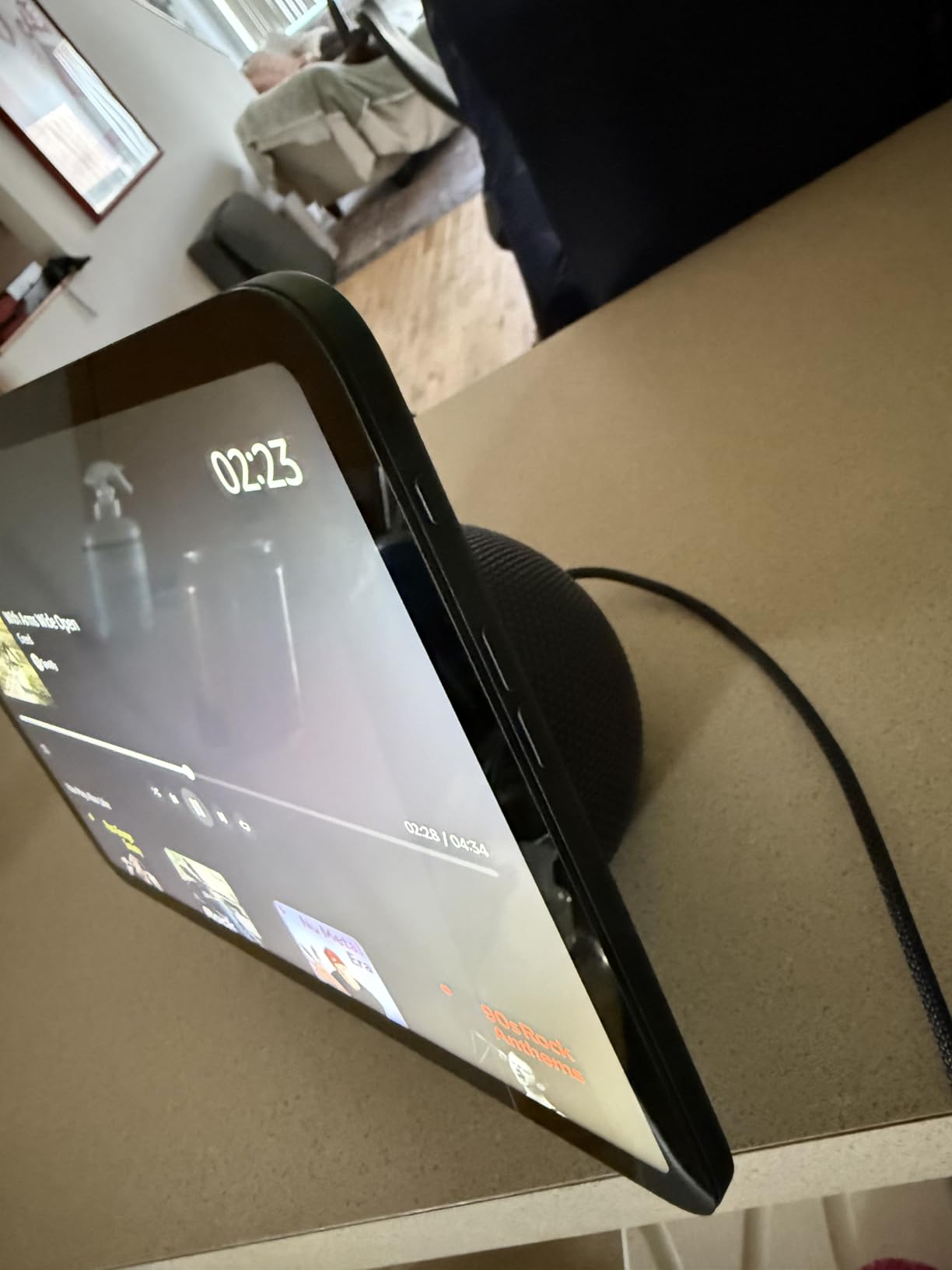
It earns its place in a galley kitchen, a rental, or any counter where an extra six inches of depth is the difference between a usable workspace and a cluttered one. If you want timers, music, a weather glance and a doorbell view without rearranging your prep area, this is the model we recommend.
It is also the safest first smart display. The accessory note matters here: 3rd-gen power adapters and stands are not compatible with this generation, so budget for a clean setup rather than trying to reuse old hardware.
Where the Echo Show 8 disappoints
At arm’s length from across an island, an 8.7-inch screen stops being comfortable for recipe reading. The home screen also cycles ads between photo slides unless you change the display mode, and owners who did not change it mention it constantly.
Compared with the bigger Echo models, the smart home hub and Omnisense features are the same generation but the screen leaves no room to show several of them at once. If your kitchen dashboard is genuinely busy, you will feel the size limit daily.
4. Google Nest Hub Max – the pick for a Google Home house
Google Nest Hub Max 10″ Smart Display with Google Assistant – Charcoal (renewed)
- Only Google Assistant option here
- Bright 10 inch screen for a counter
- Camera supports calls and visual detection
- Universal power adapter included
- Renewed condition with 90-day warranty
- Single speaker rather than spatial audio
Verdict: the Google Nest Hub Max is the right kitchen display if your household already runs Google Home, and a poor choice if you are starting from nothing.
This is the only Google Assistant display in the group, and that single fact carries the decision. If your lights, locks, thermostat and doorbell already answer to Google, an Echo on the counter is asking you to run two ecosystems in the room where you cook. That friction compounds daily, and people on the Home Assistant and Hubitat communities describe exactly this frustration when mixing platforms.
The 10-inch display is bright and works well on a countertop or a shelf, and the built-in camera handles video calls along with visual detection. It is included with a power cable, quick start guide and universal power adapter, which is useful for anyone outside the country it was designed for.
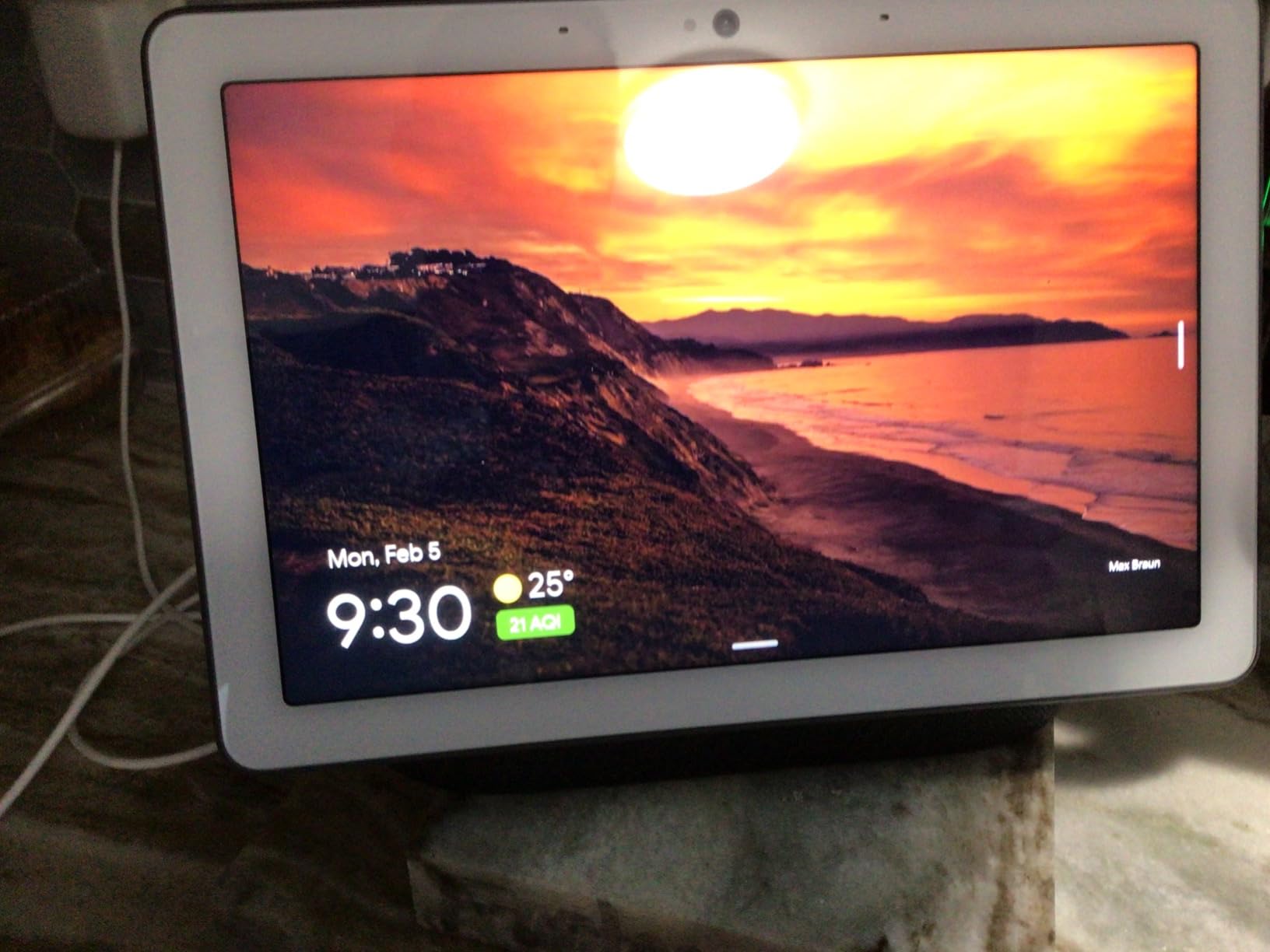
Audio is the compromise. It is a single speaker rather than a stereo or spatial-audio setup, so it is fine for recipes and weather and less fine as a kitchen music system. Owners also consistently note that the on-screen control options are far thinner than what the Google Home app offers on a phone.
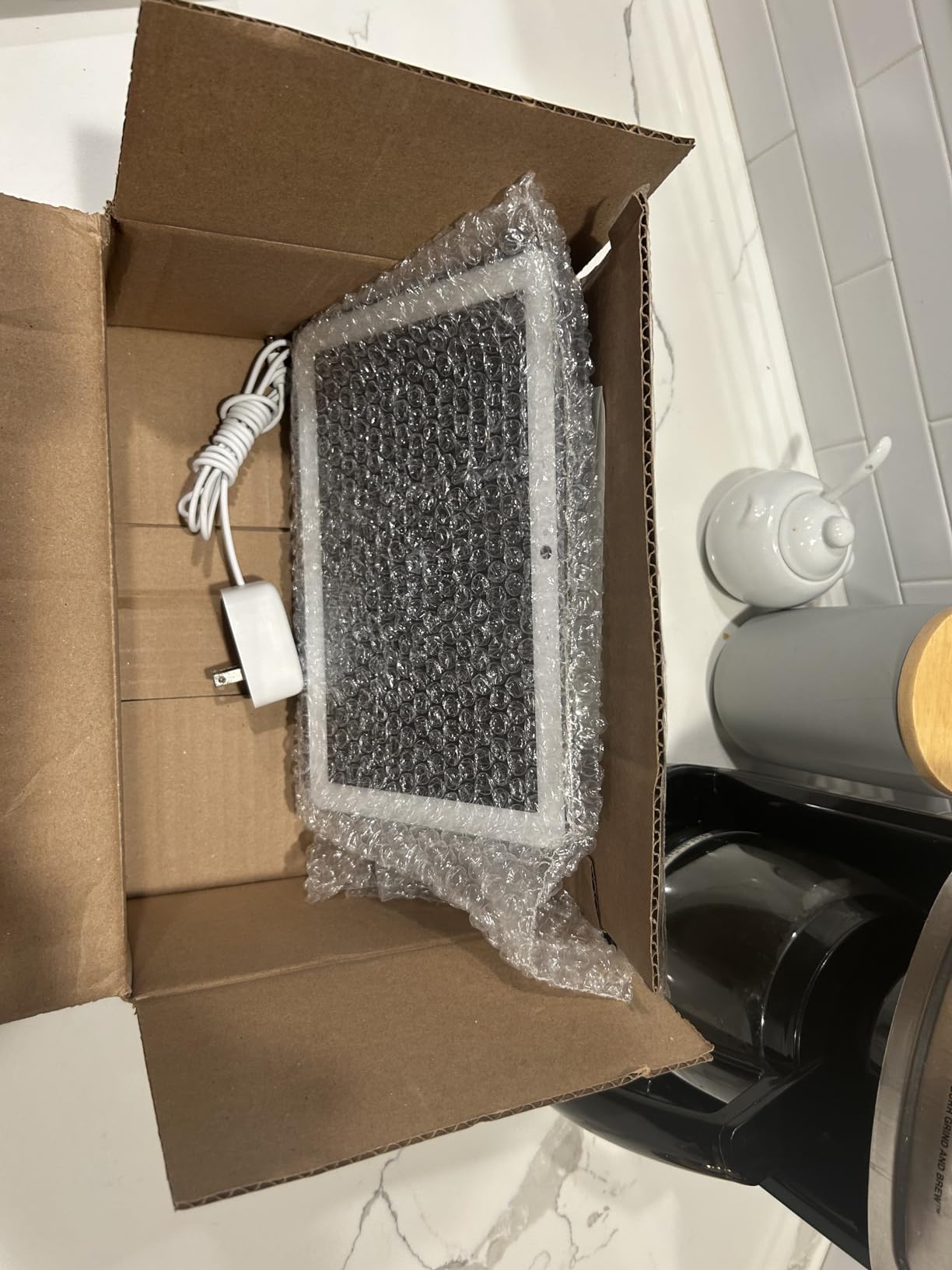
This particular unit is renewed, and that comes with a 90-day limited warranty. That matters more than it sounds for a display with a camera. The listed item dimensions of 4 by 4 by 2 inches also do not match the stated 10-inch screen, which is a listing quirk worth knowing before you judge the physical size on the product page.
Google has not refreshed its consumer display hardware in years, which is the real reason this pick is cautious. There is plenty of talk online about whether the Nest Hub line is on the way out, and nothing official. Buying into a stagnant lineup has a cost even when the discount looks attractive.
Where the Nest Hub Max makes sense
It makes sense in an all-Google house that has already committed to the ecosystem and just needs a screen on the counter. Owners who have had units running for years report they still do the job they bought them for, which is weather, timers and short recipes.
It is also the option for a kitchen where you want a camera for calls without buying into Amazon hardware. A universal power adapter and global language compatibility make it more travel-friendly than the alternatives here.
Where the Nest Hub Max disappoints
The renewed condition and 90-day warranty are the first problems. A camera-equipped device bought without meaningful coverage is a different risk category than a new display, and the smaller review pool gives you less reassurance about long-term software behaviour.
Second, a 10-inch screen with a single speaker is a modest kitchen setup next to a spatial-audio 8-inch Echo. If you want the display to be your kitchen sound system too, this is not the one.
5. eufy Smart Display E10 – four camera views over the sink
eufy Security eufy Smart Display E10, Smart Home Hub, 8″ Control Panel
- Four simultaneous camera feeds on one screen
- Wall mount included for splash-zone avoidance
- Local storage gives instant replay
- Facial and package recognition
- Large simple touchscreen
- Focused on eufy security rather than general smart home
- HomeBase 3 needed for advanced recognition
Verdict: the eufy Smart Display E10 is the best kitchen display if your real question is what is happening at your front door while you cook, and the wrong tool for recipes.
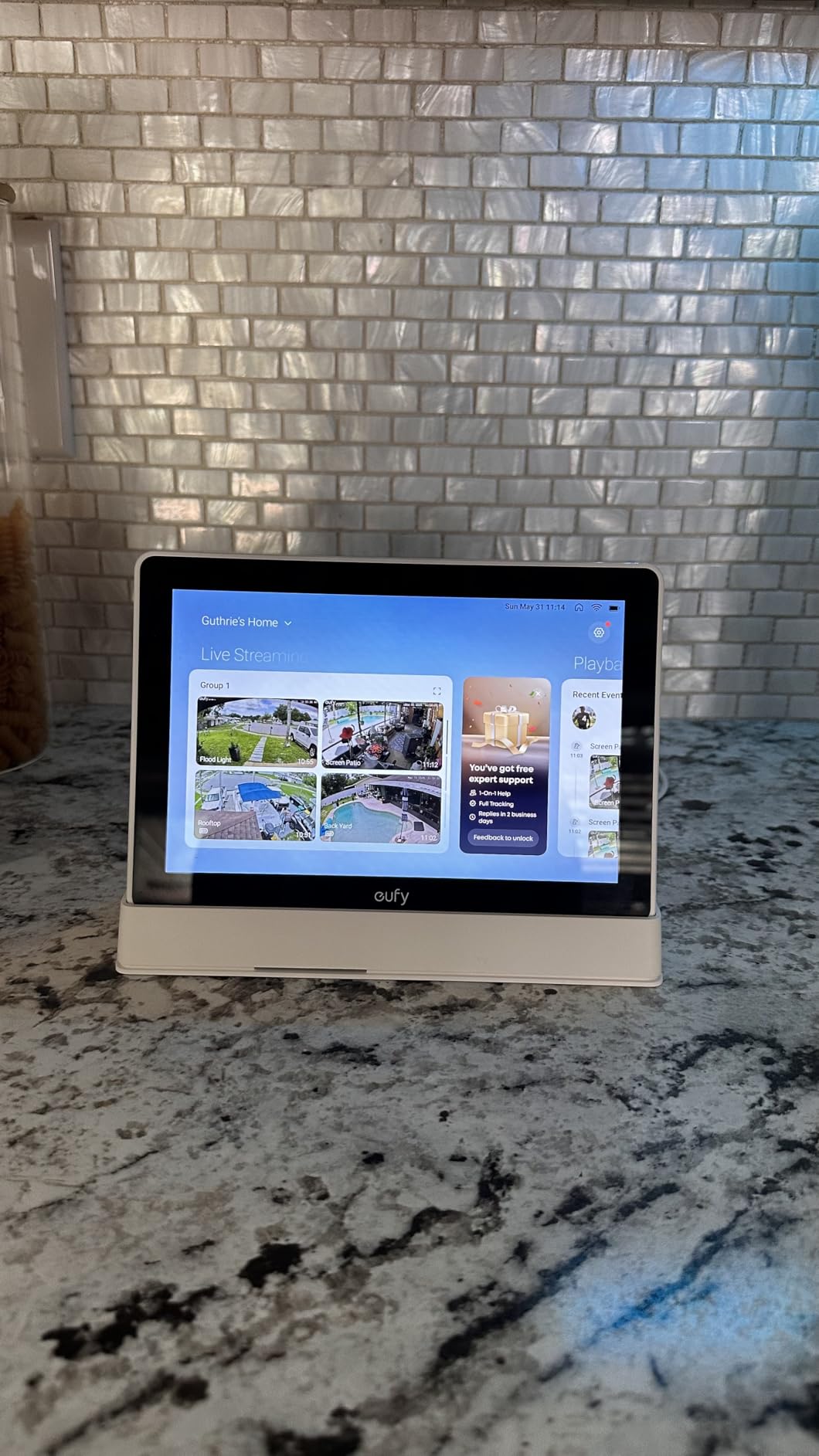
This one is deliberately different from everything else on the page. It is an 8-inch touchscreen control panel for eufy security, released most recently of the group, and its kitchen value comes from the four simultaneous property camera views it puts on a single screen. Doorbell, back door, driveway and side gate, all at once, above the sink.
Local storage is the feature that changes daily use. Because playback comes from the HomeBase 3 rather than the cloud, you get instant replay with no buffering, which is the difference between checking a package delivery in two seconds and waiting through a loading spinner with wet hands.
The bundled wall mount is the quiet winner for kitchen placement. Mounted under a cabinet or on a wall, the display sits clear of the splash zone entirely, which removes the biggest durability question on this page. The screen is also large and simple enough to be genuinely usable by children and older family members.
Voice control works through Alexa, and the daily security reports use facial and package recognition to summarise what happened while you were out. Hands-free doorbell, lock and motion alerts with a live feed are the version of this you notice most during a busy evening of cooking.
What it will not do is recipes, streaming, or general smart home control. The smart home remit is narrower than a general-purpose display, and if your kitchen has no eufy cameras, none of the above applies to you.
Where the eufy Smart Display E10 makes sense
It makes sense in a household already running eufy cameras with a HomeBase 3, in a kitchen near a front door where you want eyes on the property without a phone in your hand. The four-way split view is genuinely useful for that, and nothing else here does it.
The wall mount also makes it the most kitchen-appropriate mounting solution on the page, because it takes the display entirely out of reach of splashes and steam.
Where the eufy Smart Display E10 disappoints
It is a security panel with a speaker, not an assistant. Ask it for a recipe and you will be disappointed, and the 4.1 star average is the lowest on this page, reflecting exactly that narrower remit.
The advanced recognition features require the HomeBase 3, so the display is less useful than the spec list implies if you are running eufy cameras without that hub. It also carries a 64GB storage style in a black and white chassis, which is a less finished look on a counter than the Echo or Portal units.
6. Meta Portal 10 inch – the best screen for video calls
Meta Portal – Smart Video Calling for the Home with 10” Touch Screen Display – White
- Camera auto-pans to keep people framed
- Works with Messenger and WhatsApp
- Slim frame design sits discreetly on a counter
- Physical camera cover and disable buttons
- Meta has discontinued Portal video calling
- Must be plugged in with no battery
- Alexa integration is average
Verdict: the Meta Portal 10 inch is still the best kitchen screen for video calls, and the software situation is the reason it sits at the bottom of our list rather than the top.
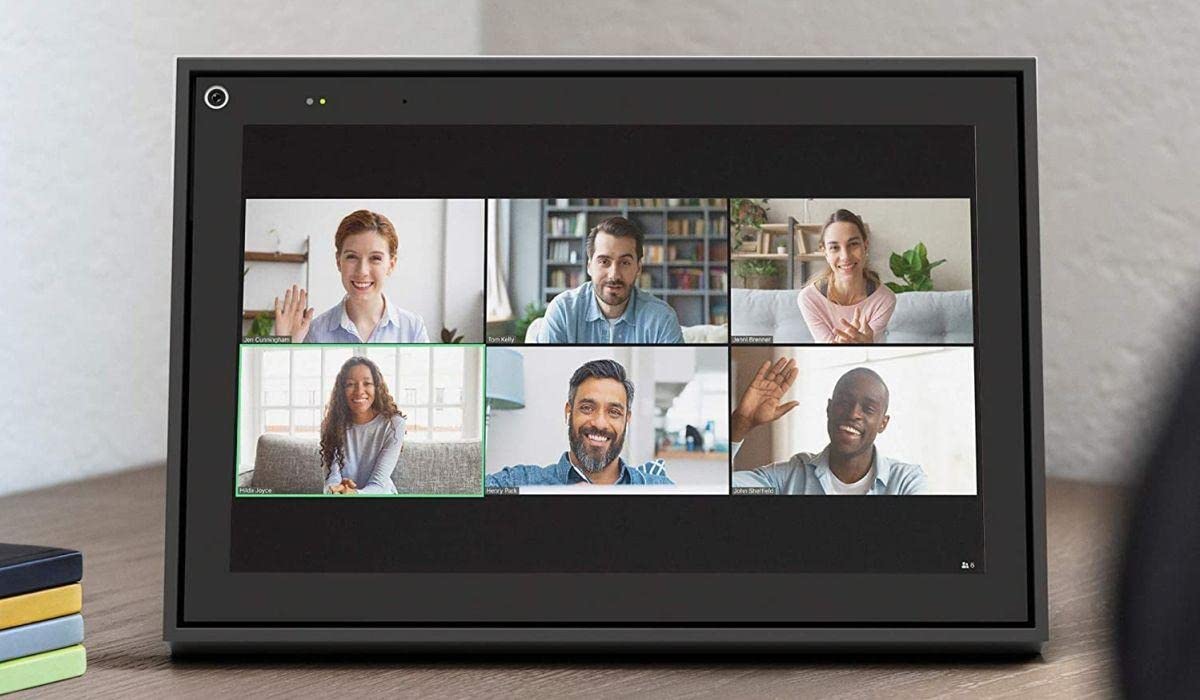
The hardware is good. The Smart Camera auto-pans to follow movement and keep people in frame, and Smart Sound makes you easy to hear, which between them solve the two things that make kitchen video calls awkward. A 1080p capture at 30 fps with a 140-degree viewing angle and infrared night vision covers most daylight kitchen calls comfortably.
It works with Messenger and WhatsApp, including for contacts who do not own a Portal themselves, and that cross-platform calling is still its advantage over the Echo line. Owners on r/smarthome note the slim picture-frame form factor sits on a counter much more discreetly than a black rectangle.

Privacy is handled well for a camera device. There is a physical camera cover plus mic and camera disable buttons, and at 2.3 pounds and 10.25 by 7.06 inches it is small enough to place deliberately rather than wherever the counter space is.
The problem is software direction. Meta discontinued Portal video calling, so the core function of this device has limited future support. That shows up in the recent reviews, where owners describe well-made hardware running behind current smart displays. The app ecosystem is thin, there is no Google services integration, and Alexa integration is average rather than deep.
Smaller practical details: it is corded with no battery, the stand angle can point the camera too high on a table, and there is no Chinese language setting. Some users also report a soft ring tone, which is a small thing that matters if the device is on your counter all day.
Where the Meta Portal makes sense
It makes sense for households that live on WhatsApp and Messenger calls, particularly cross-border families, where the auto-framing camera is doing work no other display in this group does. A wall-mountable frame-style screen that keeps everyone in shot is a real advantage for a long kitchen table conversation.
The physical camera cover also makes it a reasonable choice for anyone who wants a screen on the counter without a live camera pointed at it, since the cover is mechanical rather than a software toggle.
Where the Meta Portal disappoints
It disappoints if you buy it as a general kitchen display. There is no smart home hub role worth the name, no recipe experience to speak of, no streaming, and the assistant integration is thin. It is a very good video-call screen attached to a software roadmap that has stalled.
Buying discontinued-support hardware also carries a resale and longevity risk that does not apply to the Echo or Google units on this page, and that is worth weighing before you commit counter space to it.
How to Choose a Smart Display for Your Kitchen
Start with the assistant you already use, not the screen. Alexa and Google Assistant control different lights, locks, thermostats and cameras, and a kitchen display that cannot talk to your existing setup becomes a novelty within a fortnight. If you are starting fresh with no smart home at all, the Echo line is the safer default because it has the broader device catalogue and the more capable smart home hub.
Match the screen to your viewing distance
Screen size in a kitchen is a distance problem, not a resolution problem. Read a timer or a weather glance at arm’s length and anything above 8 inches is wasted. Read a recipe or a calendar from across an island and you want 15 inches or more. Between those two extremes, 8 to 10 inches is the sweet spot for a counter that is walked past rather than stood at.
Surface area around the display matters as much as the screen does, especially if the counter is a working one. Our quartz countertop guide covers how the finish under the device affects cleaning, and a light matte surface hides the fingerprints a glossy screen collects.
That is also why viewing angle matters more than resolution. An under-cabinet light strip or a window across the room will bounce off a glossy screen, and a tilting stand is the cheapest fix there is. If you are buying the largest display on this page, budget for the stand rather than assuming the panel will land where you want it.
Decide how much you care about the camera
A camera in a kitchen is a genuine privacy question, and the answers on this page range from a physical shutter to an electronic button. The Echo Show 15 and 21 have a physical shutter and a mic/camera-off button. The Echo Show 8 uses a hardware enable-disable button with in-app camera controls. The Meta Portal has a physical camera cover. The eufy E10 has a security-focused camera that is the entire point of the device.
If you never video call and never want a lens in the room, the narrowest option is still preferable. Mounting height matters too, particularly in a kitchen where children are present.
Understand what the hub radios actually do
The Echo Show 8 has a built-in smart home hub that controls thousands of Alexa-compatible devices with no separate hardware. That removes a box from your counter and from your network. The other displays here are more dependent on an existing bridge or hub, which is a real consideration if you are counting counter and shelf space.
Count on-screen space honestly
Every review pattern we found agrees on one point: people expect a full recipe walkthrough and mostly get short lookups. Smart displays are good at timers, quick conversions, weather, calendars, shopping lists and camera checks. They are not good at a forty-step recipe you need to read top to bottom while your hands are occupied. If that is your primary use, a tablet is the better tool.
Owners of both display families also agree the sound is surprisingly good for the size, that setup is quick, and that pulling up a doorbell or entry camera by voice is the single most-used feature. That last point is worth more to most households than any other feature on this page.
How we picked
We looked at every current smart display listing we could verify, filtered out colour variants, stands, mounts, generic wall planners and kitchen scales, and kept the devices that genuinely sit on a kitchen counter and do something useful there. We then read the owner reviews for each, weighted heavily by review volume, and assessed kitchen fit: size against counter space, camera privacy, hub role, and what happens to the screen after a year of cooking next to it. Prices move constantly, so use the buttons rather than any number you may have seen elsewhere.
Surviving Steam, Grease and Daily Kitchen Mess
No manufacturer rates these displays for steam, grease or splash, so treat placement as your own protection. The single most useful decision is keeping the device away from the cooktop and out of the sink splash zone, and the one product on this page that ships with a wall mount makes that easiest. If you are still choosing the range that creates the most of that steam, our smart range guide compares extraction and layout options. Mounted under a cabinet, above the counter and outside the wet zone is a different reliability story from a screen sitting two inches from a kettle.
Cleaning is simpler than people expect. A damp microfiber cloth on a powered-off screen handles fingerprints and grease film, and because these are capacitive touchscreens, a layer of oil will make taps feel unresponsive until you wipe it. Wiping as you go, the way you already wipe a splashback, keeps the interface honest.
Glare is the more common complaint than steam. Under-cabinet LED strips and overhead pot lights both reflect hard off a glossy panel, and the fix is placement rather than settings. Angle the screen away from the light source, and if you are buying a large model, choose one with a tilting or swiveling stand so you are not stuck with a fixed viewing angle.
Voice recognition in a loud kitchen is the last variable. A range hood running will challenge far-field microphones more than wet hands do, and speaking from a normal cooking position rather than leaning over the device is the difference between a reliable timer and a repeated command. Owners on r/smarthome report the doorbell and timer requests working reliably from across the counter, which is the standard worth holding any candidate to.
Finally, think about cable routing before you fall for a design. Every display here is corded, and the Meta Portal has no battery at all. A counter with a nearby outlet and a clean cable path is worth more than any extra half-inch of screen.
Frequently Asked Questions
What is the best smart display for a kitchen?
The Amazon Echo Show 15 is the best smart display for most kitchens because its 15.6-inch Full HD screen stays readable from across an island while its widgets handle timers, calendars, shopping lists and live camera feeds. The Echo Show 8 is the better option when counter space is tight, and the Echo Show 21 suits very large open-plan rooms.
What is the best Echo Show for the kitchen?
The Echo Show 15 is the best Echo Show for a kitchen, pairing a 15.6-inch Full HD display with a built-in Fire TV, customisable widgets, a centered auto-framing camera and a physical camera shutter. If your counter is small, the Echo Show 8 gives you the same ecosystem in a much smaller footprint.
Is a smart display worth buying for a kitchen?
It is worth it if you cook regularly and already own Alexa or Google ecosystem devices. The highest-value uses reported by owners are setting timers by voice, pulling up a doorbell or entry camera feed, and keeping a family calendar and shopping list visible. It is not worth it if your main goal is following long recipes, since most owners use displays for short lookups rather than full walkthroughs.
Is a Google Nest Hub better than an Echo Show for a kitchen?
Only if your home already runs Google. Google displays give you less on-screen control than the Google Home app and a single speaker rather than spatial audio, so the Echo line offers more hardware variety. If your lights, locks and thermostat already answer to Google, the Nest Hub Max avoids running two ecosystems in the room where you cook.
What is the best smart display to buy instead of the Echo Show?
For a Google Home house, the Google Nest Hub Max is the alternative, with a 10-inch display and built-in camera for calls and visual detection. If your priority is watching four security cameras at once rather than recipes, the eufy Smart Display E10 puts four live feeds on one 8-inch screen and includes a wall mount.
Why is the Google Nest Hub not being updated?
Google has not refreshed its consumer smart display hardware in years, and the Nest Hub remains its only current display with a screen, which is why buyers ask whether the line is being discontinued. Nothing official has been announced. If you are weighing a renewed Nest Hub Max, factor in a 90-day limited warranty and a thinner software roadmap than the Echo line offers.
The Best Smart Display for Your Kitchen
The best smart displays for kitchens in 2026 come down to one variable: how much room you have and which assistant you already live with. The Echo Show 15 is our pick for most kitchens, pairing a readable screen with a widget layout that earns its counter space. The Echo Show 8 covers compact counters, and the Echo Show 21 handles the big open-plan room.
Beyond Amazon, the Nest Hub Max serves a committed Google Home house, the eufy Smart Display E10 turns a kitchen wall into a four-camera security monitor, and the Meta Portal 10 inch remains the best screen on this page for video calls. Whichever you choose, mount it or place it away from the sink, wipe it as you cook, and the price you checked today will not be the price you see tomorrow.